BTL-5000 SERIES
USER'S MANUAL
page 35 of 56
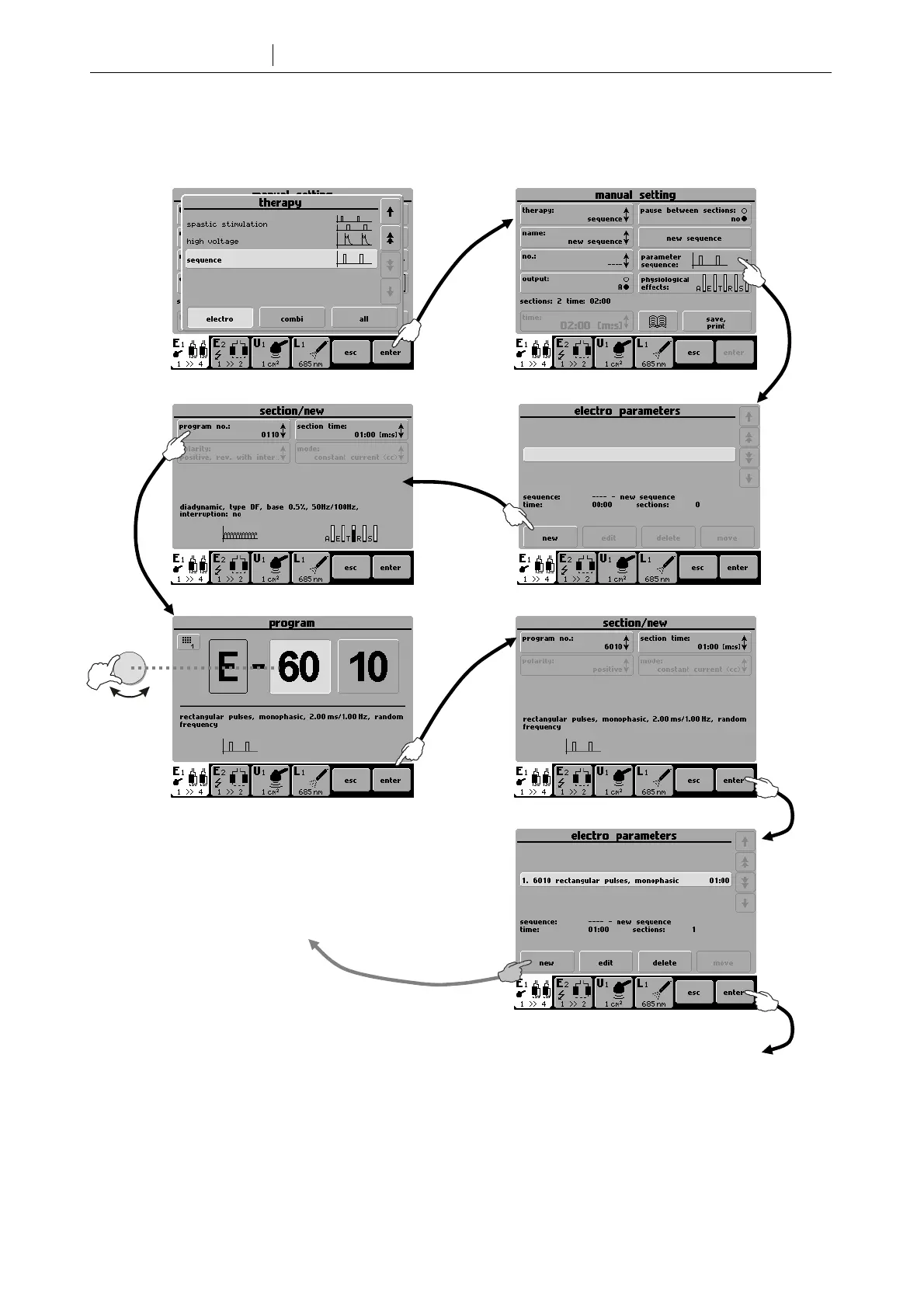
Open the therapy parameters screen. In the manual mode select therapy / sequence (or ultrasound sequence or
laser sequence). Creation of a new sequence is displayed in the following diagram:
select
Repeat the process to insert another
program (section) in the sequence
Pressing ente
will confirm the sequence and exit to the therapy
parameters screen. Here you can press the print/save button to
select the way of saving and parameters and to save the
sequence (see 4.2.2 Saving New Sequence).









 To Next Page