18
Chapter 3 Sharing Files
Adding Shared Folders
Configuration from a Computer
1 In Advanced Settings, click File Sharing.
2 Click to the right of "Folder Setup".
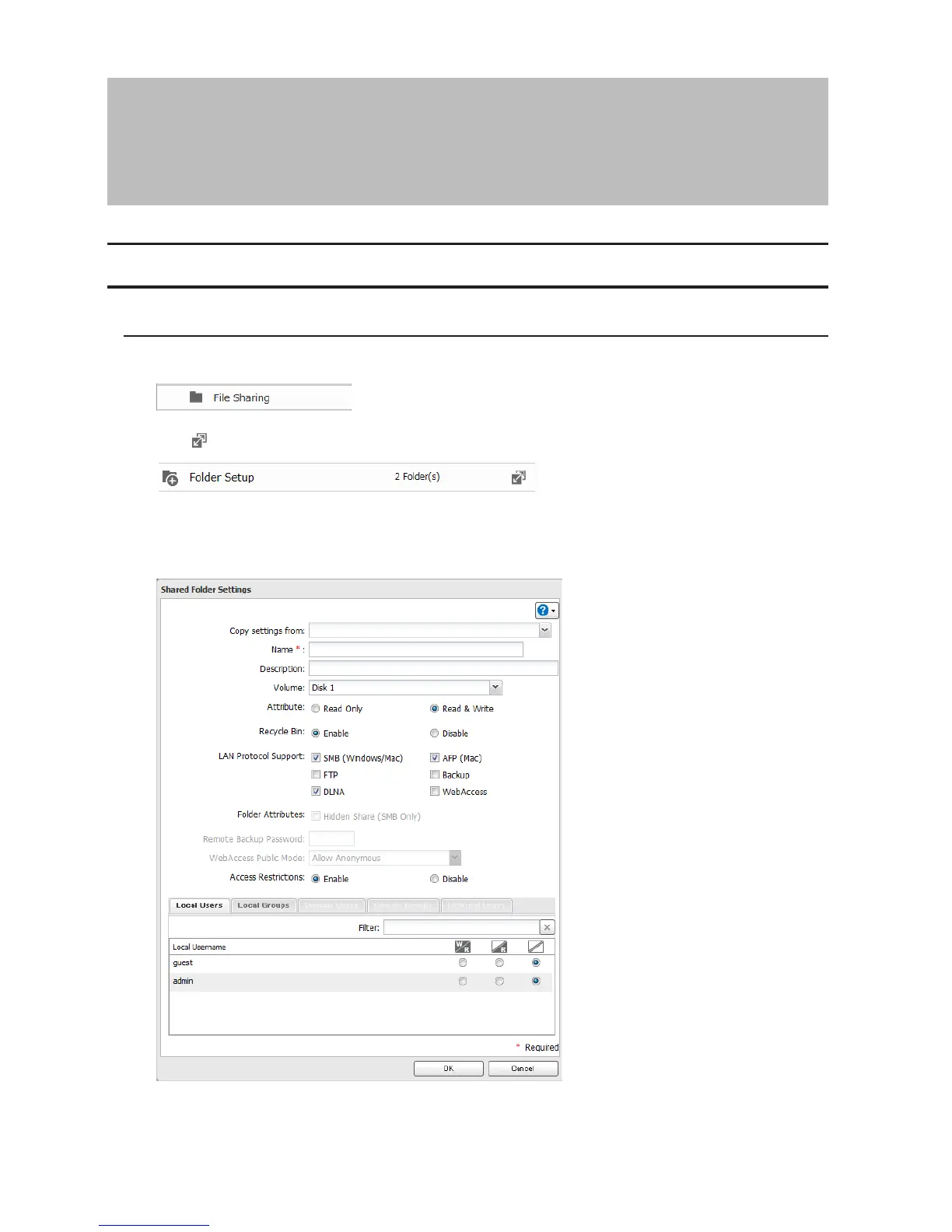
3 Click Create Folder.
4 Configure the desired settings, then click OK.
Notes:
• Names may contain up to 27 alphanumeric characters, hyphens (-), and underscores (_). Do not use a symbol
as the first character in a name.












 To Next Page