89
Chapter 9 Utilities
NAS Navigator2 for Windows
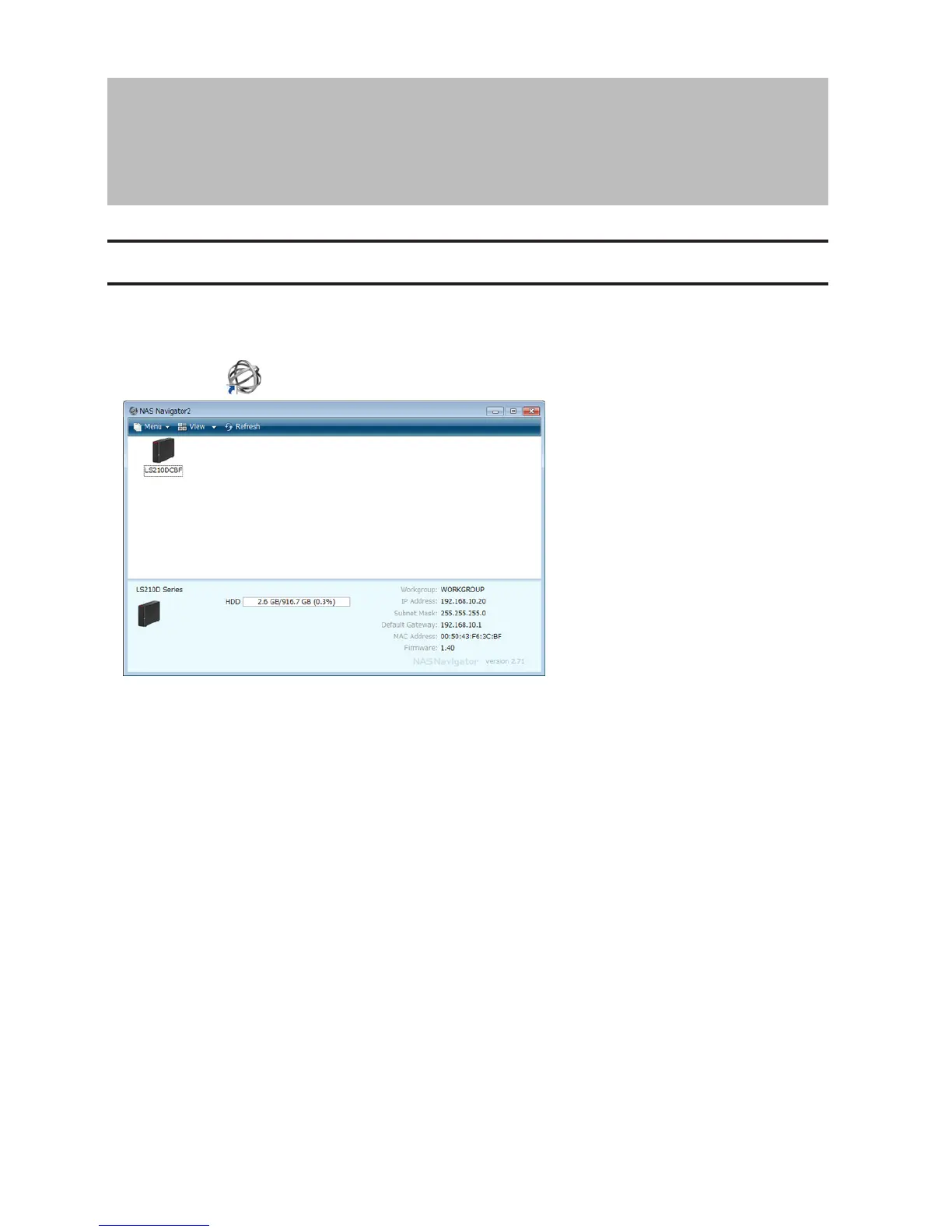
NAS Navigator2 is a utility program that makes it easy to display Settings, change the LinkStation's IP address, or
check its hard drive. If you installed the LinkStation with LinkNavigator, NAS Navigator2 was installed automatically.
NAS Navigator2 will run in the system tray when the computer is on.
Double-click the icon to start NAS Navigator2.
Click your LinkStation's icon to open a share on the LinkStation and display:
• Total capacity
• Capacity in use
• IP address
• Workgroup
• Subnet mask
• Default gateway
• MAC address
• Firmware version












 To Next Page