40
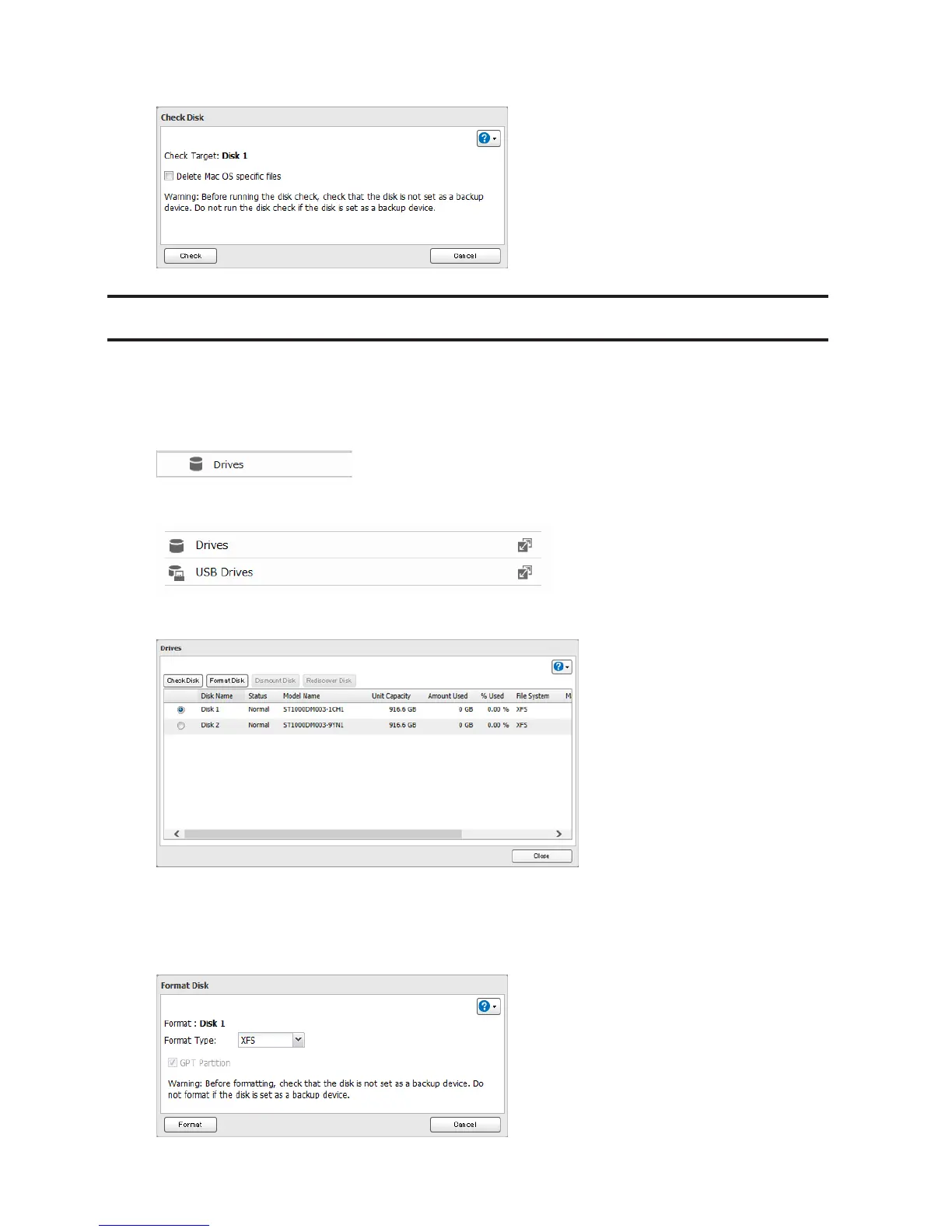
4 Click Check. You have the option of deleting information files from Mac OS during the check if desired.
Formatting Drives
Note: Under some circumstances, data deleted when a drive is formatted can be recovered. To ensure that data
is "gone forever", a format might not be sufficient. See the "Erase Data on the LinkStation Completely" section
below.
1 In Advanced Settings, click Drives.
2 Click Drives to format an internal drive or USB Drives to format an external drive.
3 Select the drive to format, then click Format Disk.
Note: If you connect an external drive to the LinkStation and the drive status is still shown as "Unformatted",
refresh the status by clicking Rediscover Disk. If the status doesn't change, disconnect and reconnect the USB
drive.
4 Select a format type and click Format.












 To Next Page