44
Hard Drive Replacement
If a drive fails, NAS Navigator2 and Settings will show an error message.
Notes:
• Do not replace a running drive while the LinkStation is turned on. Power down the LinkStation before
changing the drive. While the LinkStation is running, never unplug or remove drives without dismounting
them first.
• The replacement drive should be a OP-HDBST series drive, available from Buffalo. Using a different drive
might cause your LinkStation to malfunction.
• Use a Buffalo OP-HDBST series drive of the same size or larger for the replacement drive. If a larger drive is
used, the extra space will not be usable in a mirrored RAID array.
• To avoid damaging the LinkStation with static electricity, ground yourself by touching something made of
metal before handling any sensitive electronic parts.
• After a drive is replaced, it will take about 30 minutes before normal file reading and writing are restored.
Settings may not be accessible during this period.
• Do not change the order of the hard drives in the LinkStation. For example, pulling out drive 1 and replacing
it with drive 2 may cause data to be corrupted or lost.
• If a new drive is not recognized after installing it, click Rediscover Disk in Settings.
Rebuilding the RAID Array from a Computer
1 Turn the LinkStation off and remove all cables.
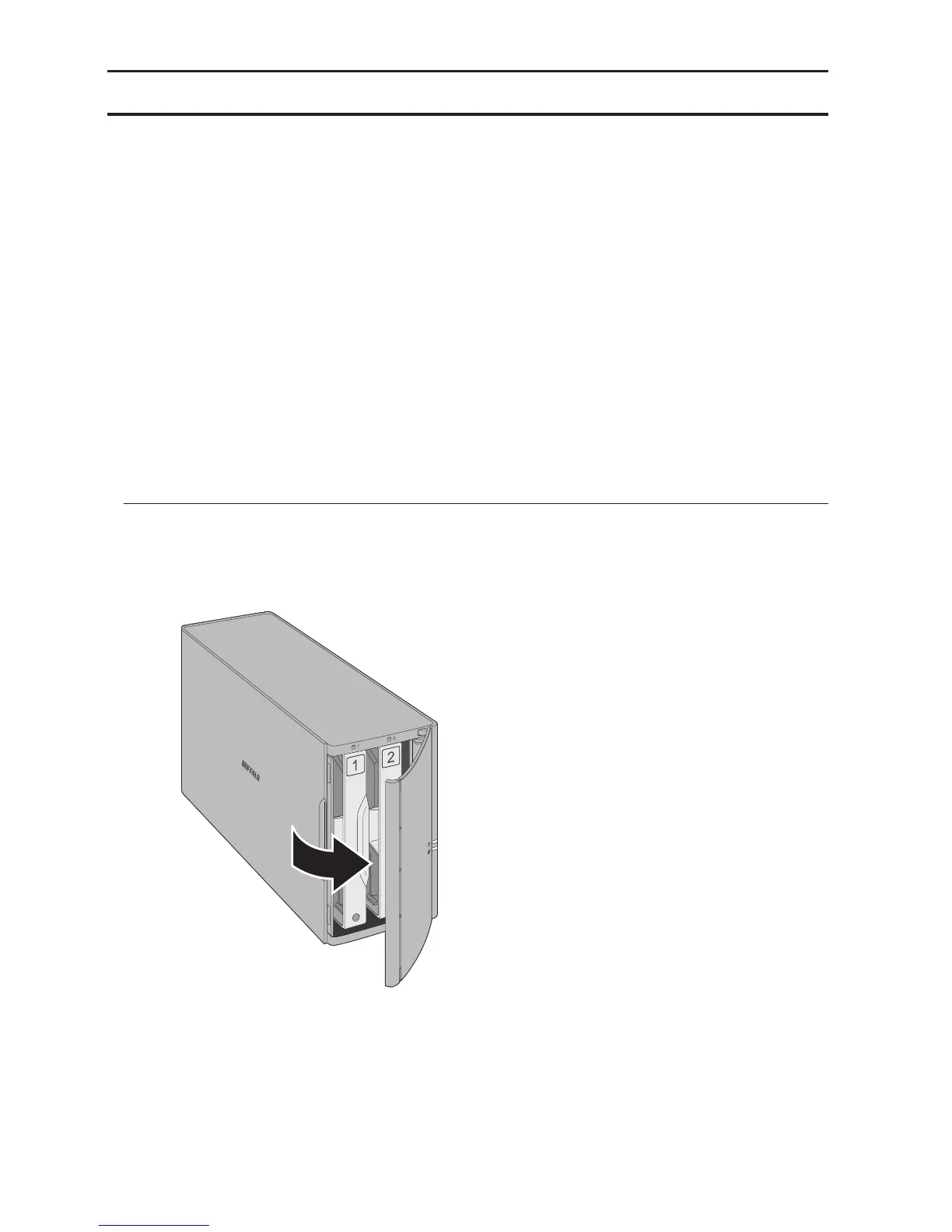
2 Squeeze the left side of the front panel and swing it open.












 To Next Page