51
Note: The BuffaloNAS.com name may contain from 3 to 20 alphanumeric characters, underscores (_), and
hyphens (-). The BuffaloNAS.com name is case-sensitive.
5 Click Apply.
6 Continue with the procedure at http://buffalonas.com/manual/setup/en/.
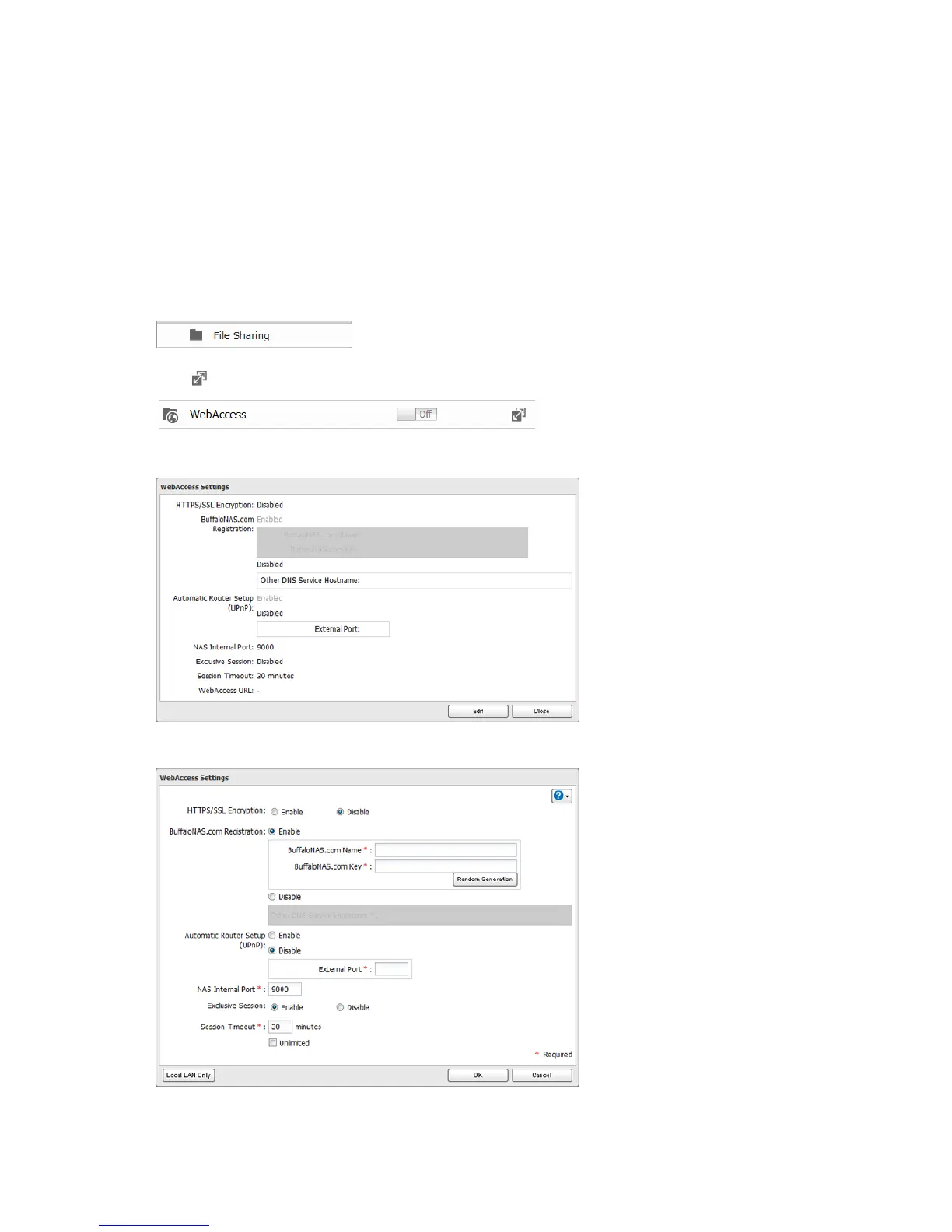
Configuration from Advanced Settings
Note: Use compatibility mode to use WebAccess with Internet Explorer on Windows 8 and Windows 8.1.
1 In Advanced Settings, click File Sharing.
2 Click to the right of "WebAccess".
3 Click Edit.
4 Configure the desired settings, then click OK.
• To use SSL encryption for more secure data transfers, enable "HTTPS/SSL Encryption".
Some WebAccess applications may not support HTTPS/SSL encryption. Disable it if this is an issue. For more
details, refer to the WebAccess Help Guide.












 To Next Page