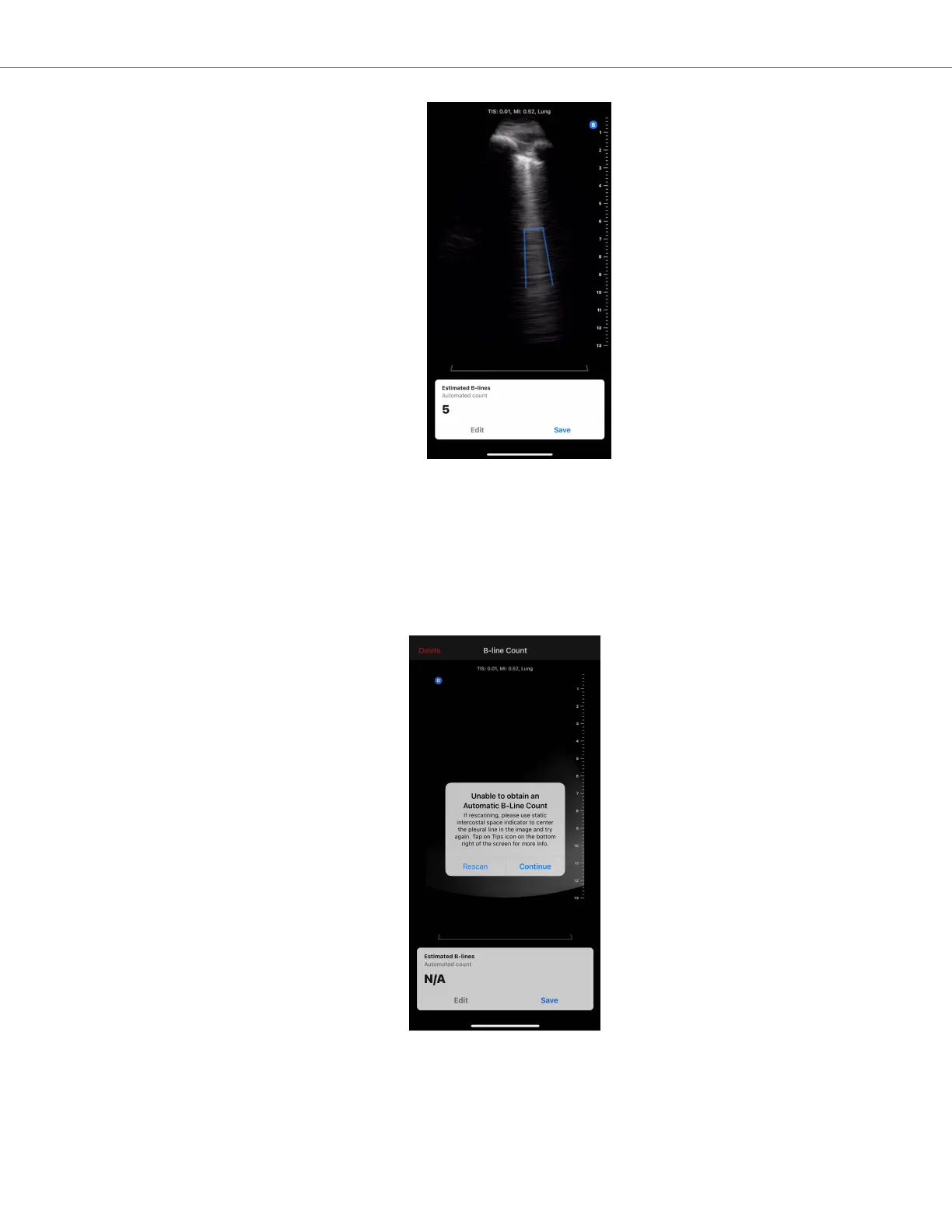
c. Please see the sections below for information on how to edit a B-line count, save the cine, or delete the
cine.
5. Auto B-line Counter unsuccessfully calculates B-line count
The Auto B-line Counter has the capability of identifying cines that are not adequate for an automatic B-line
calculation by the tool based on an internal quality check.
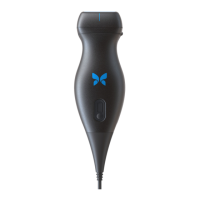
a. In this case, a prompt will display explaining that the tool was unable to obtain an automatic B-line count
(see screenshot below). In addition, the automated B-line count will display as “N/A”. Pressing the Continue
button will advance to the result screen where a count can be manually added via the Edit button.
b. To rescan/repeat the measurement,
i. Press the “Rescan” button on the popup window.
ii. The device will return to the Auto B-line Counter home screen, where the “Calculating B-line Count”
steps can be repeated including capturing a new cine.
Butterfly Auto B-line Counter
AI-Assisted Tools 54


 To Next Page