PMW20
81
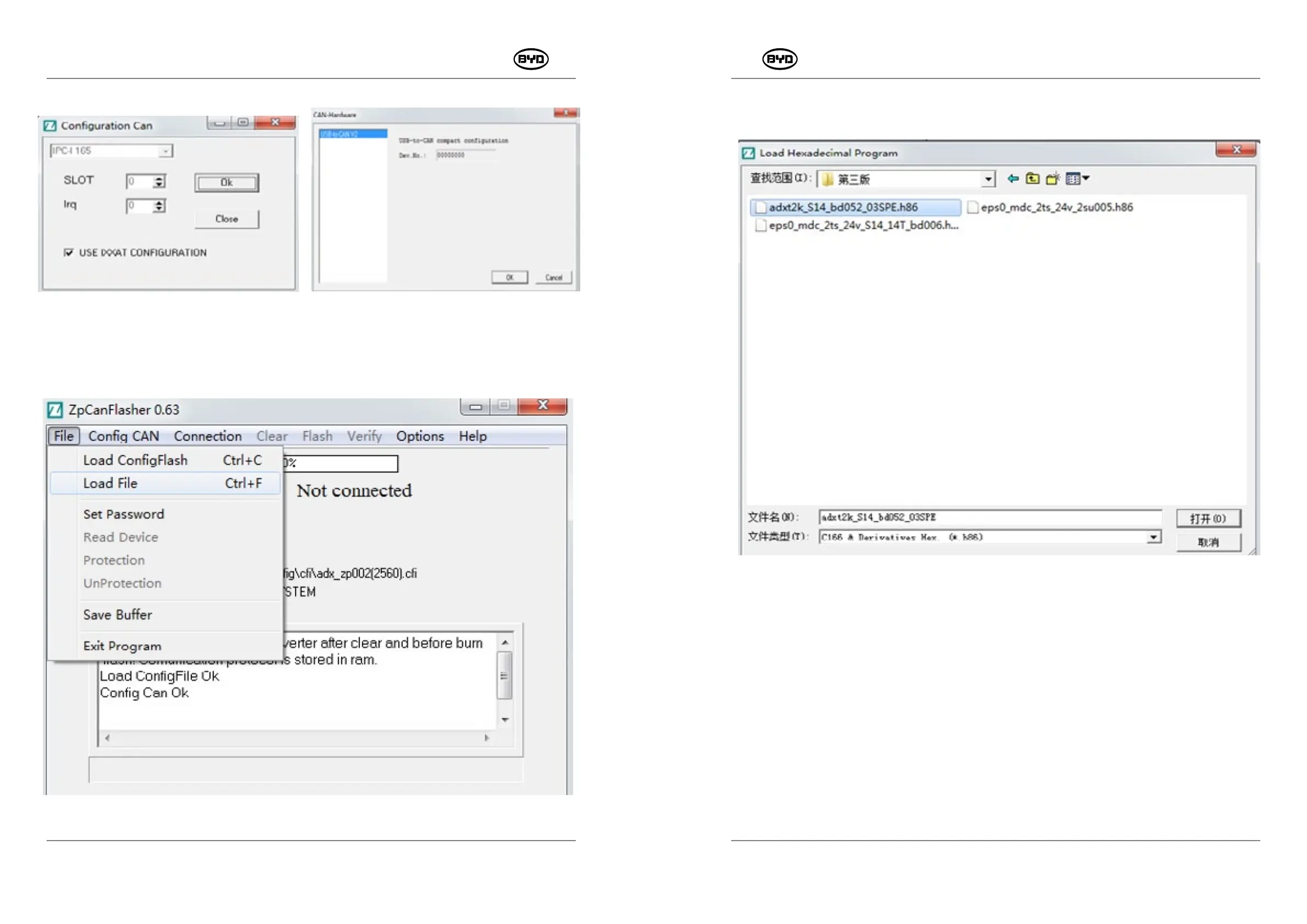
Open it and find the software required by the controller in the corresponding folder, as
shown in Fig.1.1.12.
Fig.1.1.12
6. Connect the Controller
Turn on the ignition switch first and run the controller.
Click“connection”→“start”.
When “CONNECTED” appears, it shows that the controller has been connected normally
and that you can start to write software, as shown in Fig.1.1.13.
PMW20
80
Click OK, as shown in Fig.1.1.9 and Fig.1.1.10.
Fig.1.1.9 Fig.1.1.10
5. Select the controller software and click “File” → “Load File”, as shown in Fig.1.1.11.
Fig.1.1.11
SM-PMW202020001-EN
SM-PMW202020001-EN


 To Next Page