PMW20
91
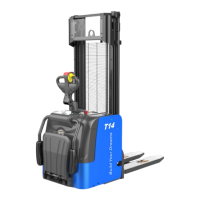
Click the button “Clear Eeprom”, as shown in Fig.1.2.17.
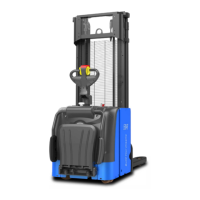
Click two consecutive prompts “OK”, as shown in Fig.1.2.18 and Fig.1.2.19.
Fig.1.2.17
Fig.1.2.18
PMW20
90
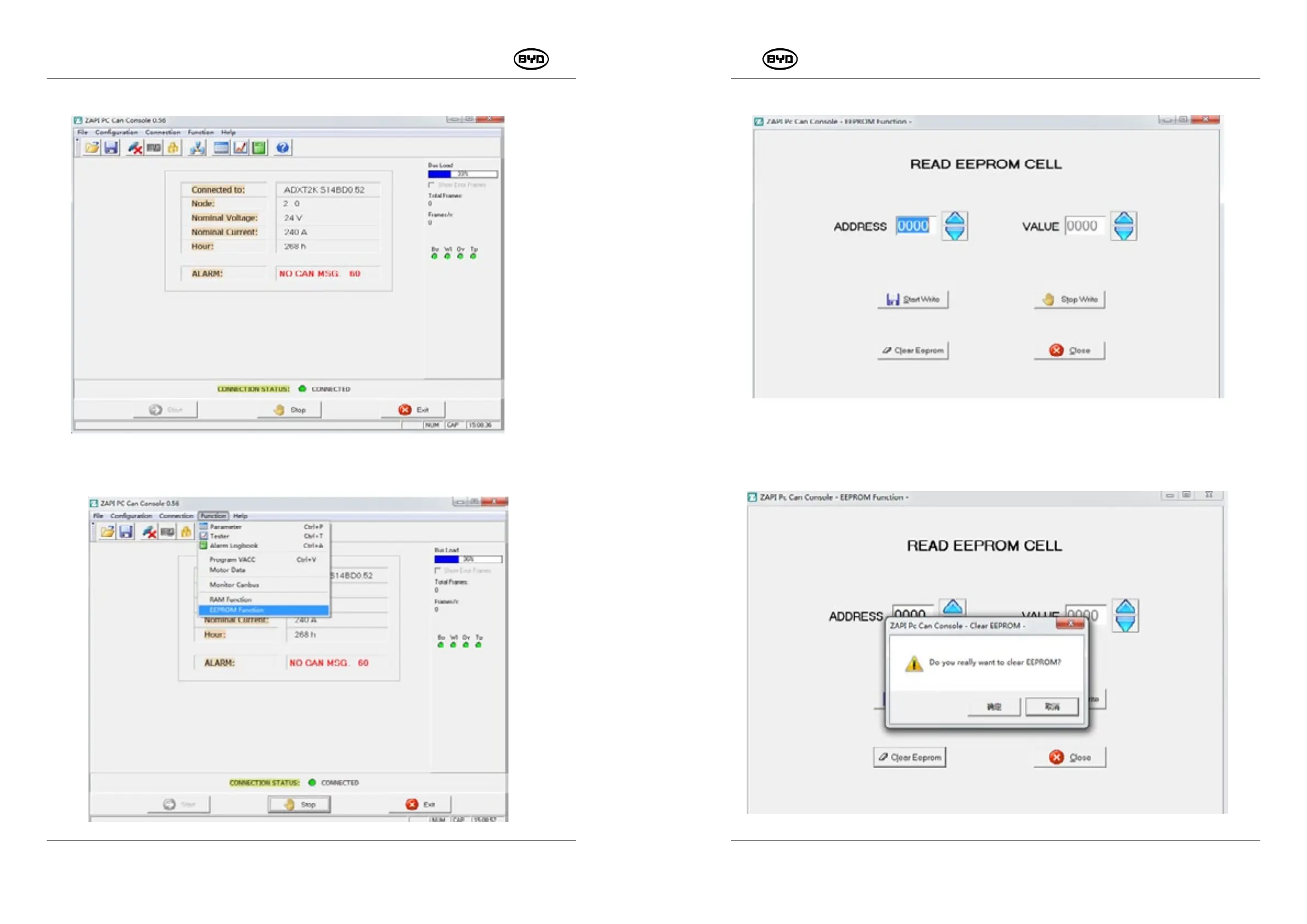
After entering the site, the version information thereof will be displayed, as shown in
Fig.1.2.15.
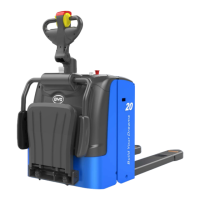
Fig.1.2.16
SM-PMW202020001-EN
SM-PMW202020001-EN
Then click “Function” → “EEPROM Function”, as shown in Fig.1.2.16.6.
Fig.1.2.15


 To Next Page