PMW20
93
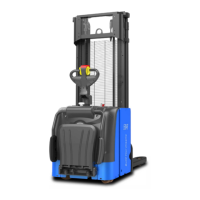
Fig.1.3.3
PMW20
92
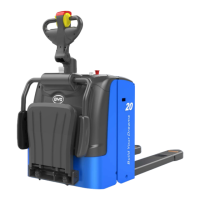
Or enter by clicking the icon on the main menu, as shown in Fig.1.3.2.
SM-PMW202020001-EN
SM-PMW202020001-EN
1.3 Import Parameters
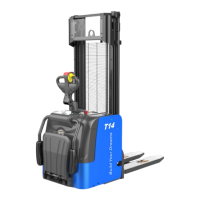
Enter the parameter interface and click the shortcut icon on the interface as shown in
Fig.1.3.1.
Fig.1.3.2
Click “File” → “Open” and select parameters to be imported, as shown in Fig.1.3.3 and
Fig.1.3.4.
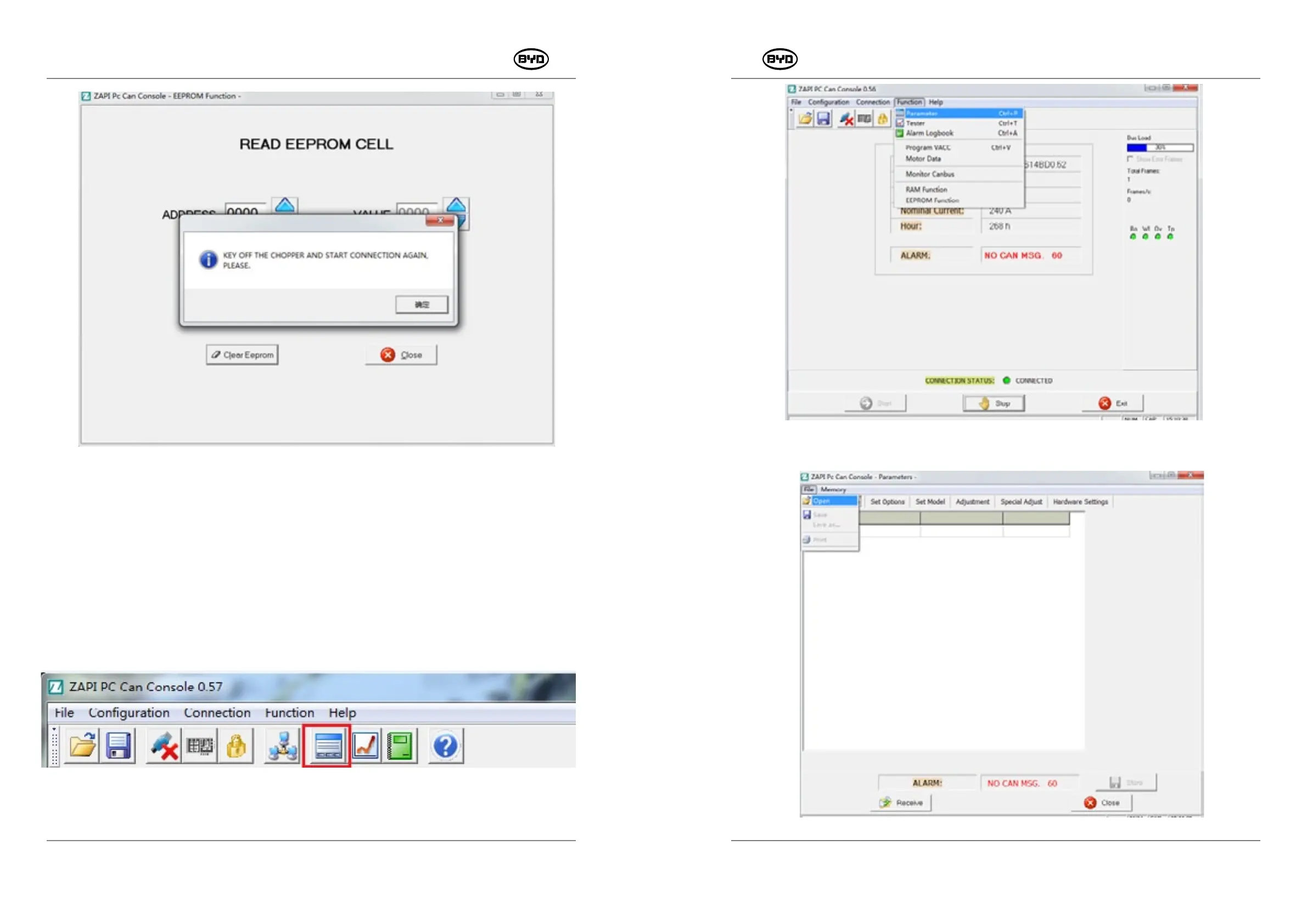
Fig.1.2.19
Fig.1.3.1
After clicking “OK”, restart the key switch and click “Close” back to the main interface. If it
prompts whether to reconnect the software, click “YES”. Or close the software and restart
connection again.


 To Next Page