11-14
Troubleshooting
Clearing Jams
11
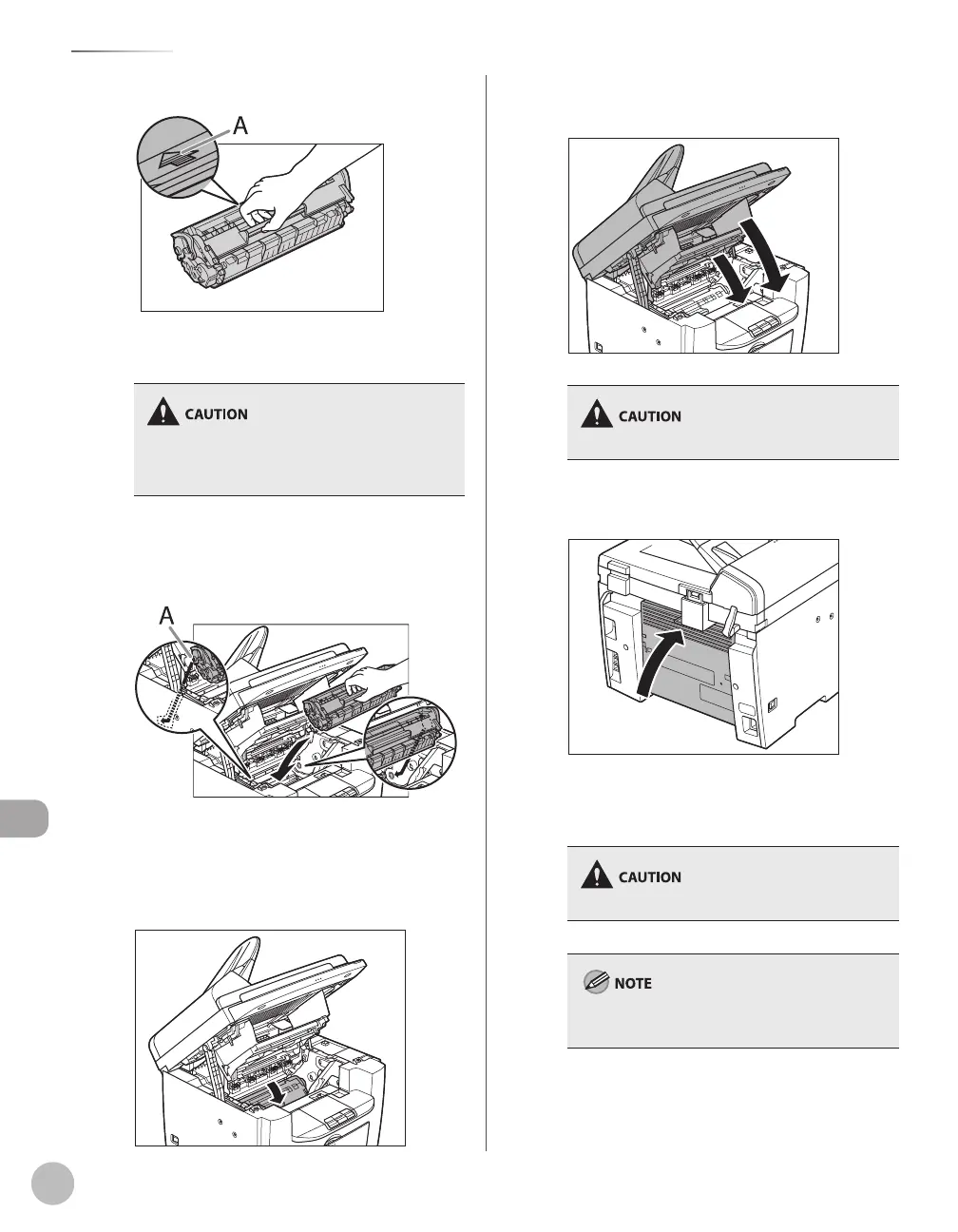
Hold the toner cartridge by its handle.
The arrow (A) on the toner cartridge should be
facing away from you and pointing down.
Do not open the drum protective shutter on the
toner cartridge. Print quality may deteriorate if the
drum surface is exposed to light or is damaged.
12
Insert the toner cartridge into the
machine as far as it will go.
A
Align the guide (A) on the left side of the toner
cartridge with the groove inside the machine.
13
Push down the toner cartridge to make
sure it is properly set in the machine.
14
Close the printer cover and lower the
scanning platform.
Be careful not to get your fingers caught.
15
Close the rear cover.
This operation is required only when <PAPER
JAM/OPEN REAR COVER> appears on the
display.
Be careful not to get your fingers caught.
To reset the machine, open the toner cover and
then close it.













 To Next Page