12
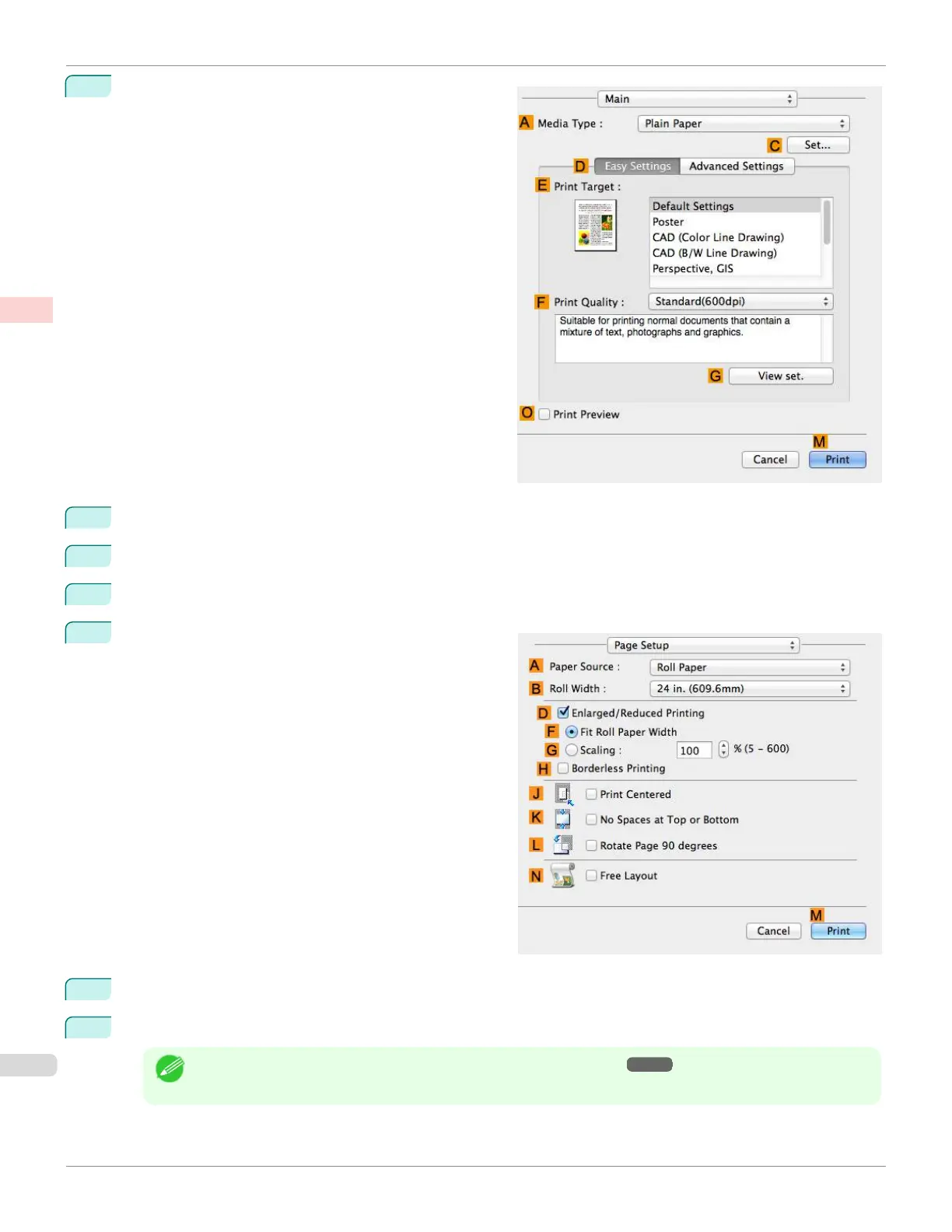
Access the Main pane.
13
In the A Media Type list, select the type of paper that is loaded.
14
After confirming that D Easy Settings is selected, select from the E Print Target list.
15
Make your selection in the F Print Quality list.
16
Access the Page Setup pane.
17
Click Manual in the A Paper Source list.
18
Confirm the print settings, and then click M Print to start printing.
Note
•
For tips on confirming print settings, see "Confirming Print Settings ." ➔P.279
Printing on Non-Standard Paper Sizes (Mac OS)
iPF670
User's Guide
Enhanced Printing Options Printing banners or at other non-standard sizes
108













 To Next Page