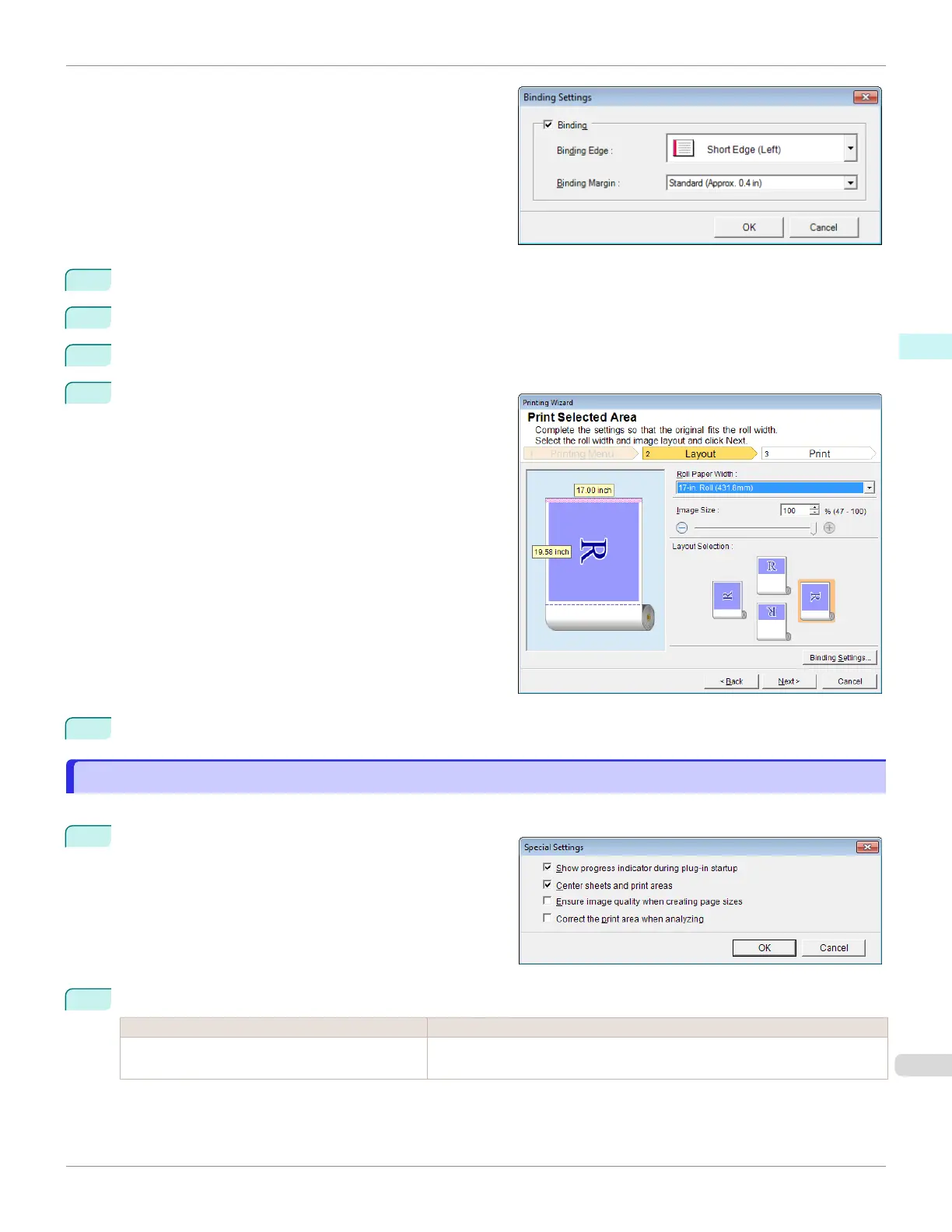
Open the Binding Settings dialog box.
3
If the Binding checkbox is not checked, select it to turn binding on.
4
Select Binding Edge.
5
Select Binding Margin.
6
Click the OK button.
Return to the Layout screen.
Check that the Binding settings are applied in the pre-
view screen.
7
Configure the settings in the Printing Wizard dialog box.
Configuring Special Settings
Configuring Special Settings
You can configure Special Settings from the imagePROGRAF Print Plug-In toolbar.
1
Click imagePROGRAF in the toolbar, and select Spe-
cial Settings.
2
Turn the checkbox for the item you want to change on or off.
Item Details
Show progress indicator during plug-in startup When this setting is off, hides the progress indicator that appears while the
plug-in is starting up.
iPF670
Configuring Special Settings
User's Guide
Windows Software Print Plug-In for Office
273













 To Next Page