5
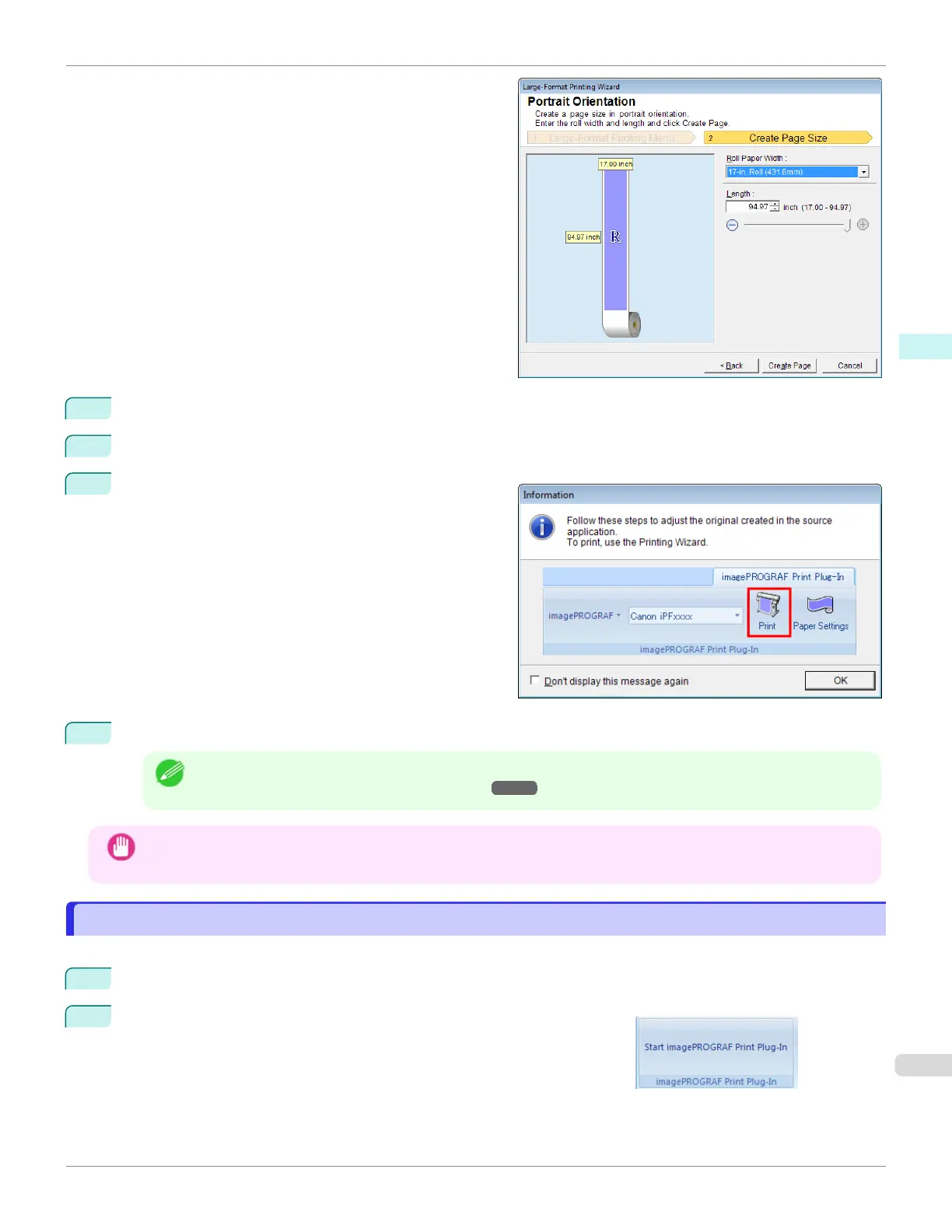
Adjust Length from the list-box or slide-bar.
6
Click the Create Page button.
7
ClickOK if the message is displayed.
8
Edit and create the document.
Note
•
Printing is done in Print Matching Roll Width of the Printing Wizard. For details on Print Matching Roll
Width, see "Print Matching Roll Width(Word)." ➔ P.243
Important
•
The layout may collapse if you create a form using existing data. If that is the case, modify the data again.
To start from Microsoft PowerPoint
To start from Microsoft PowerPoint
Below are the steps to start Print Plug-In for Office from Microsoft PowerPoint.
1
Start Microsoft PowerPoint.
2
If Start imagePROGRAF Print Plug-In is displayed on the toolbar/
ribbon, click it.
iPF670
To start from Microsoft PowerPoint
User's Guide
Windows Software Print Plug-In for Office
253













 To Next Page