•
Change Display Order button ( or )
To change the display order of a media type in the printer control panel and printer driver, select the paper to
change and click this button.
For details on the procedure for changing the display order of media types, see "Changing the Display Order of
Media Types." ➔ P.406
Important
•
When you update the media type information, perform the same update on all of the PCs that are using that printer.
Note
•
It may not be possible to deleting, showing/hiding, and changing the display order under some conditions.
Adding Media Types
Adding Media Types
You can register media information files (.amx file) released by Canon in the printer control panel and printer driver.
Important
•
Do not attempt to print or turn the printer off while the program is communicating with the printer.
•
When you apply a media information file, the media type display order and other settings return to their default val-
ues. Reconfigure these settings again after applying the media information file.
1
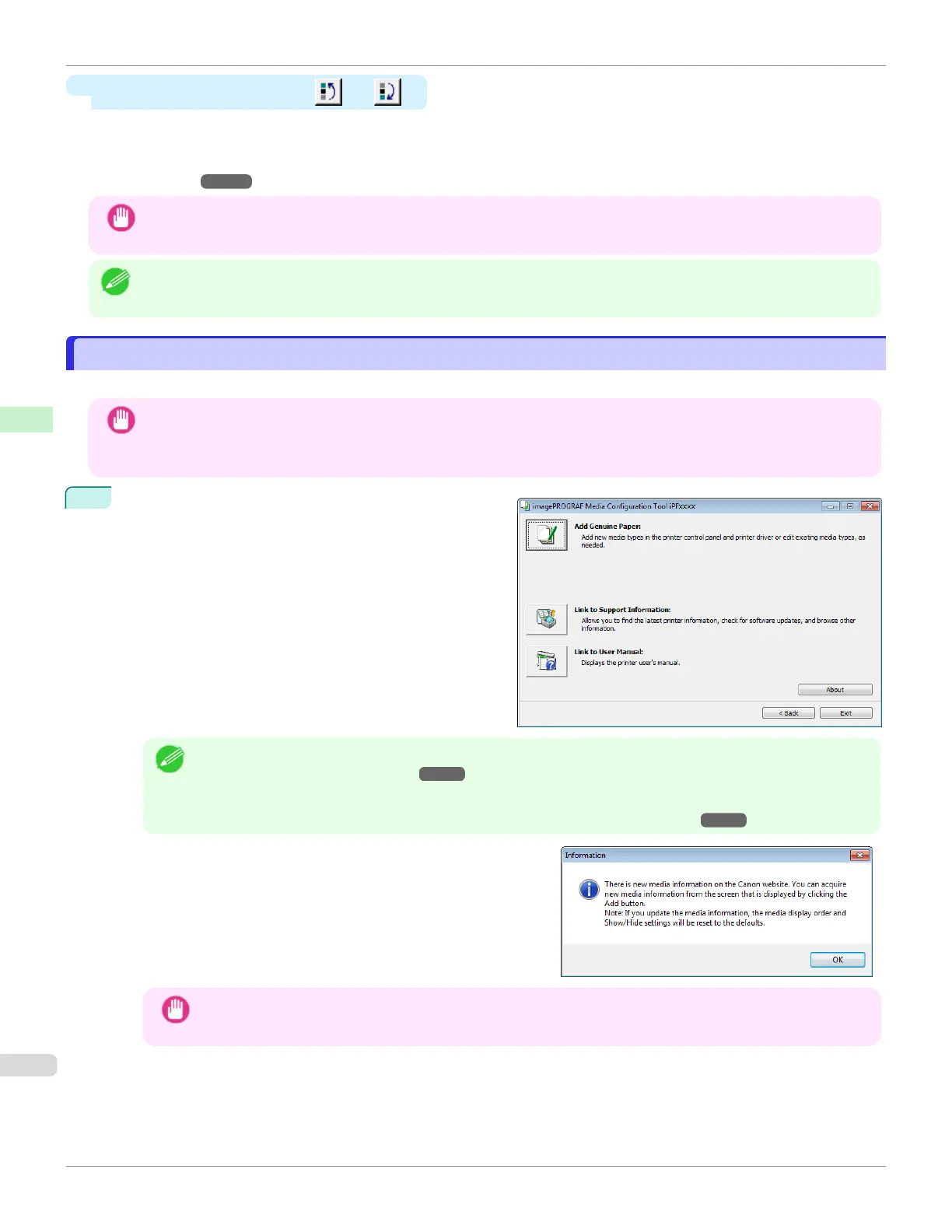
Click the Add Genuine Paper button in the Media Con-
figuration Tool main window.
Note
•
For more information on the procedure for opening the Media Configuration Tool main window, see "Media
Configuration Tool Main Window." ➔ P.394
•
If the Add Media Type dialog box is displayed after you select the printer without the main window appearing,
configure the setting by referring to Updating Media Information After Installation ➔P.389 .
When a newer version of media information file than the me-
dia information file that is applied to your printer driver is re-
leased on the Canon website, the message on the right is dis-
played.
To update the media information, click the OK button.
Important
•
When you update the media information, the paper display order and Show/Hide settings return to their de-
fault values.
Adding Media Types
iPF670
User's Guide
Handling and Use of Paper Media Configuration Tool (Windows)
396













 To Next Page