2
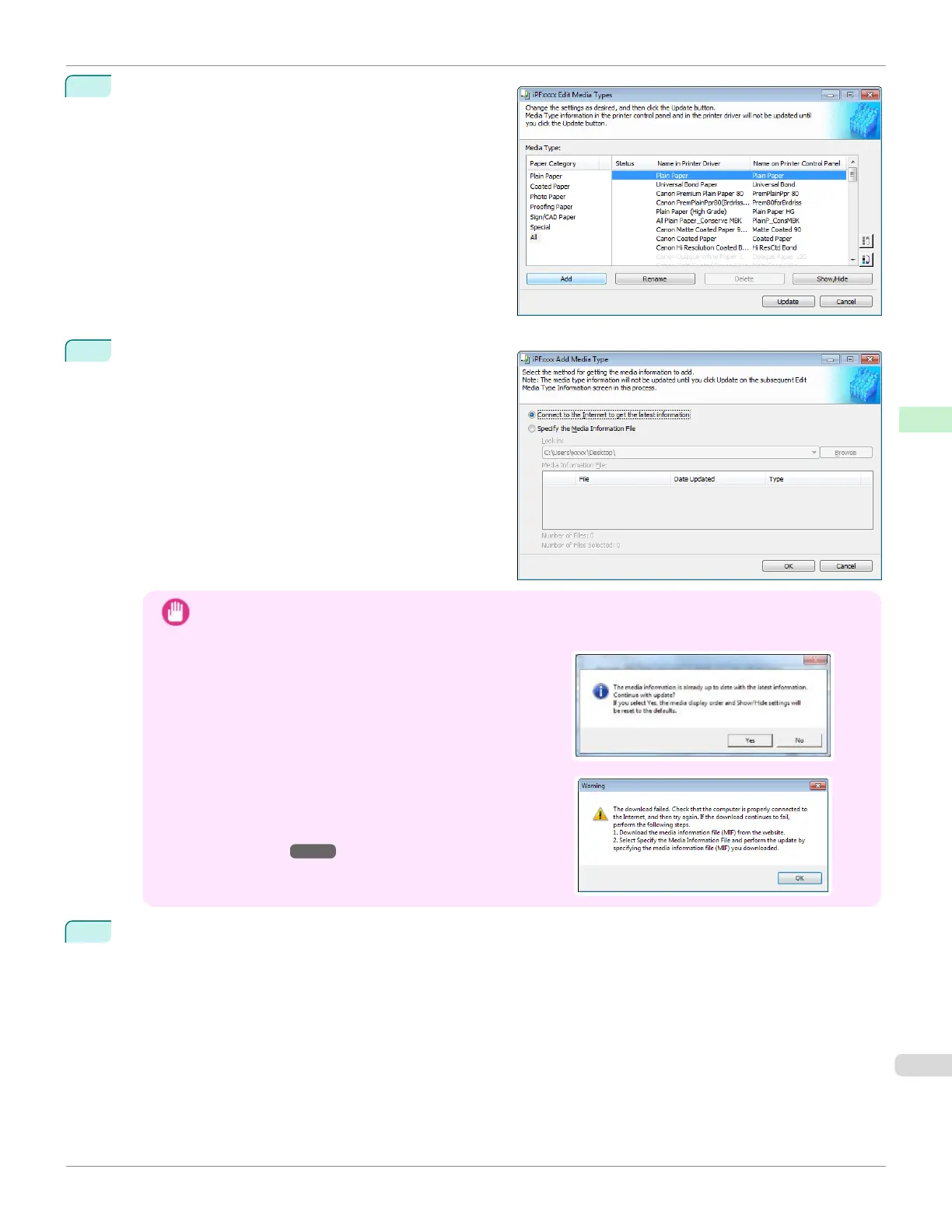
The Edit Media Types dialog box is displayed.
Click the Add button.
3
Make sure that Connect to the Internet to get the lat-
est information is selected, and then click the OK but-
ton.
Important
•
When you update the media information, the paper display order and Show/Hide settings return to their de-
fault values.
•
If the message on the right is displayed at this time, the
latest media information is already applied to your printer
driver. There is normally no need to update.
To exit without updating, click the No button. To continue
with the update, click the Yes button.
•
If the message on the right is displayed, the media infor-
mation file cannot be downloaded automatically from the
Internet. Configure the settings by referring to If the Media
Information File Does Not Download Automatically From
the Internet ➔P.398 .
4
Click OK when the confirmation message is displayed.
iPF670
Adding Media Types
User's Guide
Handling and Use of Paper Media Configuration Tool (Windows)
397













 To Next Page