4
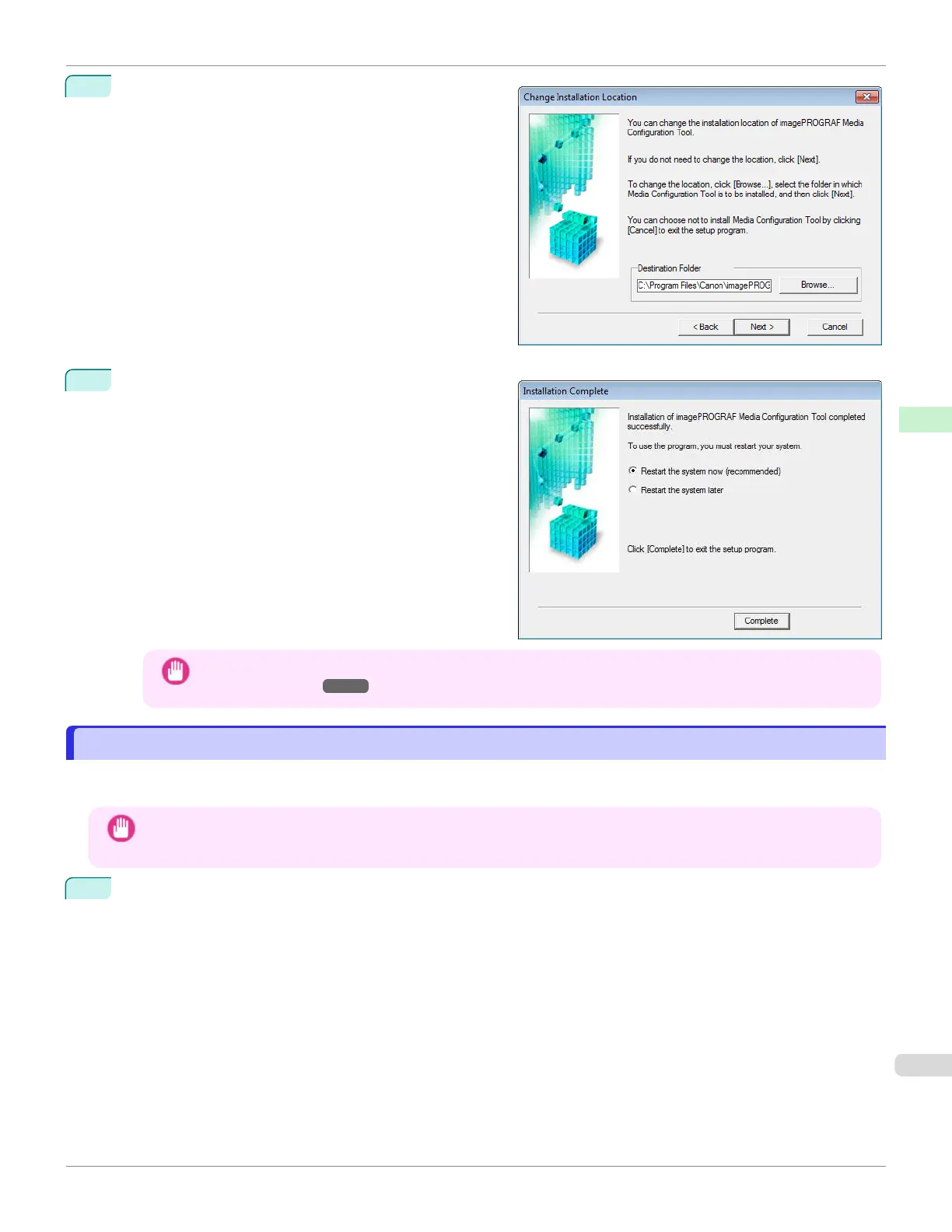
The Change Installation Location screen appears.
Select the destination folder then click the Next button.
5
The Installation Complete screen appears.
Click the Finish button.
This completes the installation of Media Configuration
Tool.
Important
•
After the installation is finished, update the media information by referring to Updating Media Information
After Installation ➔P.389 .
Updating Media Information After Installation
Updating Media Information After Installation
If you are running the Media Configuration Tool for the first time after installing it, you need to configure the media infor-
mation in the printer control panel and printer driver.
Important
•
You do not need to perform this procedure if you installed the printer driver using the User Software CD-ROM.
•
Do not attempt to print or turn the printer off while the program is communicating with the printer.
1
From the start menu, select All Programs > imagePROGRAF Media Configuration Tool > imagePROG-
RAF Media Configuration Tool.
iPF670
Updating Media Information After Installation
User's Guide
Handling and Use of Paper Media Configuration Tool (Windows)
389













 To Next Page