4
Press ▲ or ▼ to select the type of paper loaded ( Roll Paper or Cut Sheet ), and then press the OK button.
5
Press ▲ or ▼ to select the type of paper loaded in the printer, and then press the OK button.
Important
•
Be sure to select the correct paper type. If this setting does not match the loaded paper, it may cause feed
errors and affect printing quality.
Note
•
For details on types of paper, see the Paper Reference Guide. (See "Types of Paper.") ➔P.344 By default,
Plain Paper is selected.
•
If you move the Release Lever, the setting automatically reverts to the previously selected paper.
Using the Same Type of Paper Regularly
Configure this setting so that current media type settings will be automatically selected when you load the same type of
paper later.
1
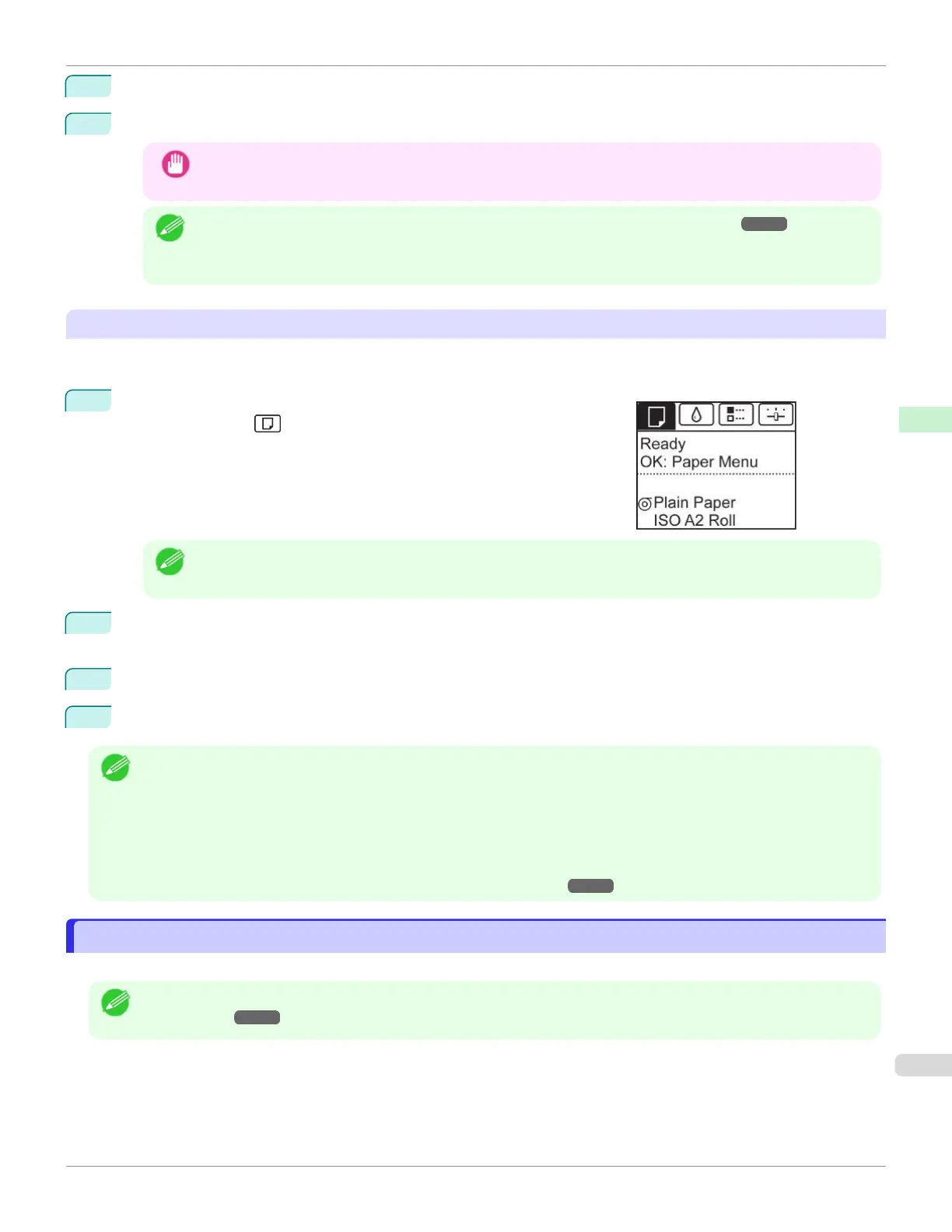
On the Tab Selection screen of the Control Panel, press ◀ or ▶ to se-
lect the Paper tab ( ).
Note
•
If the Tab Selection screen is not displayed, press the Menu button.
2
Press the OK button.
The Paper Menu is displayed.
3
Press ▲ or ▼ to select Keep Paper Type, and then press the OK button.
4
Press ▲ or ▼ to select On, and then press the OK button.
Note
•
The specified media type setting is updated in the following situations.
•
When using sheets, if you send a print job before loading a sheet, the media type setting is updated to match the
type of paper specified by the print job.
•
When you have selected ManageRemainRoll > On on the Control Panel and a barcode is printed on the roll, the
media type setting is updated to match the type of paper specified by the barcode.
•
To change the media type setting, see "Changing the Type of Paper." ➔ P.360
Specifying the Paper Length
Specifying the Paper Length
When changing the length of paper after the paper has been advanced, specify the length as follows.
Note
•
Specify the paper length when you have set ManageRemainRoll to On. (See "Keeping Track of the Amount of Roll
Paper Left.") ➔P.366
iPF670
Specifying the Paper Length
User's Guide
Handling and Use of Paper Handling rolls
361













 To Next Page