Note
•
Page Setup might not be displayed in the menu de-
pending on the OS you are using and the application
software.
In this case, select Print from the menu in the applica-
tion software, and configure the settings in the upper
part of the printer driver screen that is displayed.
2
Select the printer in the B Format for list.
3
In C Paper Size, click the size of the original. In this case, click ISO A4.
4
Click F OK to close the dialog box.
5
Choose Print in the application menu.
6
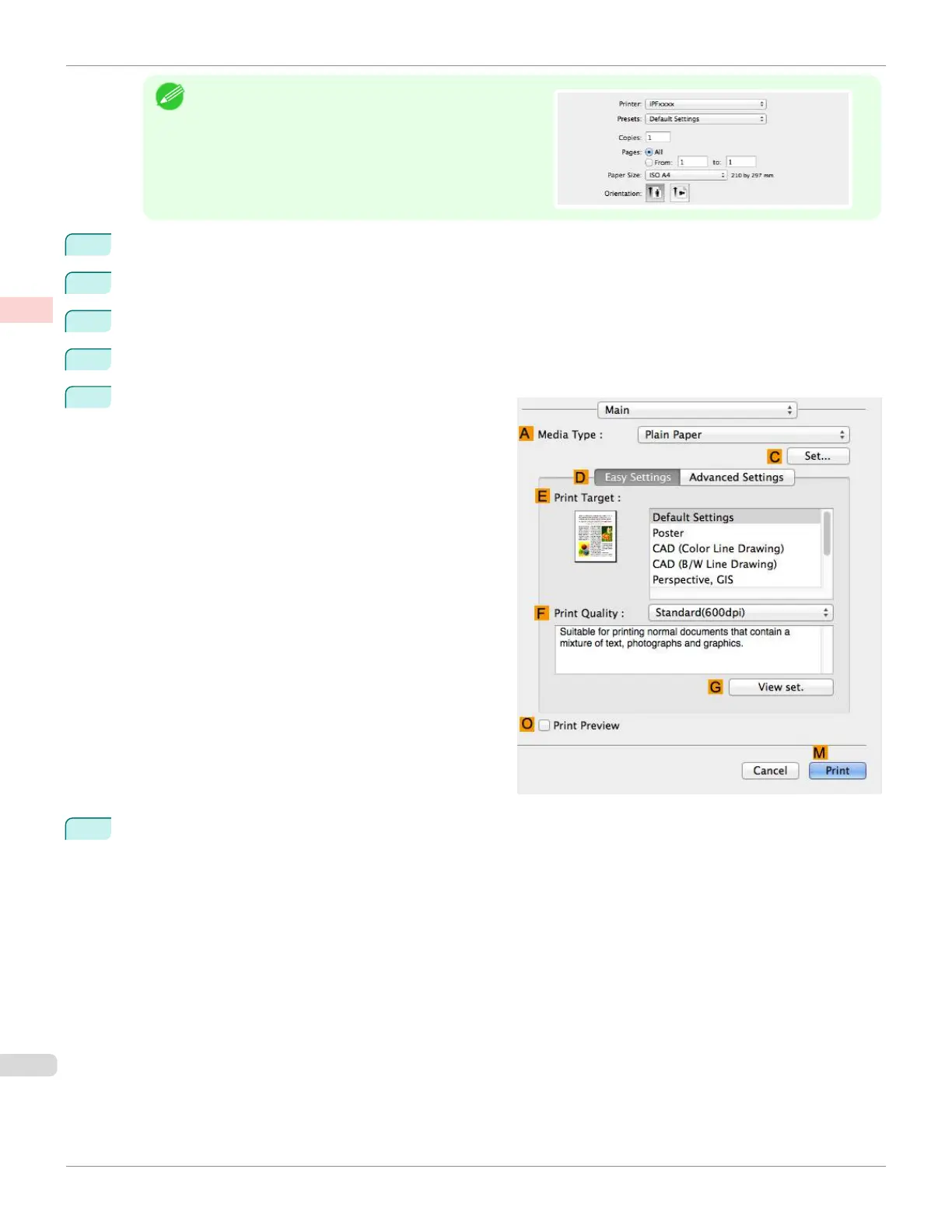
Access the Main pane.
7
In the A Media Type list, select the type of paper that is loaded. In this case, click Plain Paper.
Conserving Roll Paper by Printing Originals Without Top and Bottom Margins (Mac OS)
iPF670
User's Guide
Enhanced Printing Options Conserving roll paper
140













 To Next Page