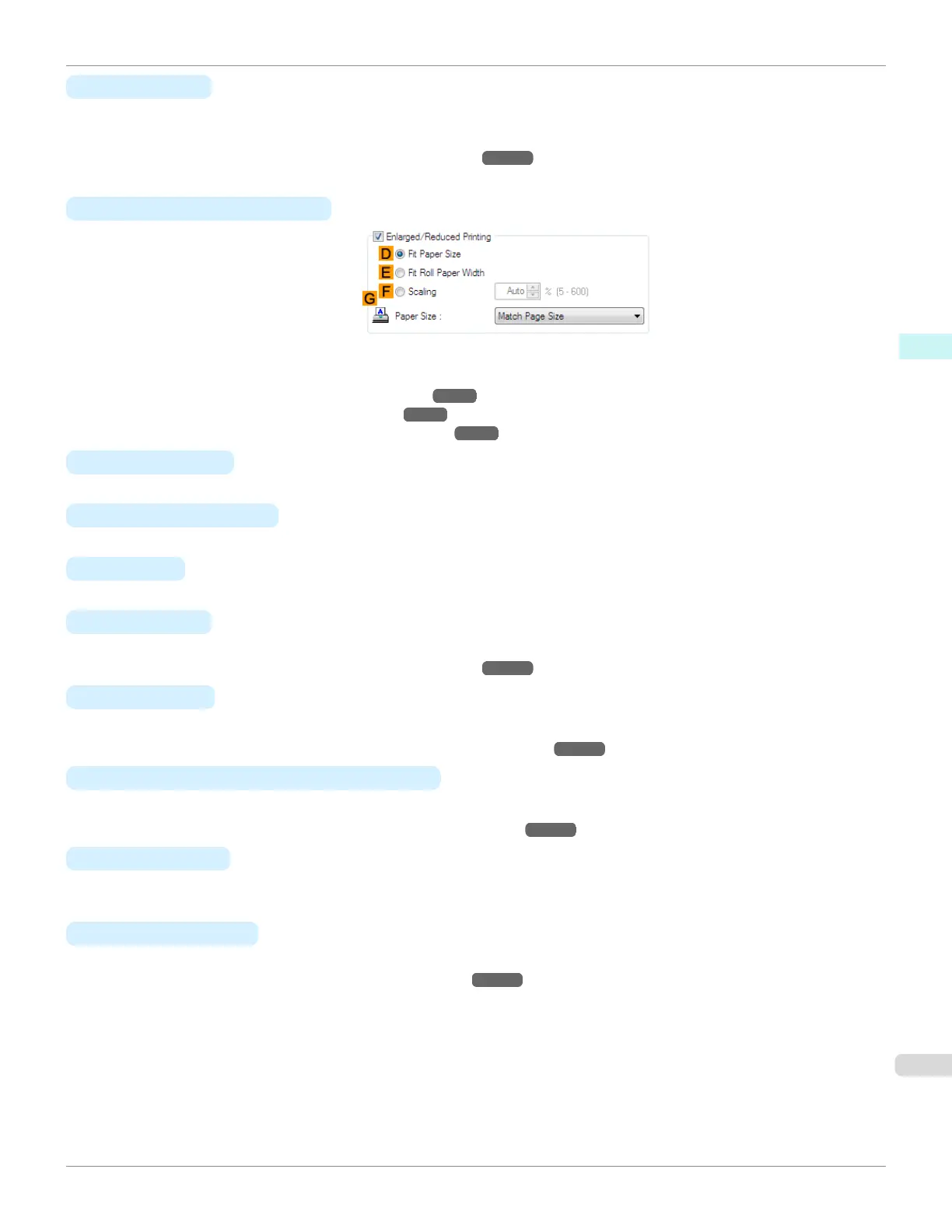
• G Paper Size
Available when D Fit Paper Size is selected.
Choose the size of the paper you will print on.
For details on available paper sizes, see "Paper Sizes." ➔P.344
Paper sizes compatible with borderless printing are shown in the list.
• C Enlarged/Reduced Printing
Choose from the following options when this setting is activated.
•
Resizing Originals to Match the Paper Size ➔P.63
•
Resizing Originals to Fit the Roll Width ➔P.65
•
Resizing Originals by Entering a Scaling Value ➔ P.69
•
D Fit Paper Size
Scales the document image to match the paper size.
•
E Fit Roll Paper Width
Scales the document image to match the roll width.
•
F Scaling
Resizes the document image based on a specified scaling value. Enter a value in a range of 5–600.
•
G Paper Size
Choose the size of the paper you will print on.
For details on available paper sizes, see "Paper Sizes." ➔P.344
•
H Orientation
Choose the printing orientation.
•
Making the Original Orientation Match the Paper Orientation ➔P.146
•
K Rotate Page 90 degrees (Conserve Paper)
Activate this setting to rotate the document image by 90 degrees before printing.
•
Conserving Roll Paper by Rotating Originals 90 Degrees ➔ P.133
•
L Paper Source
Choose the feed source, as desired.
Options displayed in the list vary depending on the selection in Media Type on the Main sheet.
•
M
Roll Paper Width
Choose the roll width.
For details on available roll widths, see "Paper Sizes." ➔P.344
iPF670
Page Setup Sheet
User's Guide
Windows Software Printer Driver
177













 To Next Page