5
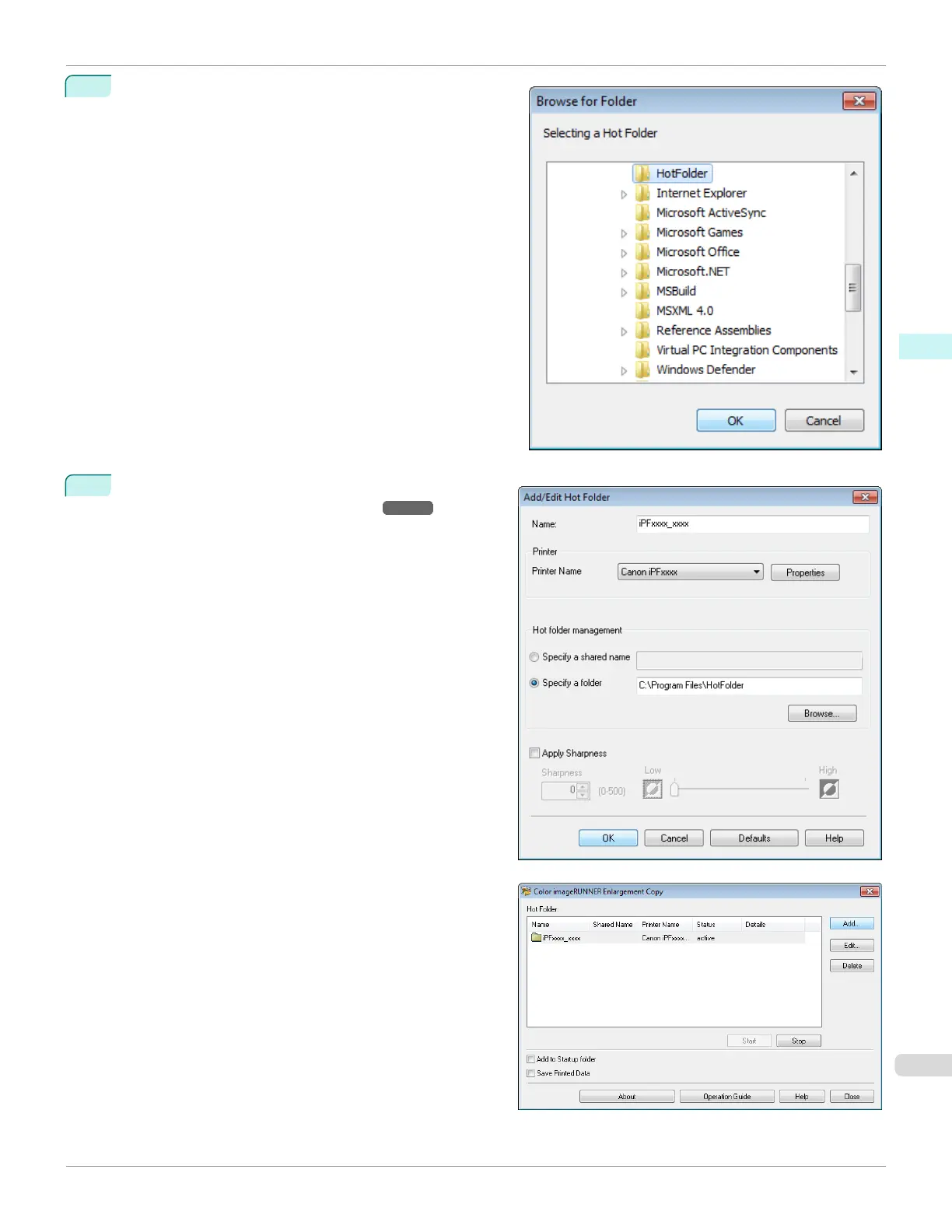
The location of the folders will appear.
Select the folder to specify a hot folder, and click the OK
button.
6
As necessary, set the print conditions in the hot folder.
(See "Setting the Print Parameters.") ➔P.232
Click the OK button to close the Add/Edit Hot Folder
dialog box.
The hot folder you have created appears in the Hot
Folder list in the Color imageRUNNER Enlargement
Copy dialog box.
iPF670
Specifying an Existing Shared Folder as a Hot Folder
User's Guide
Windows Software Color imageRUNNER Enlargement Copy
231













 To Next Page