4
Click Borderless Printing.
5
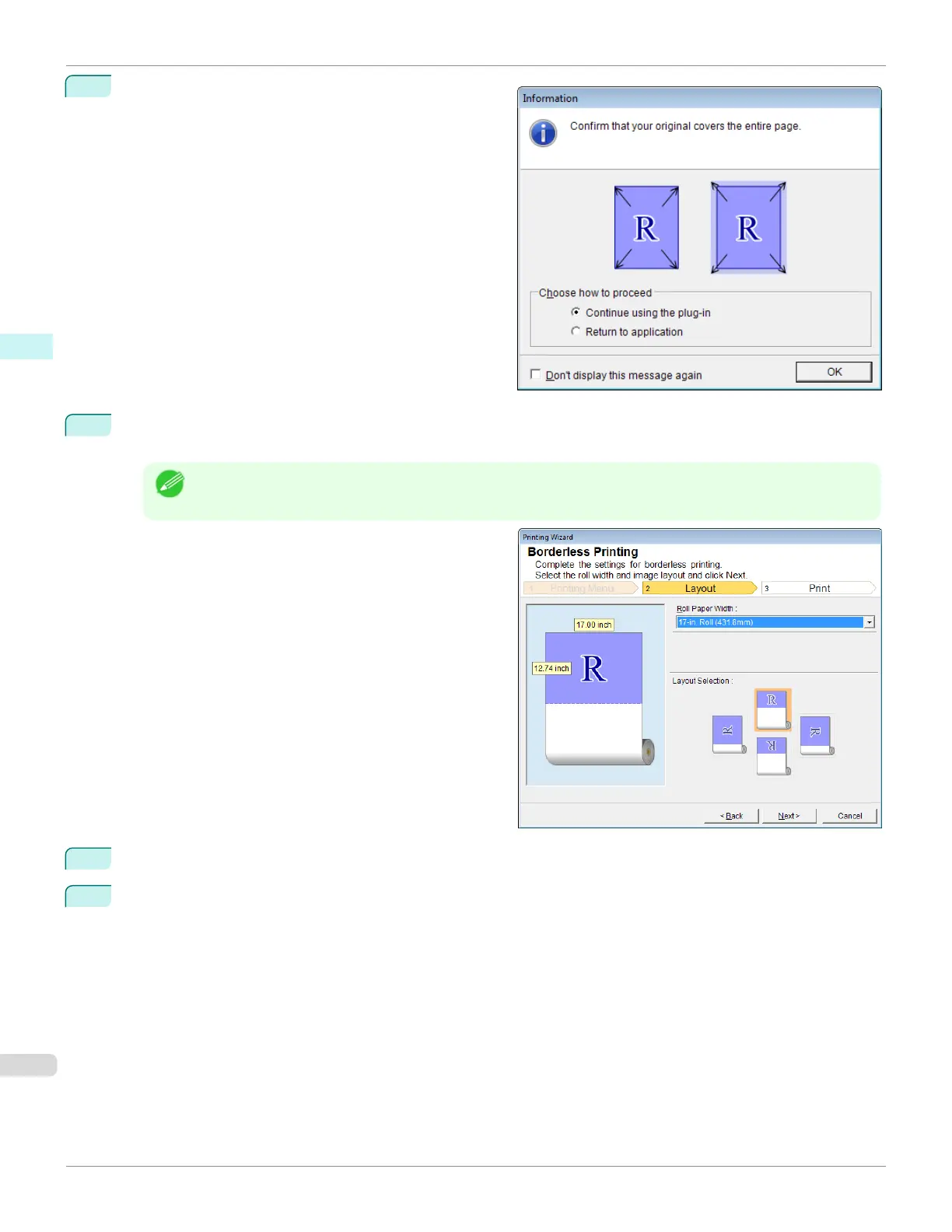
A confirmation dialog box is displayed. If the data fills up the page, confirm that Continue using the plug-in is
selected in Choose how to proceed and press OK.
Note
•
To adjust the data, select Return to application and press OK. Exit Print Plug-In for Office and return to the
application.
6
Select Roll Paper Width that is set in the printer.
7
Select layout.
Borderless Printing(PowerPoint)
iPF670
User's Guide
Windows Software Print Plug-In for Office
258













 To Next Page