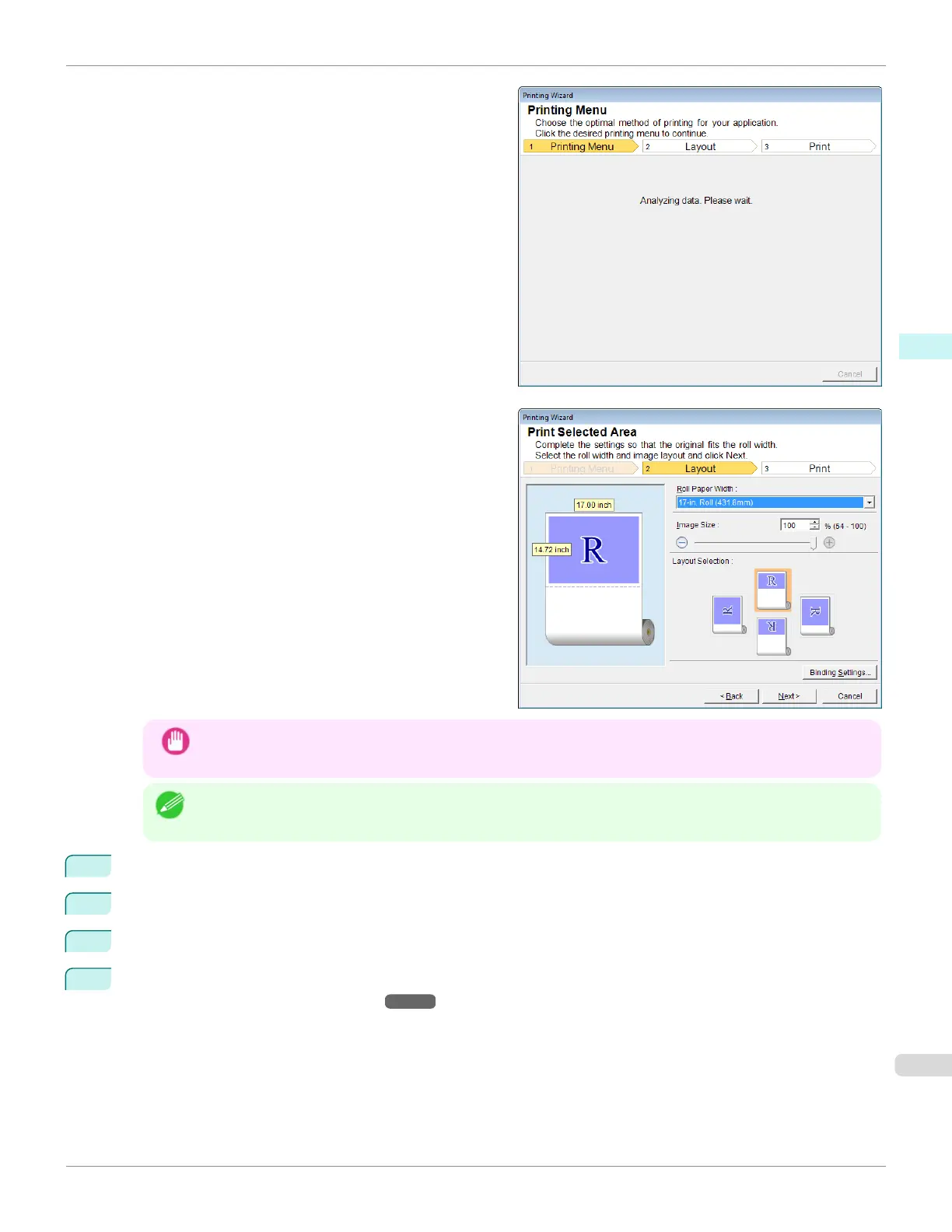
A message will appear informing you that analysis is in
progress.
The Layout menu will appear automatically.
Important
•
If the range selected in Excel 2007 or later is too large, it will not be possible to analyze the data. Select a
smaller range and then run the analysis.
Note
•
If data analysis requires time, a message dialog will appear. If you select No, you will return to the application.
5
Select Roll Paper Width that is set in the printer.
6
Select image size.
7
Select layout.
8
To configure Binding, click the Binding Settings button.
Refer to "Configuring Binding (Excel)" ➔P.272 for details on the procedure for configuring Binding.
iPF670
Print Selected Area(Excel)
User's Guide
Windows Software Print Plug-In for Office
271













 To Next Page