4
Press ▲ or ▼ to select Yes, and then press the OK button.
The roll is now rewound and ejected.
Caution
•
If you have selected ManageRemainRoll > On in the
Control Panel menu, a barcode is printed on the lead-
ing edge of the roll.
Do not remove the roll before the barcode is printed.
You will be unable to keep track of the amount of roll
paper left. (See "Keeping Track of the Amount of Roll Paper Left.") ➔P.366
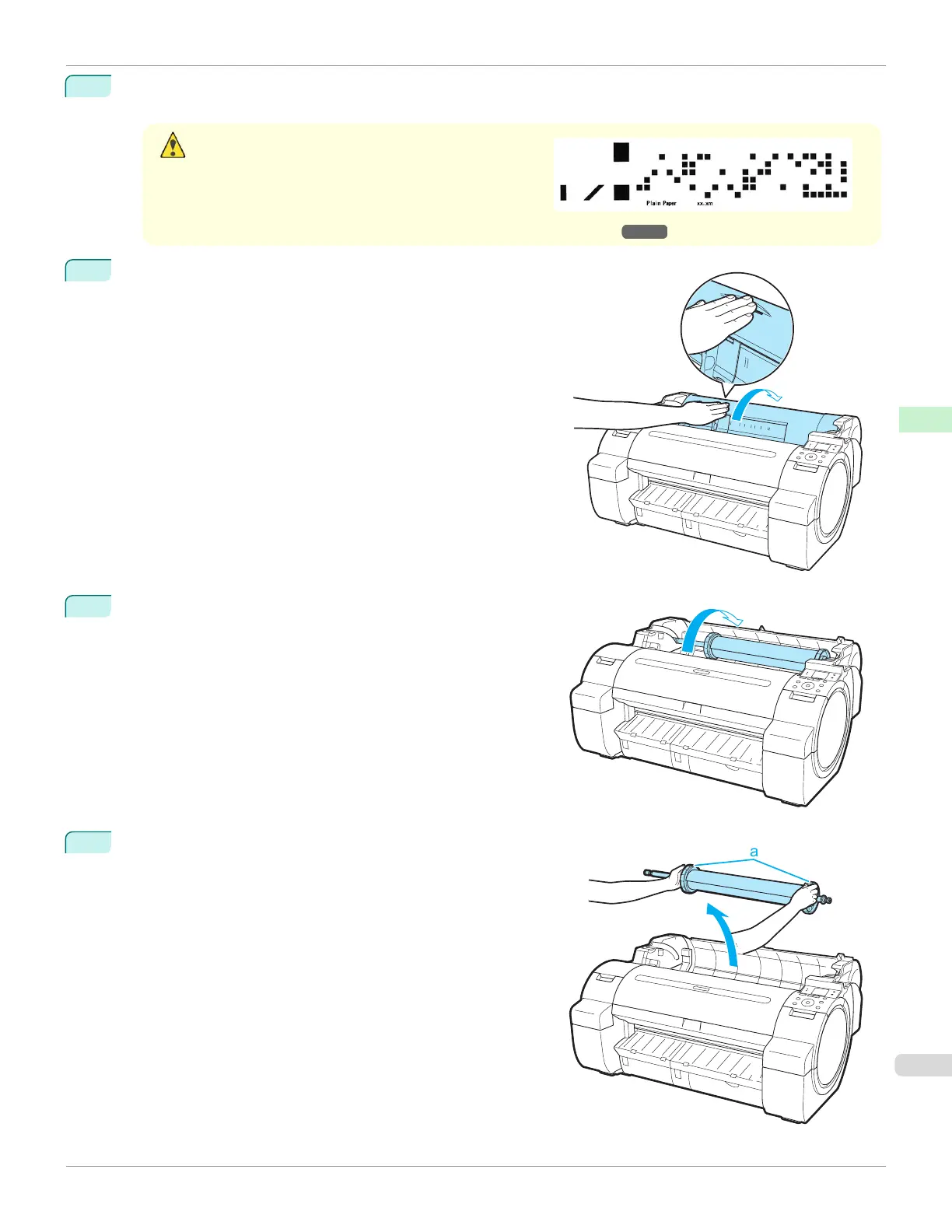
5
Positioning your hands as shown, open the Roll Cover.
6
Using both hands, rotate the Roll Holder toward the back to re-
wind the roll.
7
Holding the Roll Holder flange (a), remove the holder from the
Roll Holder Slot.
iPF670
Removing the Roll from the Printer
User's Guide
Handling and Use of Paper Handling rolls
363













 To Next Page