2
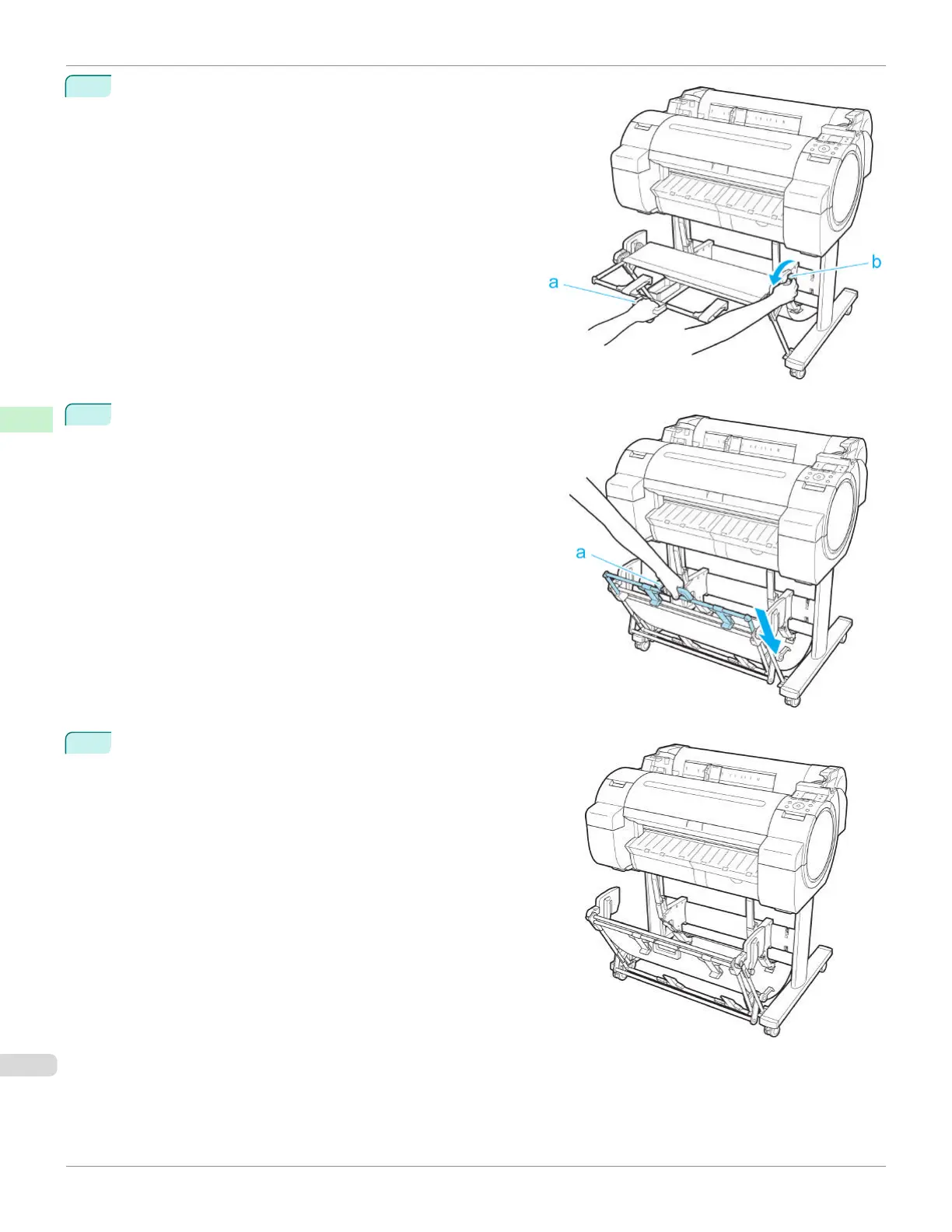
Hold onto the Output stacker handle (a) and pull the Output
stacker release lever (b) towards you.
3
While continuing to hold the Output stacker handle (a), slowly
lower the Output Stacker.
4
Return to the regular position.
Using the Output Stacker
iPF670
User's Guide
Handling and Use of Paper Output Stacker
386













 To Next Page