5
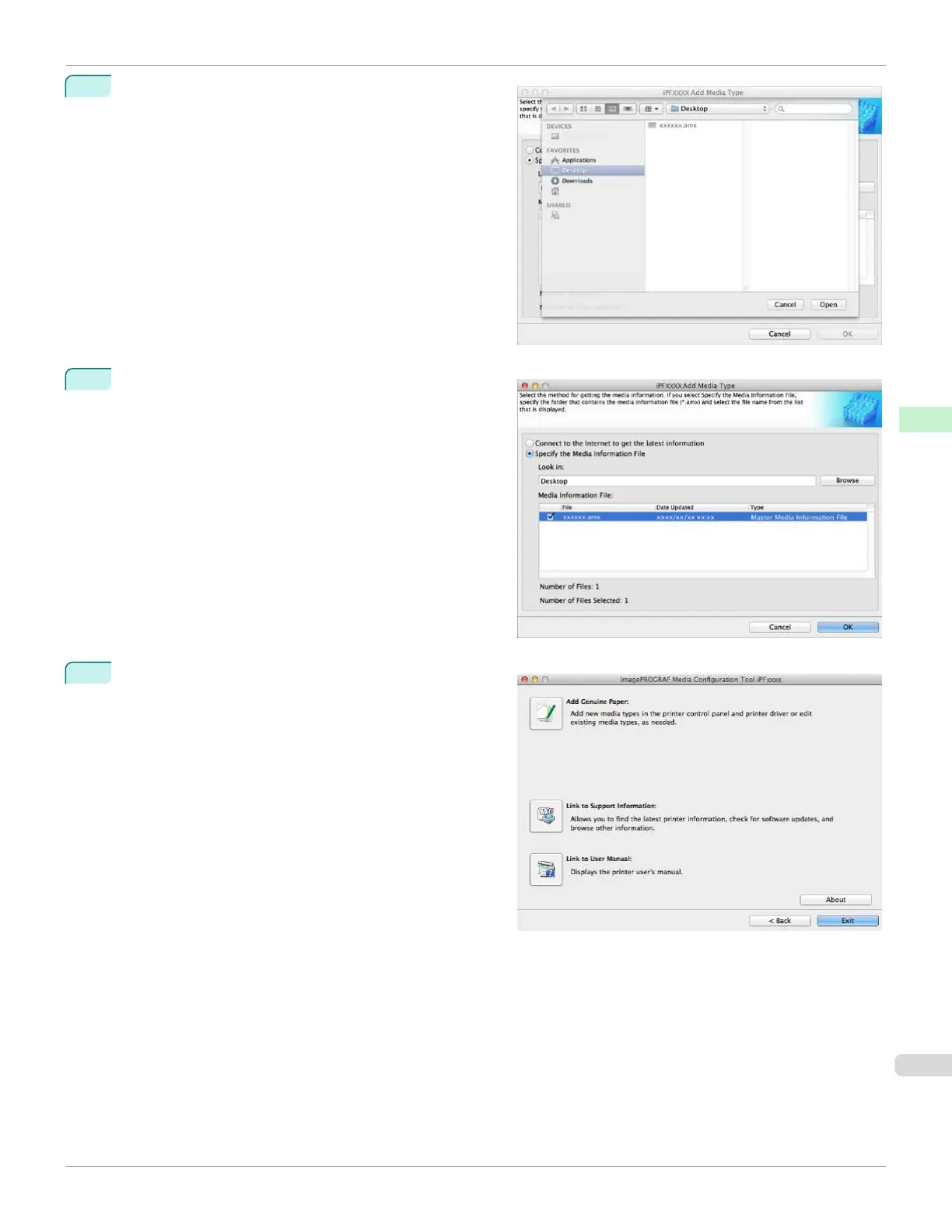
Select the folder that contains the media information file
(.amx file) you downloaded and click the Open button.
6
The names of the media information files contained in
the selected folder are displayed in the Media Informa-
tion File field in the Add Media Type dialog box. Se-
lect the check box for the media information file name
and click the OK button.
7
The Media Configuration Tool main window is dis-
played. Click the Add Genuine Paper button.
iPF670
Updating Media Information After Installation
User's Guide
Handling and Use of Paper Media Configuration Tool (Mac OS)
417













 To Next Page