3
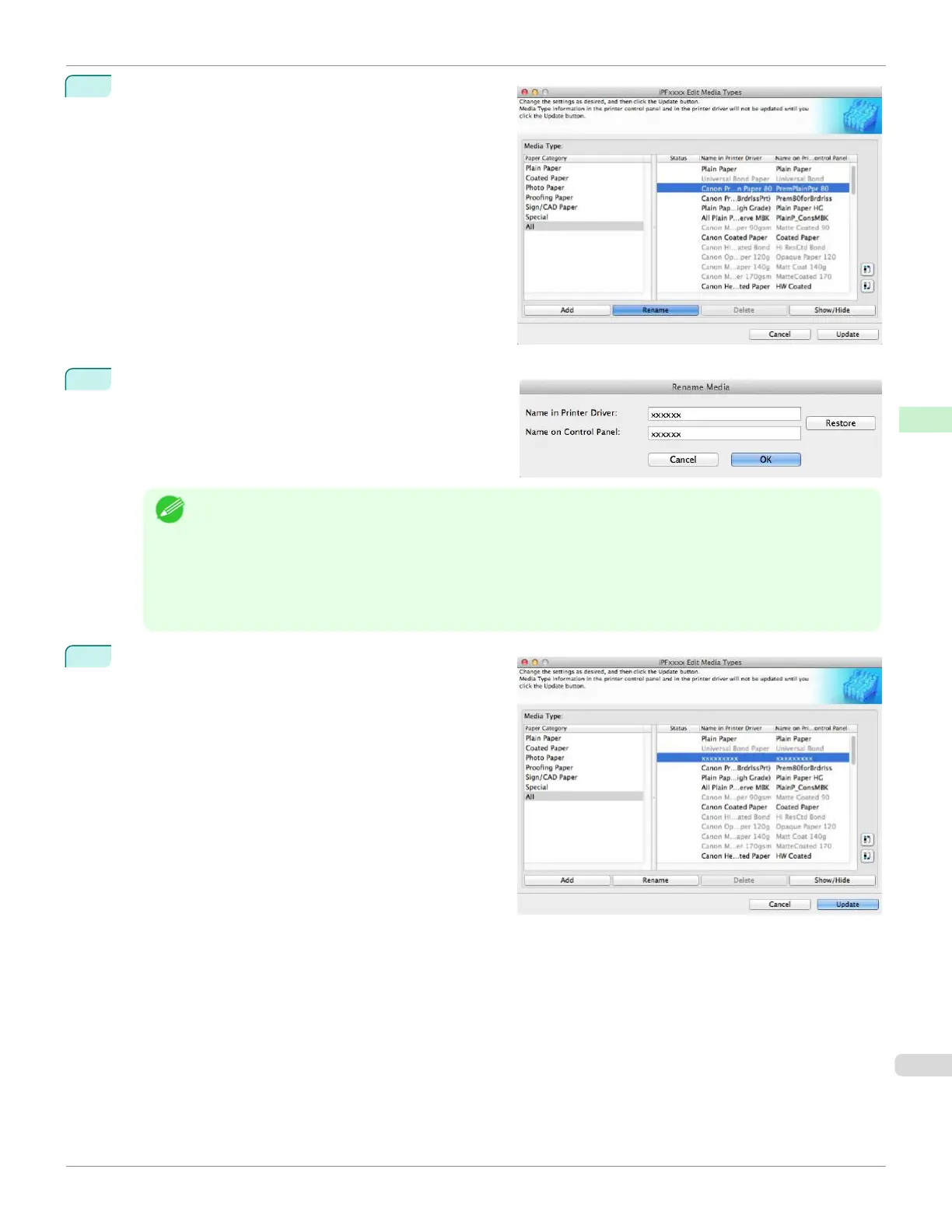
In the Media Type list, select the name to change.
Click the Rename button.
4
The Rename Media dialog box is displayed.
Edit the names in Name in Printer Driver and Name
on Control Panel and click the OK button.
Note
•
To restore the original names, click the Restore button.
•
The characters that can be entered for Name in Printer Driver and Name on Control Panel are stated be-
low.
alphanumeric, space, "-", ".", "_", "(", ")", "+", "%", ",", "/"
•
For Name in Printer Driver up to 32 one Byte characters can be entered, and for Name on Control Panel up
to 16 one Byte characters can be entered.
5
In the Edit Media Types dialog box, click the Update
button.
iPF670
Changing Media Names
User's Guide
Handling and Use of Paper Media Configuration Tool (Mac OS)
427













 To Next Page