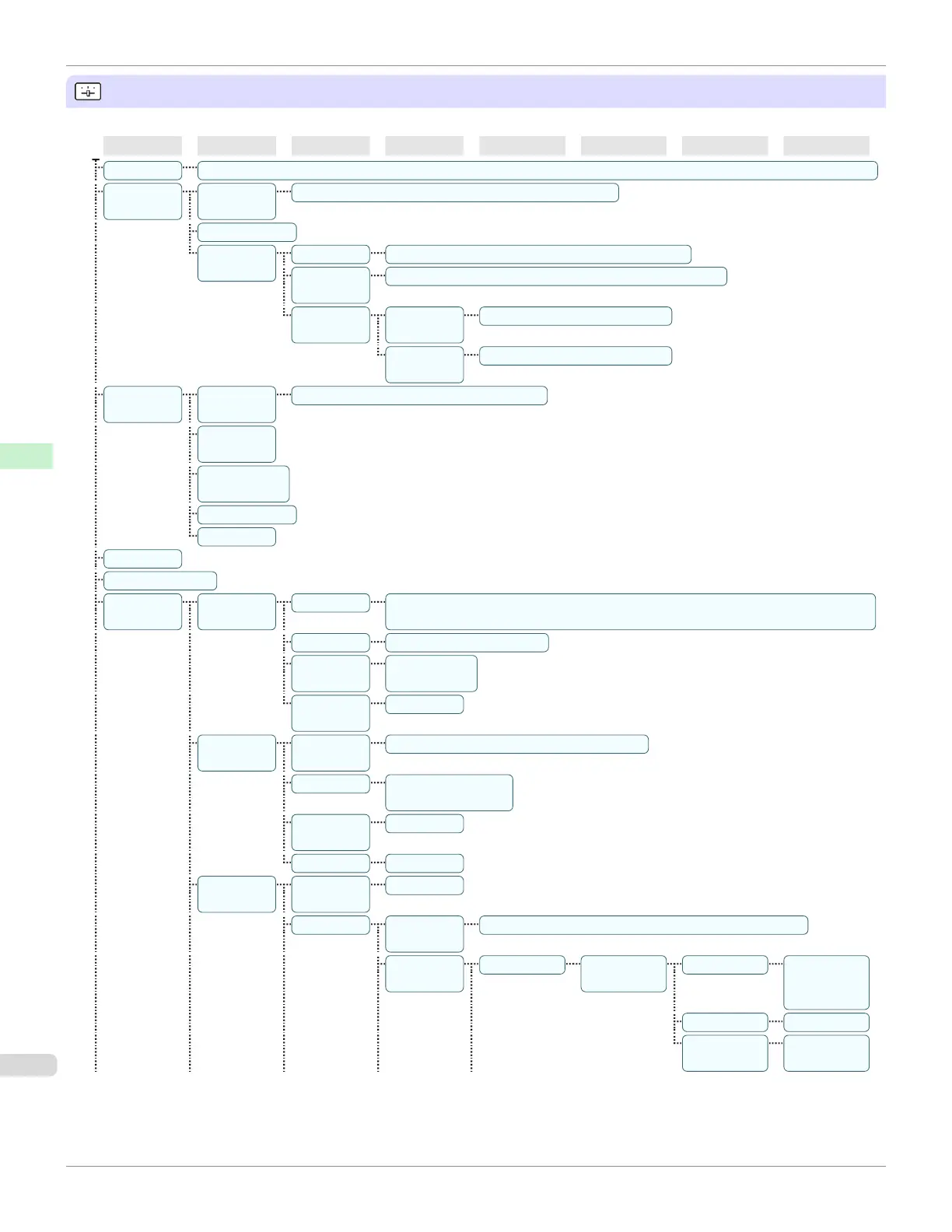
Set./Adj. Menu
Limited items are displayed during printing. The displayed items are indicated by annotations.
First Level
Second Level
Third Level
Fourth Level
Fifth Level
Sixth Level
Seventh Level
Eighth Level
Test Print Nozzle Check | Status Print | Interface Print | GL2 Set Print | Paper Details | Print Job Log | Menu Map | Color Palette
Adjust Print-
er
Head Posi.
Adj.
Auto(Standard) | Auto(Advanced) | Manual(*1)
Head Inc. Adj.
Feed Priori-
ty
Adj. Priority Automatic* | Print Quality | Print Length
Adj. Quali-
ty(*2)
Auto(GenuinePpr) | Auto(OtherPaper) | Manual
Adjust
Length(*3)
Adjustment-
Print
A:High | B:Standard/Draft
Change
Settings
A:High | B:Standard/Draft
Mainte-
nance
Head
Cleaning
Head Cleaning A | Head Cleaning B
Nozzle
Check
Replace
P.head
Repl. maint cart
Head Info
GL2 Replot
GL2 BufferClear
GL2 Set-
tings
Quality
Manager
Color Mode Monochrome | Color (CAD) 1* | Color (CAD) 2 | Color (CAD) 3 | Color (CAD) 4 |
Color (CAD) 5
Print Quality Fast | Standard* | High
Input Reso-
lution
600dpi* |
300dpi
Print (Econ-
omy)
Off* | On
Paper Man-
ager
Paper
Source
Automatic* | Roll Paper | Cut Sheet
Margin 3mm(Standard)* |
5mm
Conserve
Paper
Off* | On
Auto Rotate Off* | On
Line & Pen
Manager
Enable
merge
Off* | On
Pen Setup Select Pa-
lette
Software* | Palette A | Palette B | Factory
Define Pa-
lette
Palette A (Select the
pen number)
Width (Indicates the
value of
Width )
Color 0~255
Line Attrib-
utes
No Setting |
Circle Setting
Menu Structure
iPF670
User's Guide
Control Panel Printer Menu
454













 To Next Page