Important
•
Ink tanks cannot be installed in the holder if the color or orientation is incorrect.
If the Ink Tank does not fit in the holder, do not force it in. Check the Ink Tank serial number, the Ink Color
Label, the color of the Ink Tank, and the orientation of the Ink Tank before reinstalling it.
Forcing the Ink Tank into the holder may damage the printer.
4
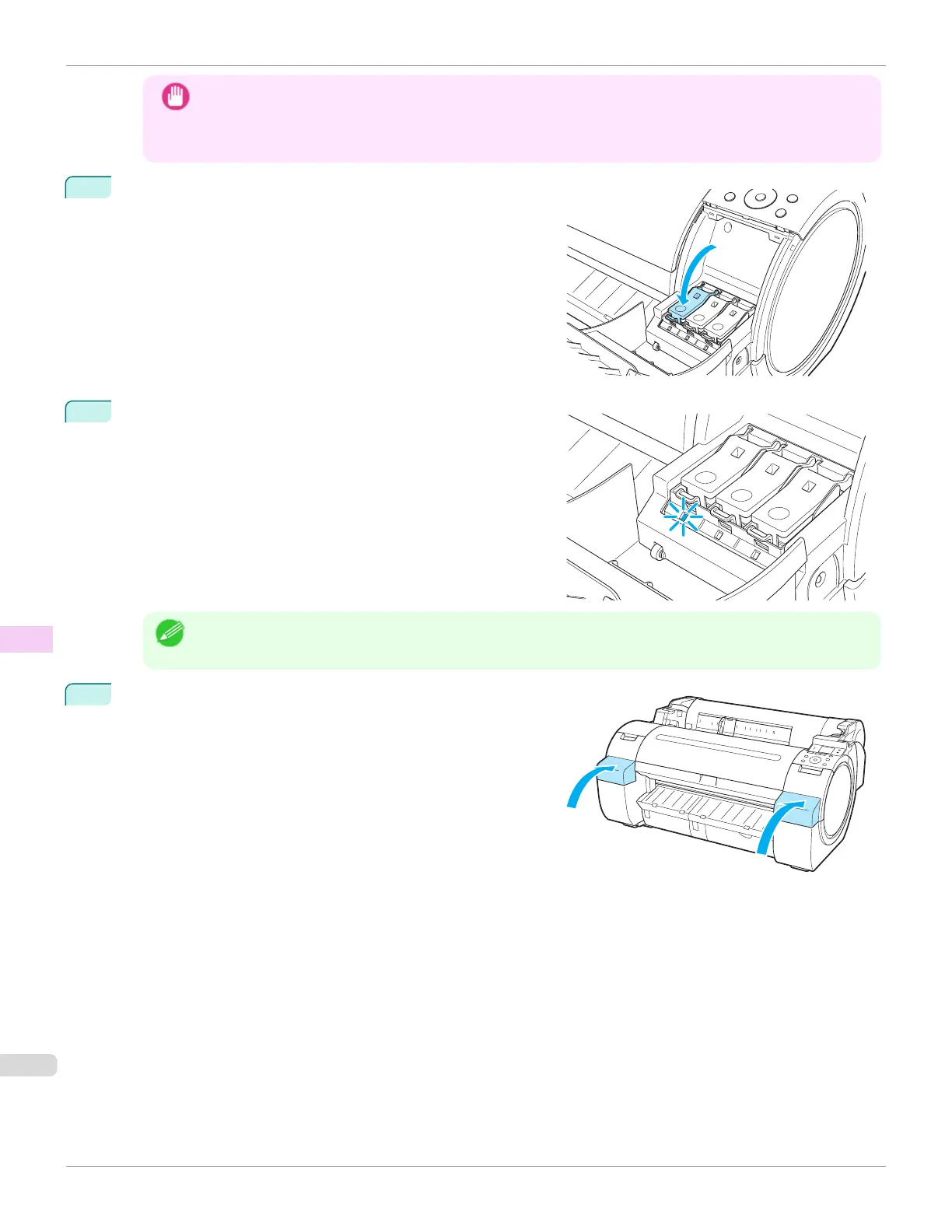
Push the Ink Tank Lock Lever closed until it clicks into place.
5
Make sure the Ink Lamp is lit in red.
Note
•
If the Ink Lamp is not lit, reinstall the tank.
6
Close the Ink Tank Cover.
Replacing Ink Tanks
iPF670
User's Guide
Maintenance and Consumables Ink Tanks
546













 To Next Page