12
To adjust the brightness and contrast, click I Set.
Note
•
For instructions on adjusting brightness and contrast, see "Adjusting the Color in the Printer Driver." ➔ P.49
13
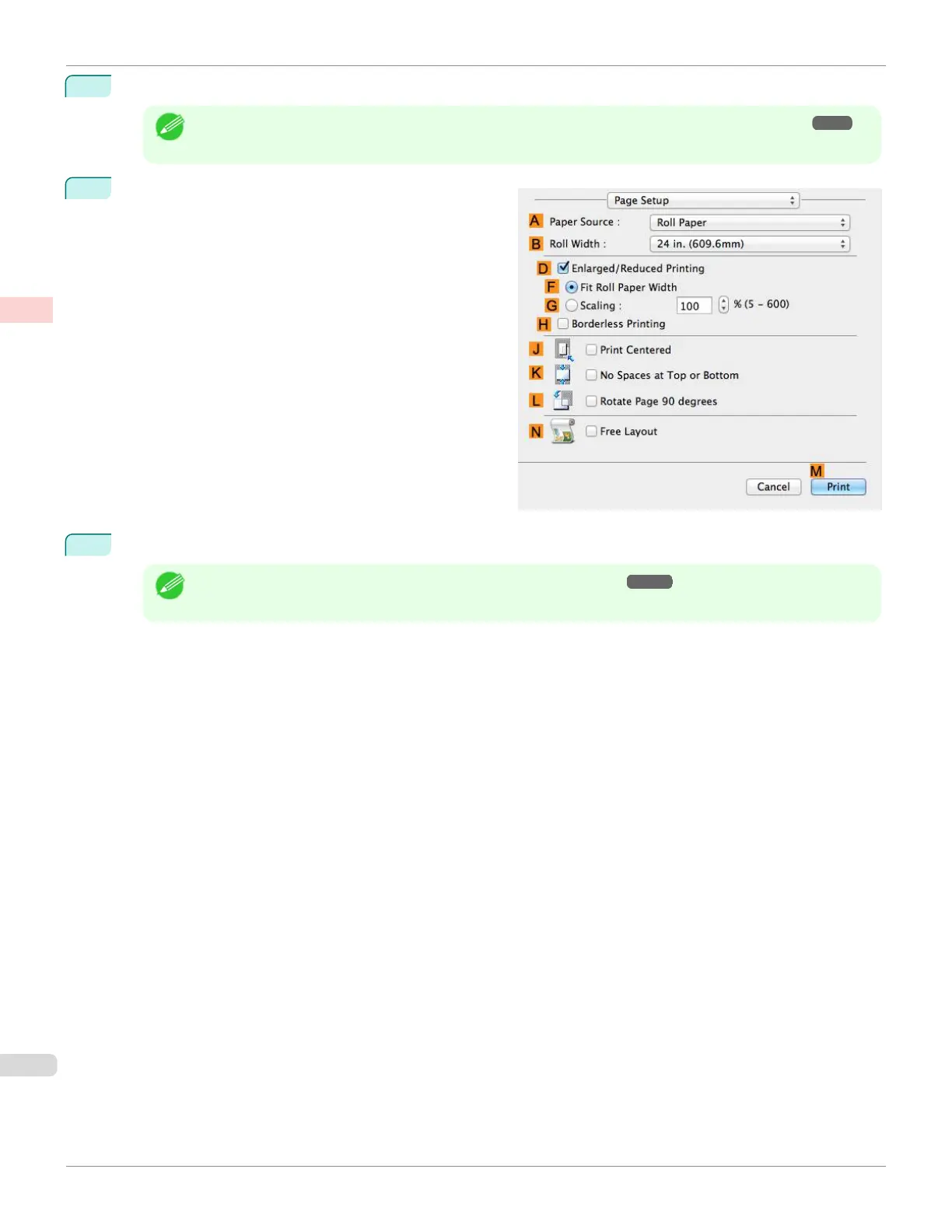
Access the Page Setup pane.
14
Confirm the print settings, and then click M Print to start printing.
Note
•
For tips on confirming print settings, see "Confirming Print Settings ." ➔P.279
Choosing the Document Type and Printing Conditions (Mac OS)
iPF670
User's Guide
Enhanced Printing Options Adjusting Images
62













 To Next Page