Chapter 4
4-6
e) Front Cover
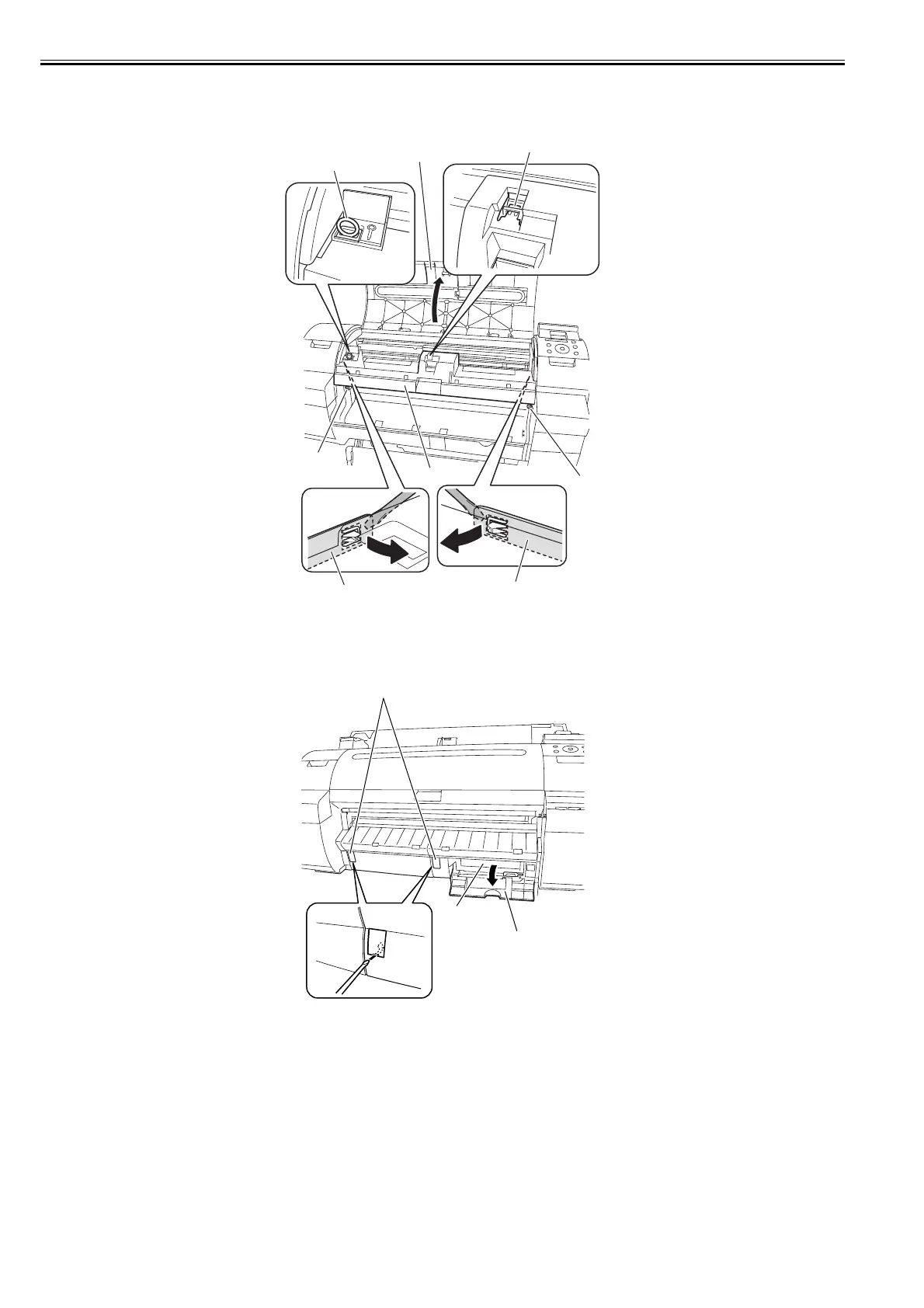
Removing the Front Cover
1) To remove the front cover [5], open the upper cover [1] to remove the cleaner brush [2], remove two screws [3], and then release three hooks [4] by using the
flat head screwdriver.
F-4-8
f) Output Guide
Removing the Output Guide
1) To remove the output guide, open the maintenance cartridge cover [1] to remove the maintenance cartridge [2], and then remove the face cover [3] by inserting
a flat head screwdriver in the slit.
F-4-9
[2]
[3]
[5]
[3]
[4]
[1]
[4]
[4]
[1]
[2]
[3]














 To Next Page