Chapter 4
4-8
<Right Ink Tank Cover>
F-4-13
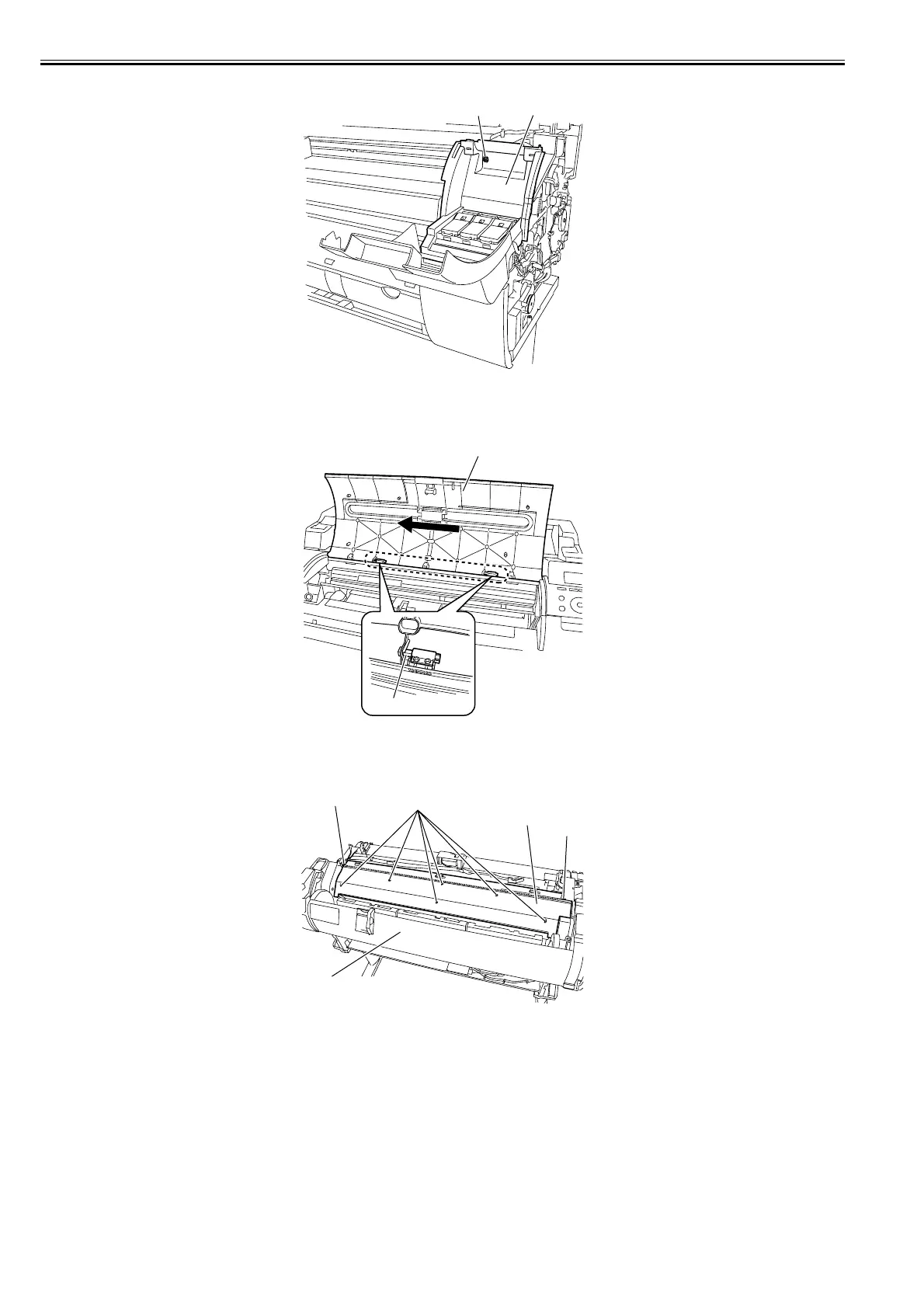
h) Upper Cover
Removing the Upper Cover
1) To remove the upper cover [1], remove the upper left cover, and then slide the upper cover [1] to the left to remove it from the hinge [2].
F-4-14
i) Rear Upper Cover
Removing the Rear Upper Cover
1) To remove the rear upper cover [3], remove the left/right cover and upper cover, open the roll cover [1], and then remove eight screws [2].
F-4-15
[1] [2]
[1]
[2]
[2]
[2]
[2]
[3]
[1]














 To Next Page