Chapter 5 Fault Isolation Tool Collection
4-7
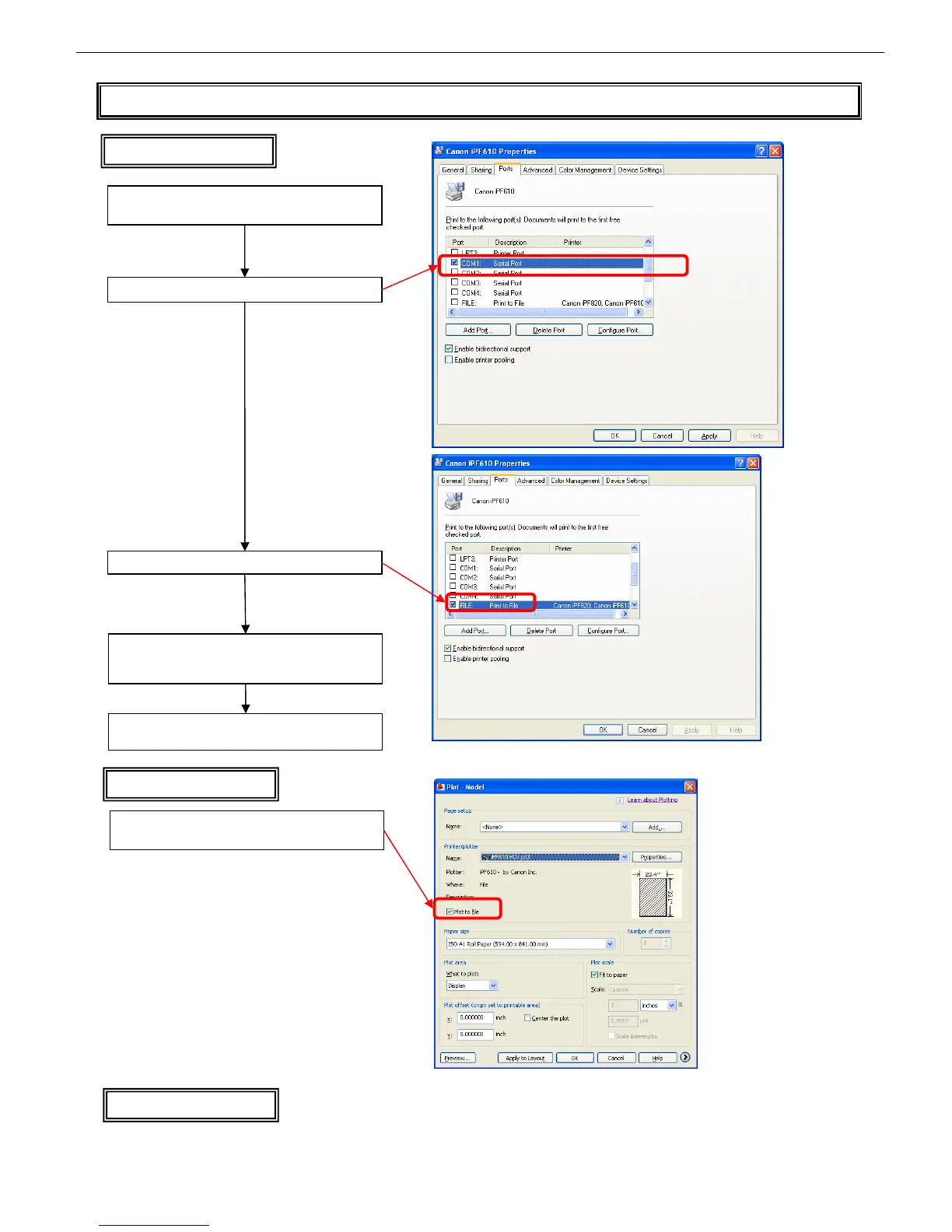
T05 Collecting a PRN File (Windows only)
Macintosh
Macintosh does not provide a means of collecting a PRN file
In the AutoCAD print dialog box, check [Plot to file]
and print
HDI driver
Right-click on a printer on the printer list and then
click [Properties]
On the [Ports] tab, take notes of the port checked
Check [FILE:] for the Port
Reset the printer to the port noted above when the
process is complete
If you print in this condition, a dialog box appears
prompting you to specify where to save the file and
under what file name; specify these
Windows printer driver














 To Next Page