Troubleshooting Guide
3-16
Cause Key point to check Action
C1 Check to see if the roll paper sensor functions normally in IO mode.
Replace the roll
paper sensor.
C1
With the cover open, interchange the roll cam sensor and the roll paper sensor to
check that they still function normally.
(Replace the roll paper sensor if it fails to function normally in IO mode.)
Replace the roll cam
sensor.
C2
With the cover open, check the driver for normal operation (without the pendulum
gear loosened out of position or the drive gear being damaged).
Replace the gear.
C3
Check the roll paper unit for contact.
(Turn off the printer and connect the roll unit to check to see if it recovers when the
printer restarts.)
-
C3 With the roll paper unit uncovered, check the voltage while it starts up.
Flow 1
9. 【2E24】Faulty roll paper unit, 【2E0E】Roll paper unit
not available
Occurrence
conditions
C1 Sensors
Faulty roll paper sensor
Faulty roll cam sensor
C2 Operational
Pendulum gear loosened out of position or damaged drive gear
Faulty roll paper unit motor
Failure causes
C3 Electrical
Faulty roll paper unit PCB
Faulty main PCB
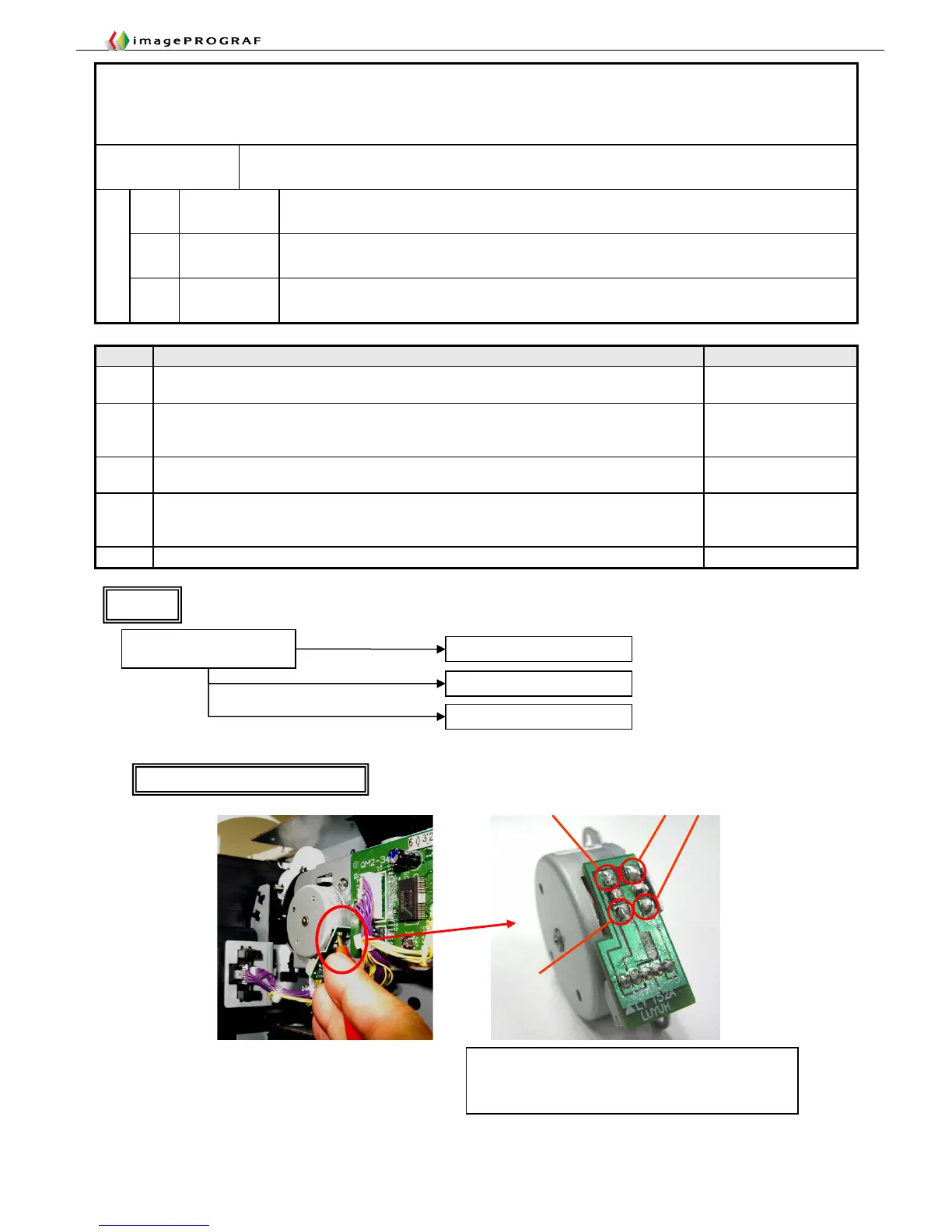
Evaluation method
Check any one of the four terminals of the roll feed motor PCB
with the tester while the motor is running. The drive voltage is
normal if the multimeter reads 12 to 14 V.
Phase B~
Phase B
Phase A~
Phase A
Roll Feed Unit Drive Voltage Check
Is the drive voltage available to
the roll feed motor PCB?
Replace the roll feed motor
Replace the roll feed unit PCB
Replace the main controller
Yes
No
Flow 1
iPF5000 Series only














 To Next Page