Chapter 5 Fault Isolation Tool Collection
4-15
T11 Ink Supply System Fault Isolation Tool
Pull out the carriage
Can be checked without removing the outer covering
Check the tube for ink
Check to see if the head ink supply
joint is properly connected
Check to see if foreign matter is
not stuck in the purge cap and
wipe
Properly connected (check
also for lever cracks)
Remove the foreign matter
Little or no ink left
Adjacent
three colors
Else
Flow 2
Flow 1
Purge fault isolation
Air leak isolation
Check the tube at the position not
visible above
Cannot be checked without removing the outer covering
Check the carriage position on capping
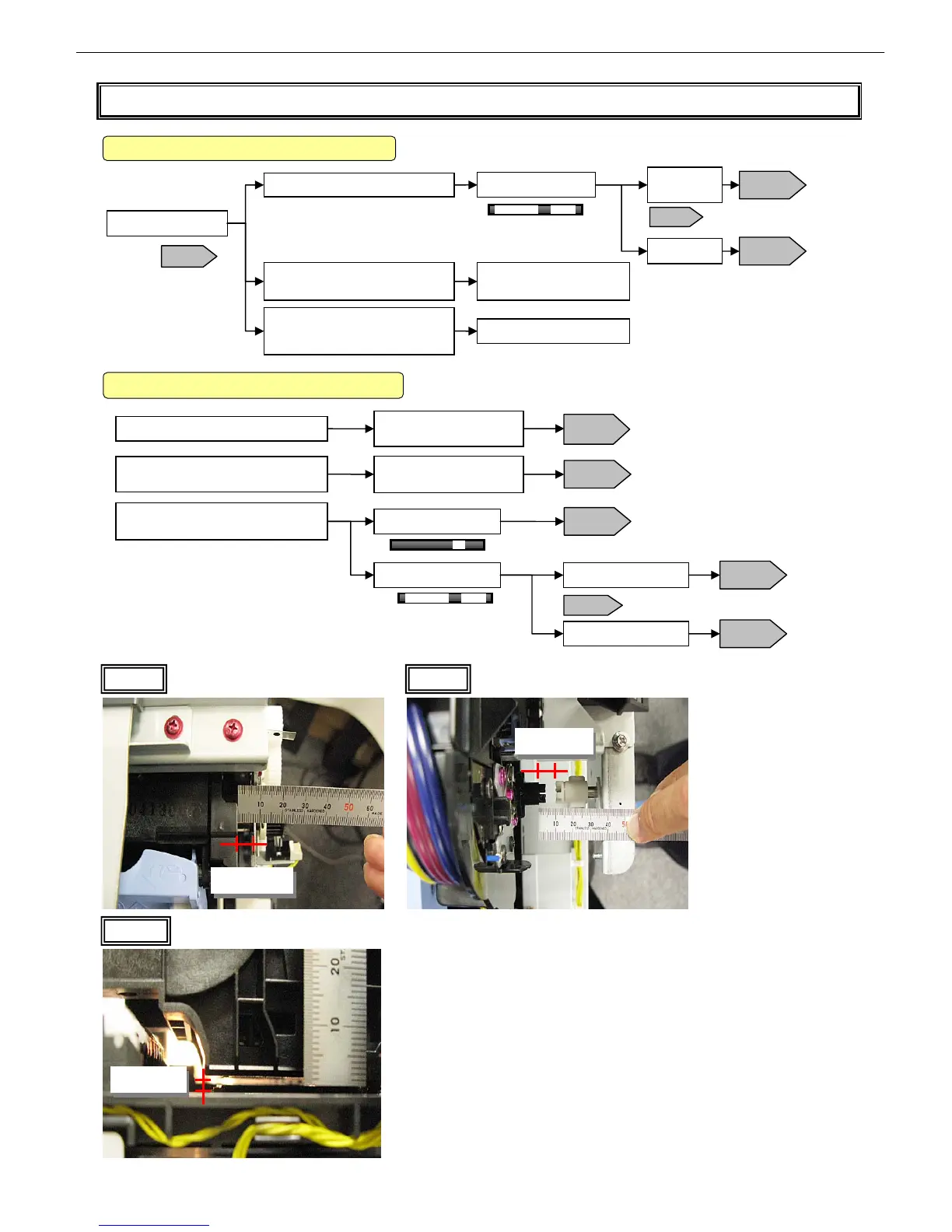
A gap of about 8 mm
(Photo 1)
Lower the cap and check its gap from
the head
Parallel with a gap of 2 mm
(Photo 3)
Sufficient ink left
Little or no ink left
Flow 2
Adjacent three colors
Else
Flow 2
Flow 1
Flow 1
2F26
iPF5000 Series: Photo 1
Other than iPF5000 Series: Photo 2
T02
Air leak isolation
Purge fault isolation
Air leak isolation
Purge fault isolation
Photo 1 Photo 2
About 8 mm
About 8 mm
iPF5000 Series
Other than iPF5000 Series
Photo 3
About 2 mm














 To Next Page