Chapter 4 More Sophisticated Fault Isolation Tasks
3-21
Cause Point to check Action
C1 With the cover open, check to see if jams have not occurred. Remove.
C1 Check the firmware version (Paper jam detection)
Update to the
latest version
C4 Check that ink is available in the ink tube. 2F2F (P3-6)
C1
Check to see if a paper cutting failure has not occurred on the most recently used
printed matter.
2015 (P3-17)
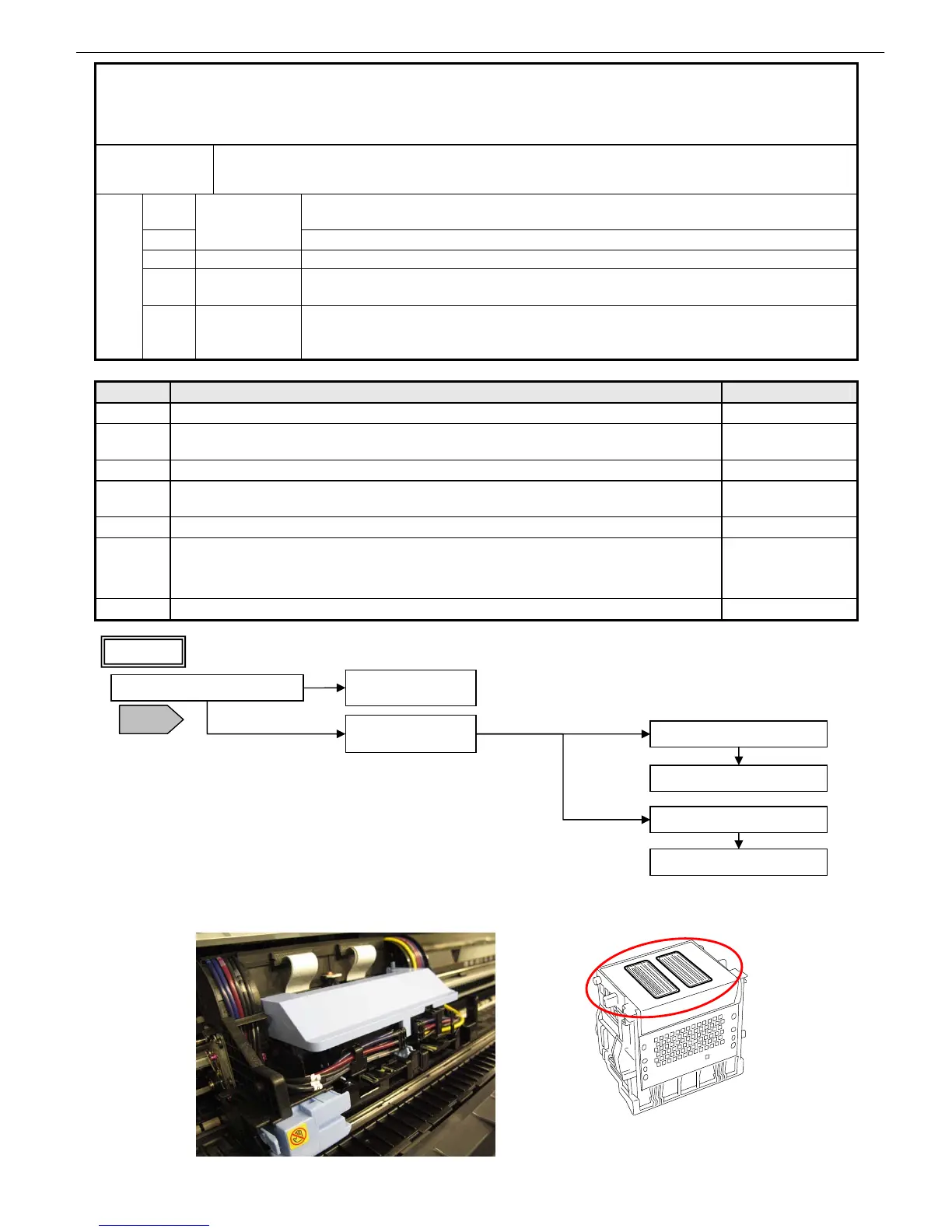
C1 Check the face of the printhead (to see if it is not flawed by paper or foreign matter). Replace the head.
C2,C3
After removing and inserting the print head, start in service mode to clear the error.
Then, restart the printer in normal mode to check to see if the error recurs (possibly
poor contact).
Replace the head.
C5 Check the main unit electrical equipment. Flow 1
13. 【403E】,【403F】Printhead abnormal temperature
rises
Occurrence
condition
Three instances of the internal head temperature sensor reaching 120
o
C or higher (or -10
o
C or
lower) have been detected for 28 ms.
C1
The face is physically damaged from jammed paper or from foreign matter falling
onto the platen.
C2
Printhead
Electrical shorting in the head
C3 Electrical Poor head contact
C4
Ink supply
system
Abnormal head temperature rises caused by non-discharging
Failure causes
C5
Main unit
electrical
equipment
Faulty carriage (relay) PCB, head relay PCB, flexible cable, main controller
Check the face for flaws
(never touch the face)
Check the ink in the tube
Is the flexible cable broken?
Replace the flexible
cable
Replace the carriage relay PCB
Replace the main
controller
Yes
No
Replace the carriage PCB
Replace the head relay PCB
iPF5000/iPF800 Series
iPF700/iPF8000 Series
Replace the carriage unit
Flow 1
T18














 To Next Page