Troubleshooting Guide
4-18
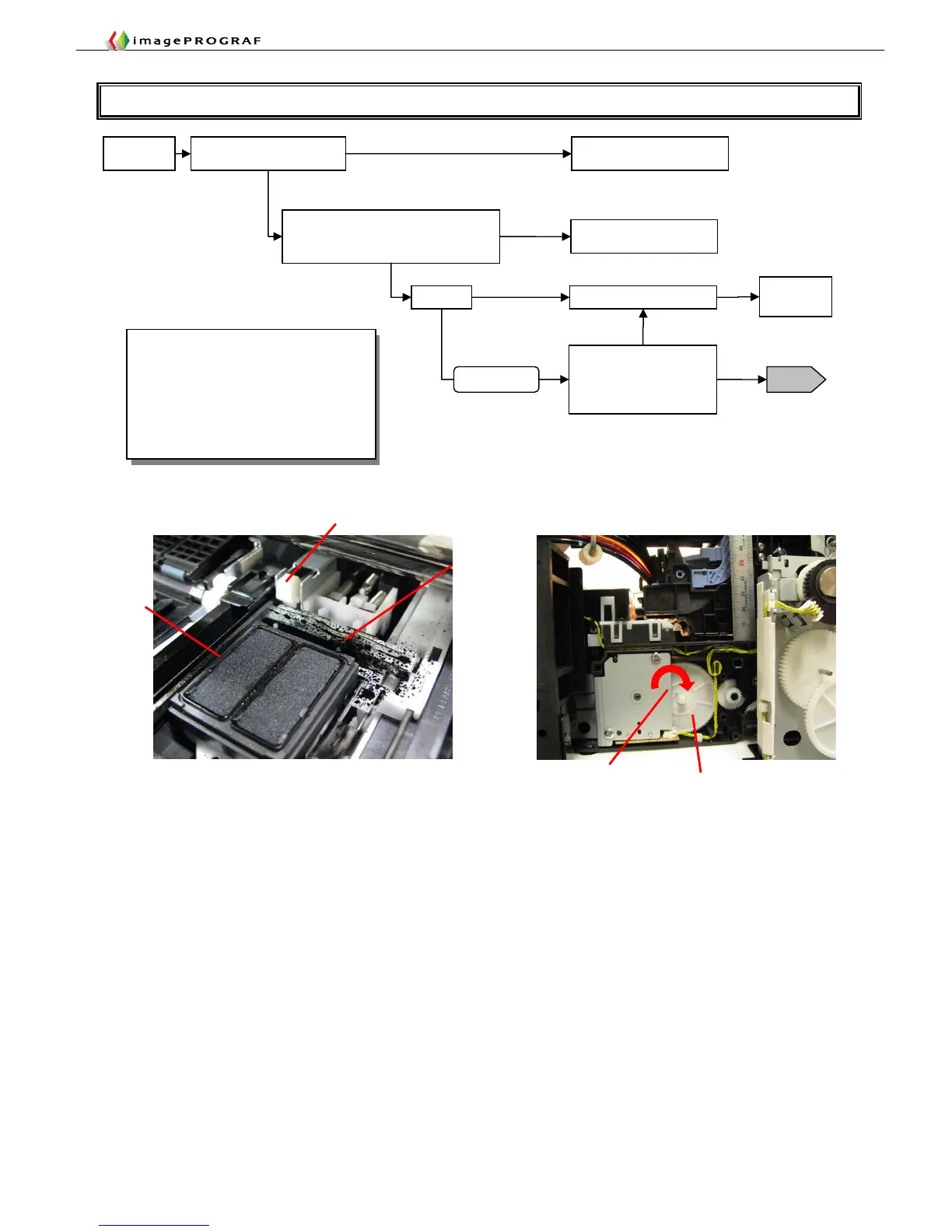
T12 Purge Unit Fault Isolation Tool
Lock pin
Cap
Wiper blade
Direction of gear rotation
Gear
Movable
Check the purge unit for
presence of foreign matter
Switch on
Turn the gear by hand to check the cap
moves up and down and that the wiper
blade moves forward and backward
(*1)
Remove the foreign matter
Replace the purge unit
Not movable
Remove
the cover
No foreign matter found
2F26
Foreign matter found
Replace the purge unit
Totally not movable
Replace the
main PCB
Movable
With the purge unit being
removed from the main unit,
switch on the power and
check for operations
(*1)
Normal
Abnormal
*1 Sequence of checking the purge unit for
normal operation
① The cap moves down.
② The wiper blade moves forward and
backward.
③ The cap moves up.
Turn the gear clockwise (toward a triangular
mark) by giving it 11.25 turns to complete one
cycle of operation.
Carriage
inoperable
Switch off once
If the foreign matter is a hard substance,
replace the purge unit














 To Next Page