Chapter 5 Fault Isolation Tool Collection
4-27
T19 Special Mode for Servicing
1. Service Mode
Service mode is used to set up the main unit and check its operations. Its functions include:
・View and print Print Inf
・Print nozzle check patterns with the non-discharging nozzle backup feature turned off
・Clear error logs
・Check sensor operation (I/O displays)
(1)Invoke and exit service mode
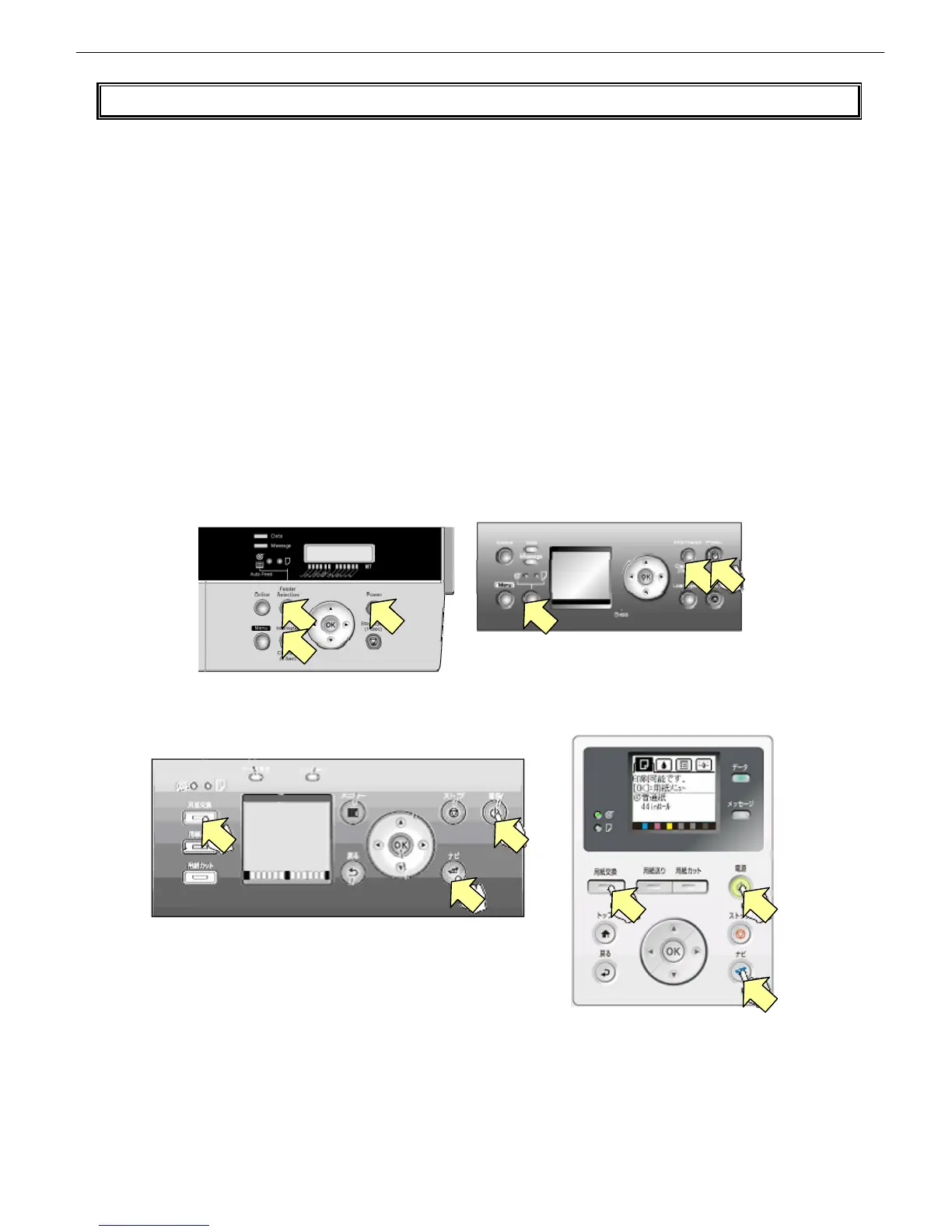
The procedure to invoke download mode varies depending on whether the model is with or without [Navigate] button.
Model without [Navigate] button: Switch on the printer while pressing the [Feeder Selection] button and the
[Information] button simultaneously.
Model with [Navigate] button: Switch on the printer while pressing the [Load] button and the [Navigate] button
simultaneously.
To exit service mode, switch off the printer, then back on.
※ The printer, when started in service mode, comes up with the startup error check disabled. When the repairs
are complete, be sure to start the printer in normal mode to check its operations.
Model without [Navigate] button
Model with [Navigate] button














 To Next Page