Chapter 4 More Sophisticated Fault Isolation Tasks
3-15
Cause Key point to check Action
C2 Check to see if the main unit back cover is properly closed (cassette pick-up only). Close.
C2 With the back cover open, check for jams.
Remove the
jams.
C2
Check to see if there is foreign matter in the path of travel.
⇒ With the back cover removed, illuminate the inside to see slips of paper.
Release the nip and (POP mode) and push in the paper from the front to
remove the slips.
Remove foreign
matter.
C1 Check to see if the sensor functions normally in IO mode.
Replace the
sensor.
C1, C2,
C3
With the main unit back cover open, feed paper (cassette pick-up only).
⇒If no problem is found, there is no problem along the path form the prefed paper
detection sensor to the cassette.
Fix.
C2
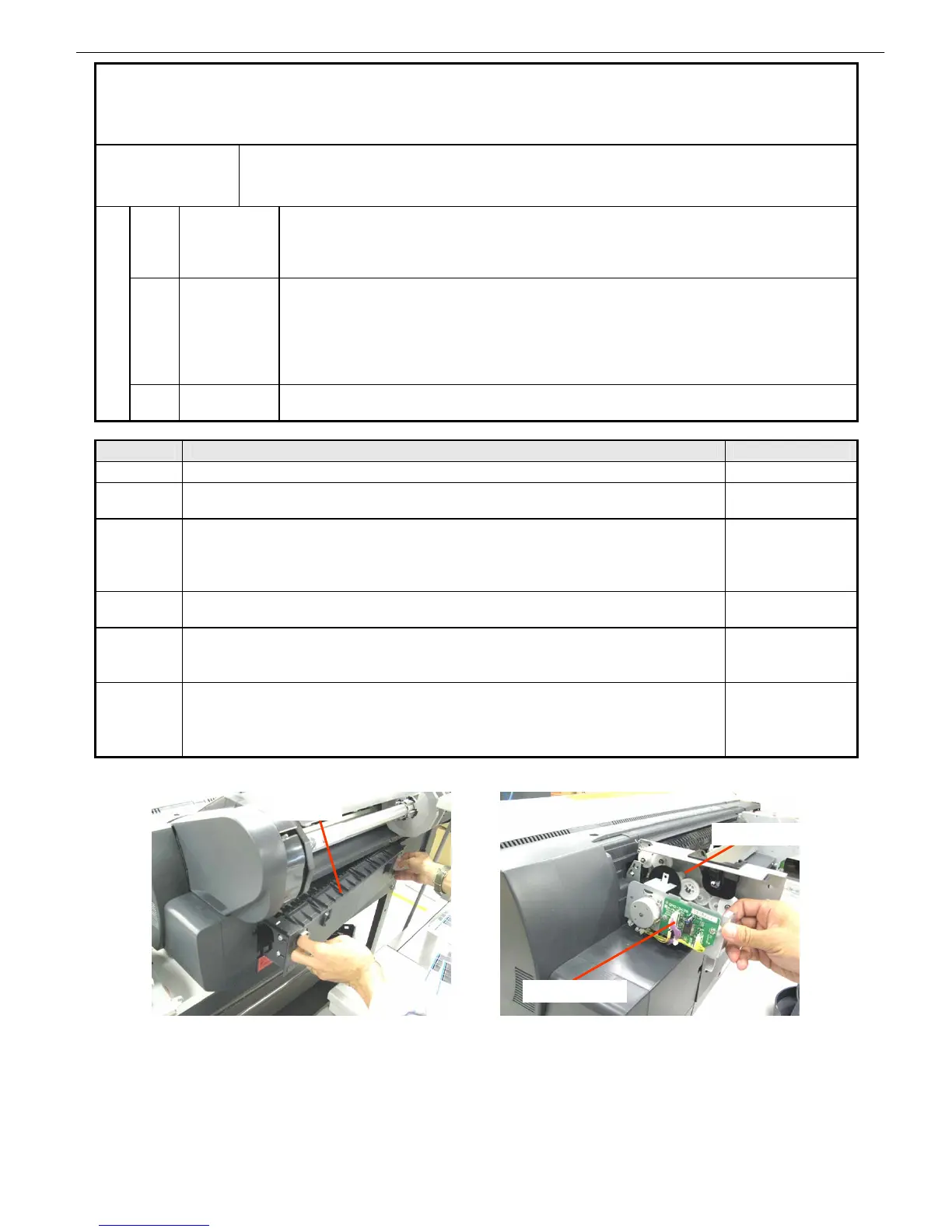
If roll paper are being fed, check the roll paper unit for operation (pendulum gear).
Switch to cassette or POP mode and retract the paper to the roll paper unit side
once. Then, switch to roll paper feeding. If an error occurs with the roll, the roll
paper unit is at operational fault.
Fix.
8. 【2E25】Paper jam while feeding, ejecting or printing on
paper (Jam 2)
Occurrence
conditions
Jam between the prefed paper detection sensor and the LF_PE sensor (LF_PE sensor delay
jam)
Jam between the roll paper sensor and the LF_PE sensor (LF_PE sensor delay jam)
C1 Sensors
LF_PE Faulty sensor
LF_PE sensor lever operational failure
Bitten wires
Faulty main controller
C2
Feeding
system
Back cover out of position/not closed properly
Foreign matter in the path of travel
Cassette pressure cam parallel pin out of position
Broken/worn drive gear
Improper cassette pick-up motor belt tension
Soiled cassette feed roller
Failure causes
C3
Paper
problems
Slippery paper
Folded paper
Roll feed unit PCB
Pendulum gear
Back cover
iPF5000 Series only














 To Next Page