Troubleshooting Guide
3-14
Cause Key point to check Action
C2
If roll paper are being fed, check the roll paper unit for operation (pendulum gear).
If a jam occurs while loading cut sheet (fed from the top) or rewinding roll paper with the
feeding methods switched, the roll paper unit is at operational fault.
Fix.
C1 Improper LF belt tension, faulty LF motor or faulty LF encoder Check.
C2 Check to see if there is any jam on the paper ejection side of the LF_PE sensor. Check.
C3 Check the cutter drive unit. Flow 1
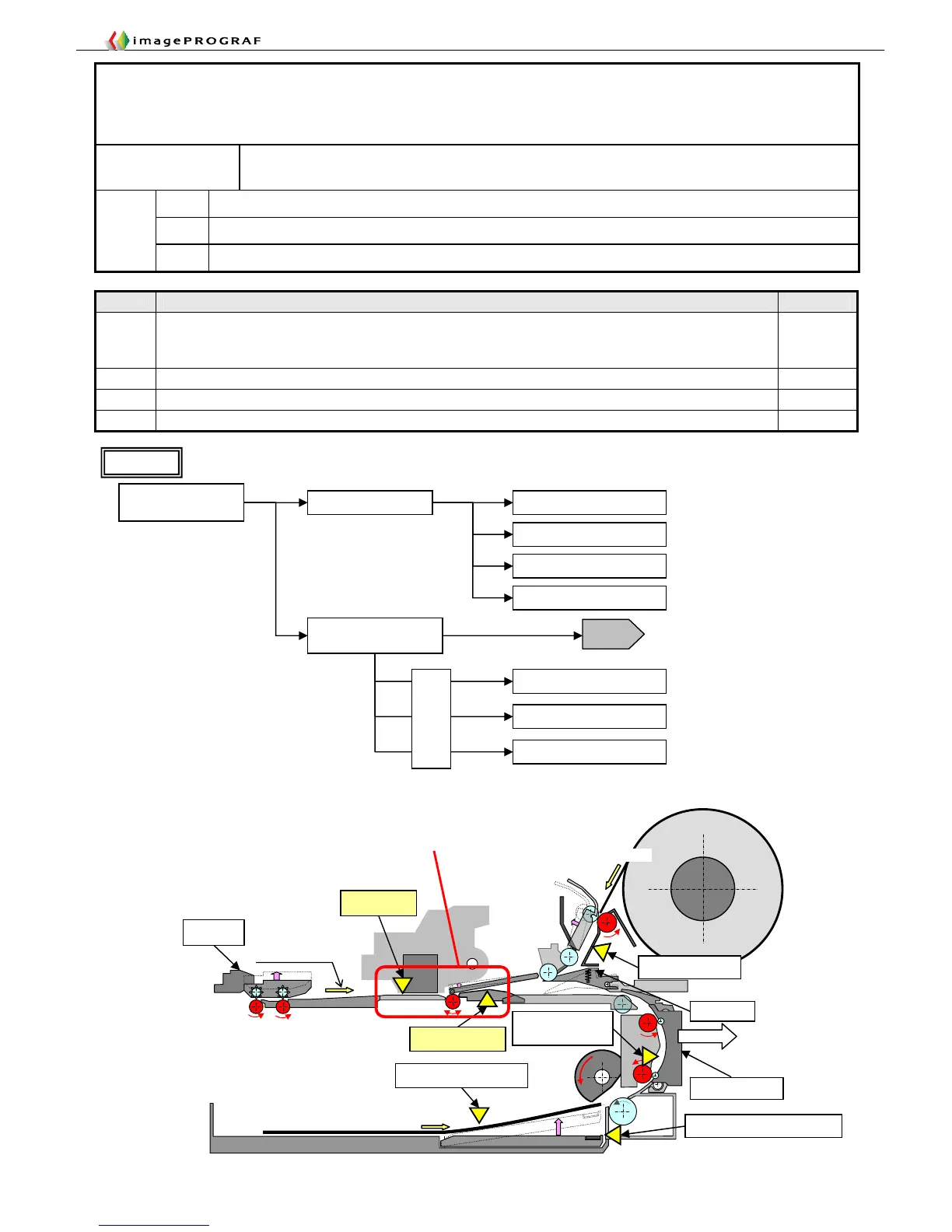
7. 【2E27】Paper jam while feeding, ejecting or printing on
paper (Jam 1)
Occurrence
conditions
Jams occurring between the LF_PE sensor and the multisensor
C1 LF out of synchronization
C2 Jams past the LF_PE sensor
Failure
causes
C3 Faulty cutter drive unit (iPF5000 Series only)
Prefed paper
detection sensor
Paper detection sensor
LF_PE sensor
Roll feed senso
Back cover
Manual feeding from
top (POP board)
Cassette detection sensor
Jam occurring in the path of paper travel between
the LF_PE sensor and the multisensor
■iPF500 Series
S
S
S
S
S
S
Feeding of roll
media fed from top
Feed paper manually and
perform Forced Cut
2F26
Fault isolation for malfunctioning (iPF5000 Series only)
Cutter idle
Check the lift motor for
operation
Does the cutter lift on
switching from roll
media to cut media?
Cutter driven
Not lifting
Replace the lifter motor
Lifting
Replace the cutter motor
Replace the cutter driver PCB
Replace the cutter motor
Check for bitten wires
Replace the cutter driver PCB
Replace the main controller
Replace the main controller
iPF5000, iPF500, iPF600 only
Check for bitten
wires
Flow 1
Carriage inoperable
iPF5000, iPF500, iPF600 only














 To Next Page