Chapter 5 Fault Isolation Tool Collection
4-13
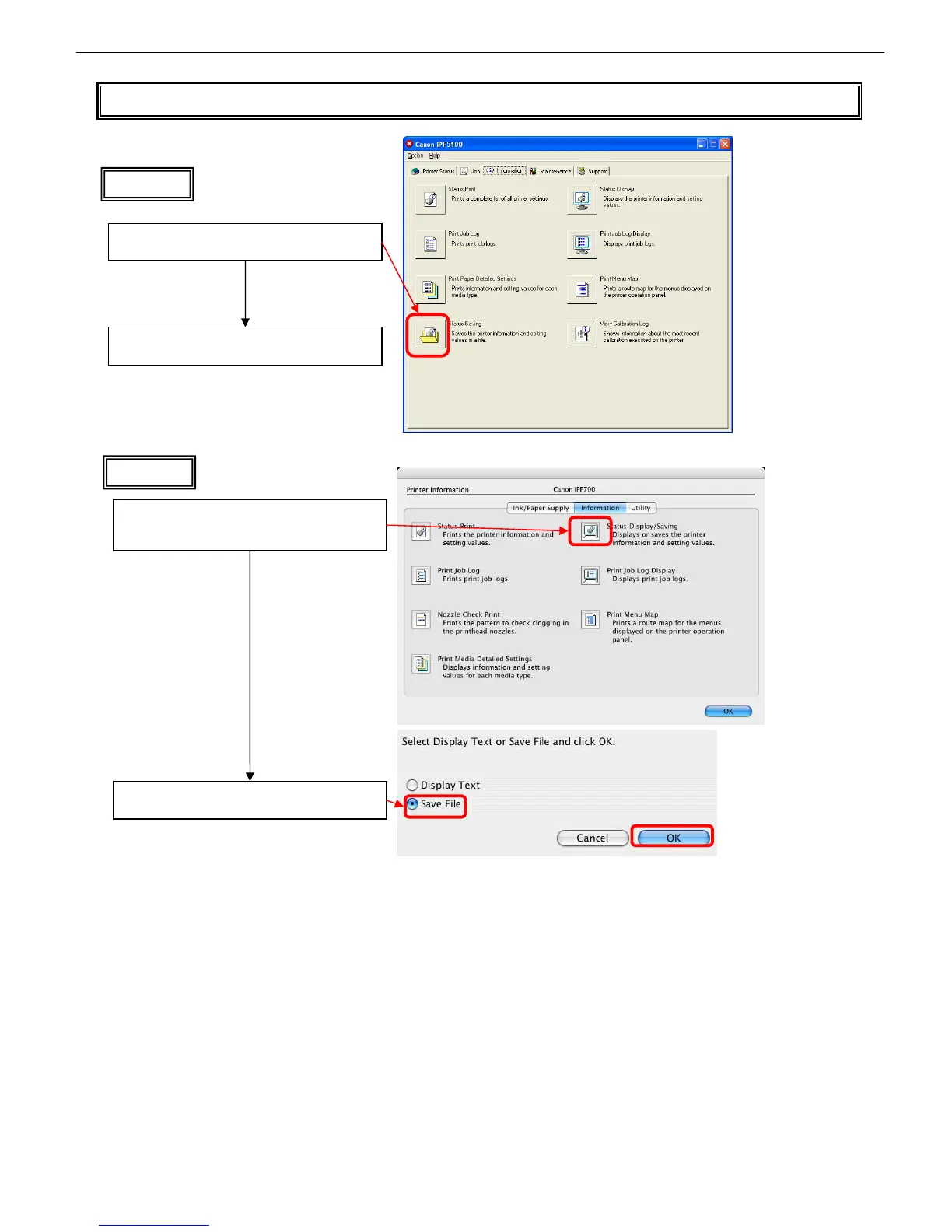
T09 Collecting Status Information
Macintosh
Click [Settings] in the printer driver utility panel,
and then click [Status Display/Saving] in the
[Information] tab
Check [Save File] and click [OK]
Click [Status Saving] on the [Information] tab in
the status monitor
Status information is written to a specified file as
text data
Windows














 To Next Page