Chapter 5 Fault Isolation Tool Collection
4-11
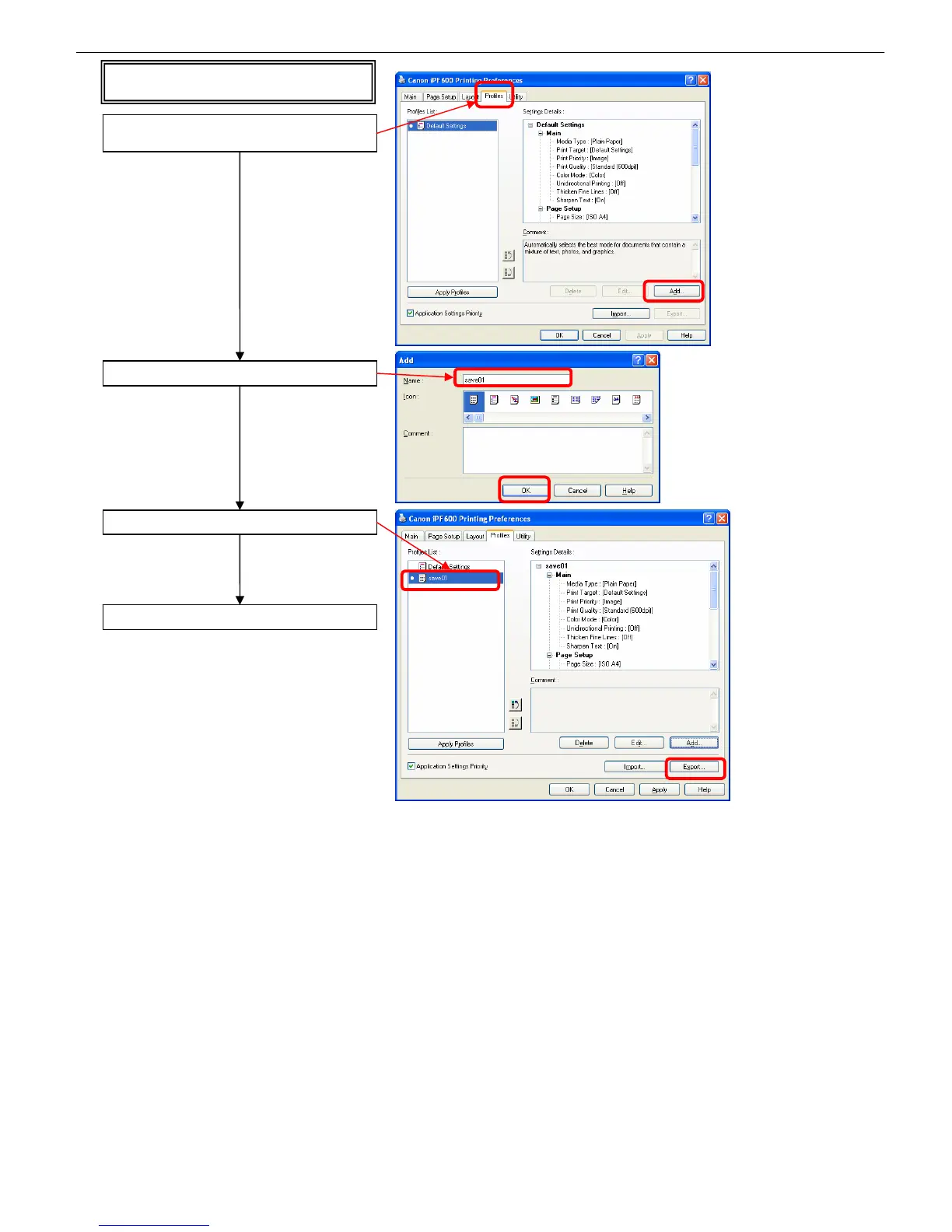
If the [Printing Preferences] dialog box does not
have a [Support] tab
Type a name and click [OK]
Select the profile just added and click [Export…]
Select a file name and save the file
* You can import the file just saved to confirm its
settings by choosing [Import…] in the [Profiles]
tub.
Click the [Profiles] tab in the [Printing Preferences]
dialog box and click [Add…]














 To Next Page