Registering a Department ID
1
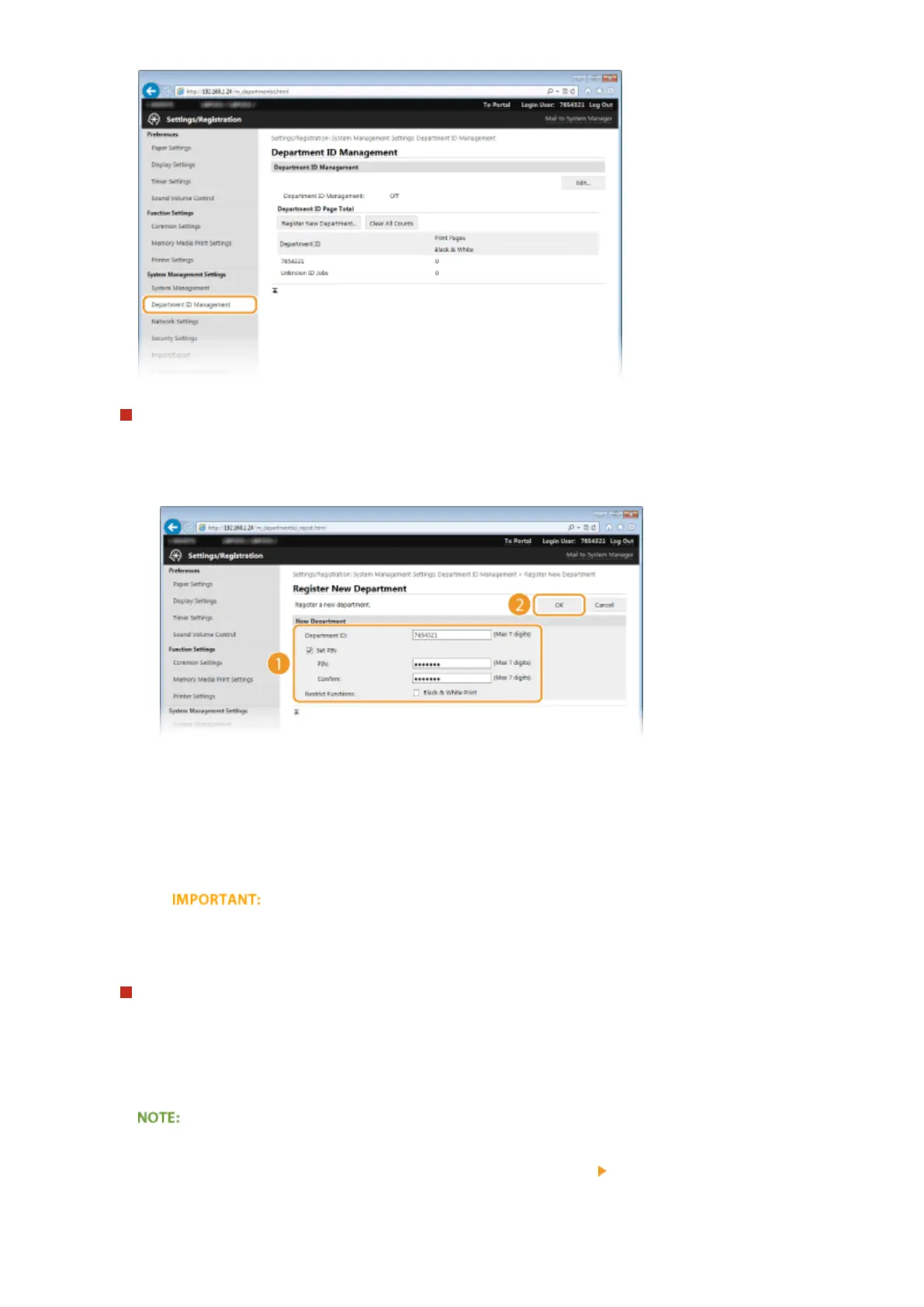
Click [Register New Department].
2
Specify the required settings and click [OK].
[Department ID]
Enter a number of up to seven digits for the Department ID.
[Set PIN]
To set a PIN, select the check box and enter a number of up to seven digits both in the [PIN] and
[Conrm] text boxes.
Select the check box for [Black & White Print] under [Restrict Functions] to make it impossible to print
with the machine.
Editing the settings of the registered Department ID
1
Click the corresponding text link under [Department ID] to edit.
2
Change the settings as necessary and click [OK].
Deleting a Department ID
● Click [Delete] on the right of the Department ID you want to delete click [OK].
Security
210










 To Next Page