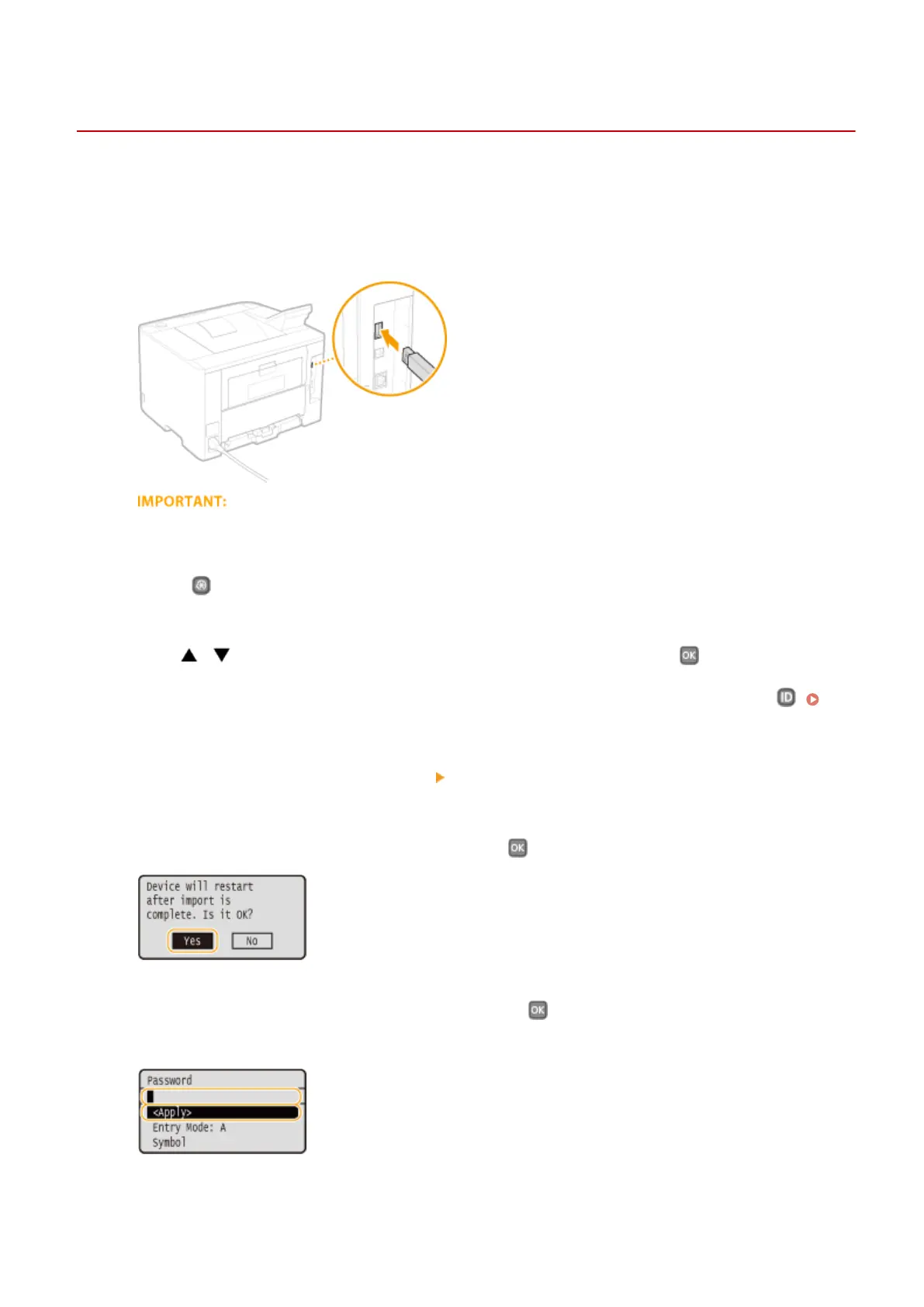
Loading Registered Data from a USB Memory Device
0W20-06X
Load (import) data that was exported from the machine to a USB memory device. You can also import settings from
another machine if it is the same model as your machine.
1
Connect a USB memory device to the USB port for a USB device.
● Do not remove, bump or jostle the USB memory device while data is being imported or exported.
2
Press .
3
Use / to select <System Management Settings>, and press .
● If the logon screen appears, enter the correct ID and PIN using the numeric keys, and then press .
Logging on to the Machine(P. 34)
4
Select <Import/Export of Settings> <Import>.
5
Check the message, select <Yes>, and press .
6
Enter the password, select <Apply>, and press .
● Enter the password that was set when exporting the data.
➠ Importing starts. The machine automatically restarts after the import is complete.
Maintenance
420










 To Next Page