How to Replace Toner Cartridges
0W20-069
Read the precautions in Maintenance and Inspections(P. 9) and Consumables(P. 10) before replacing the toner
cartridges.
1
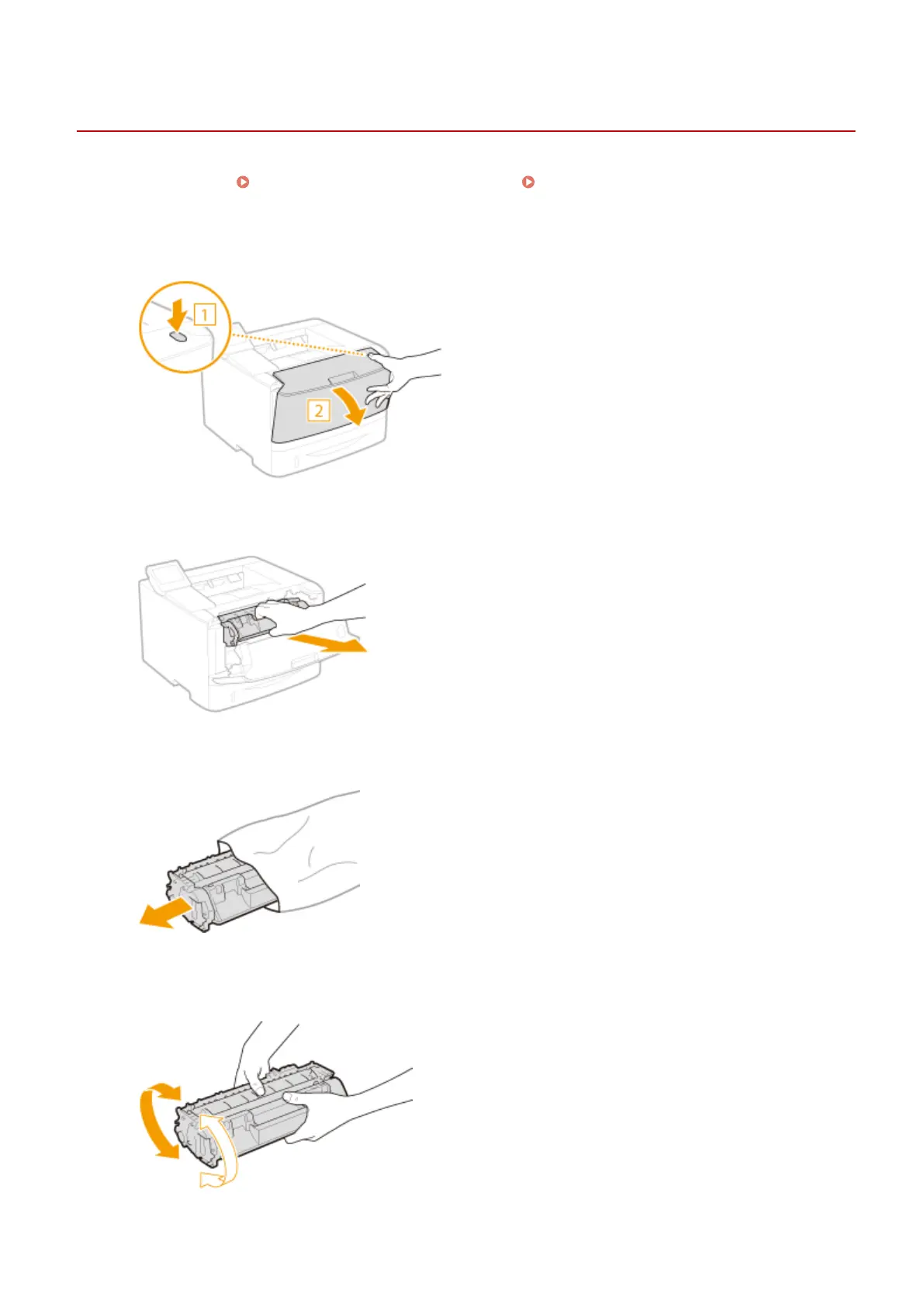
Open the front cover while holding down on the button.
2
Remove the toner cartridge.
3
Remove the replacement toner cartridge from the protective bag.
4
Shake the toner cartridge ve or six times as shown below to evenly distribute the
toner inside the cartridge, and then place it on a at surface.
Maintenance
400










 To Next Page