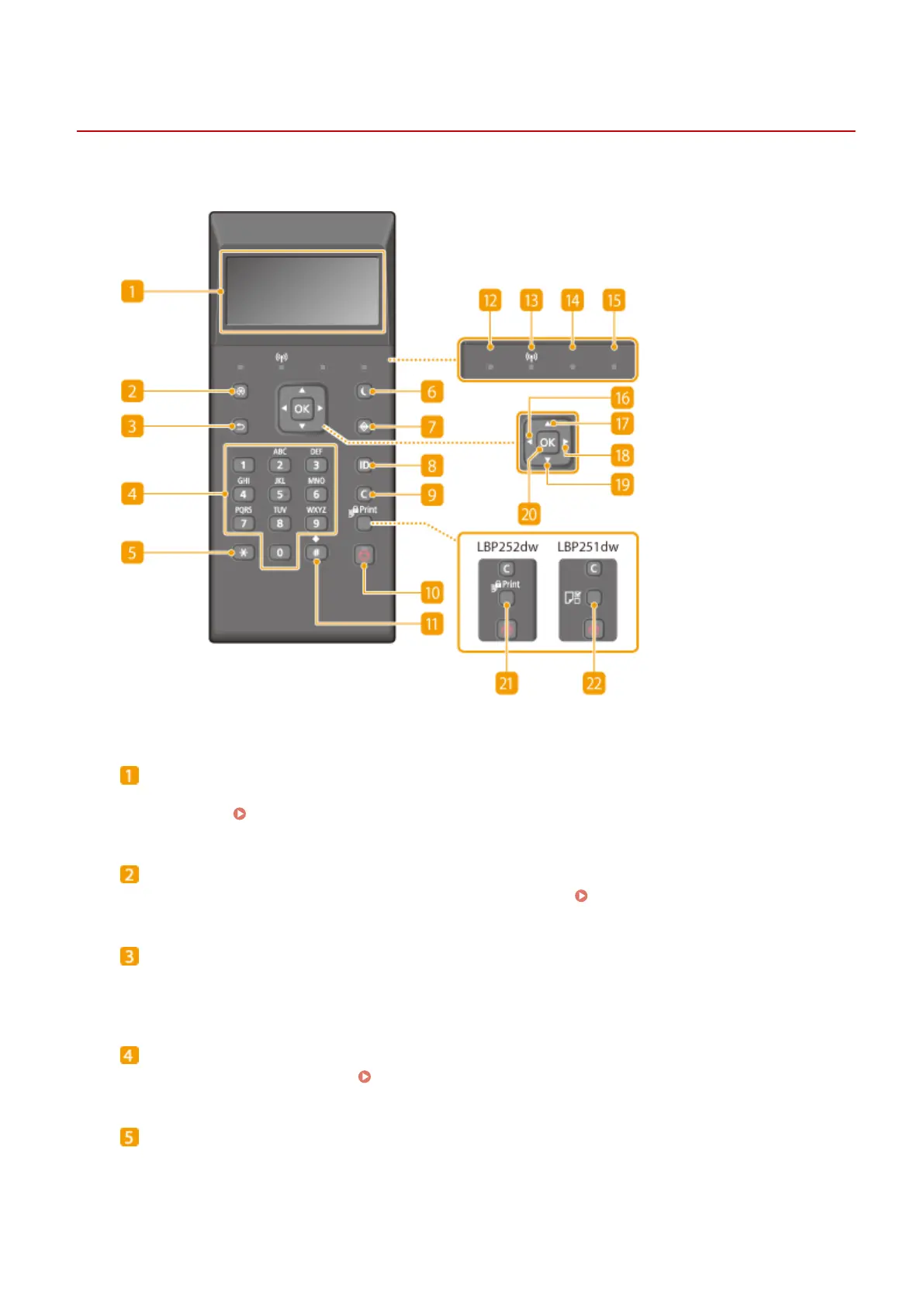
Operation Panel
0W20-00F
Display
Displays the current printing or other operation status, error information, amount remaining in the toner
cartridge, etc. Display(P. 27)
Menu key
Displays the Setup menu. You can specify settings of the machine. Setting Menu List(P. 287)
Back key
Press to return to the previous screen. If you press this key when specifying settings, for example, the
settings are not applied and the display returns to the previous screen.
Numeric keys ([0]-[9] keys)
Press to enter numbers and text.
Entering Text(P. 32)
[*] key
Press to switch the type of text that is entered.
Basic Operations
24










 To Next Page