Printing Booklet
0W20-01S
You can print two pages of a document on both sides of paper and then fold your
printed pages in half to make a booklet. The printer driver controls the print order in
such a way that the page numbers are correctly arranged.
Make sure that the paper size switch lever is set properly
● When performing booklet printing, improper setting of the paper size switch lever can cause misfeeds or
paper jams. When performing booklet printing, make sure that the paper size switch lever is set properly for
the size of the paper to be used. Interior(P. 21)
Make sure that the sub-output tray is closed
● When the sub-output tray is open, you cannot perform booklet printing. When performing booklet printing,
always make sure that the sub-output tray is closed. Back Side(P. 19)
● Booklet printing may not be available with some sizes and types of paper. The paper that is available for 2-
sided printing is also available for booklet printing. See Paper(P. 440) .
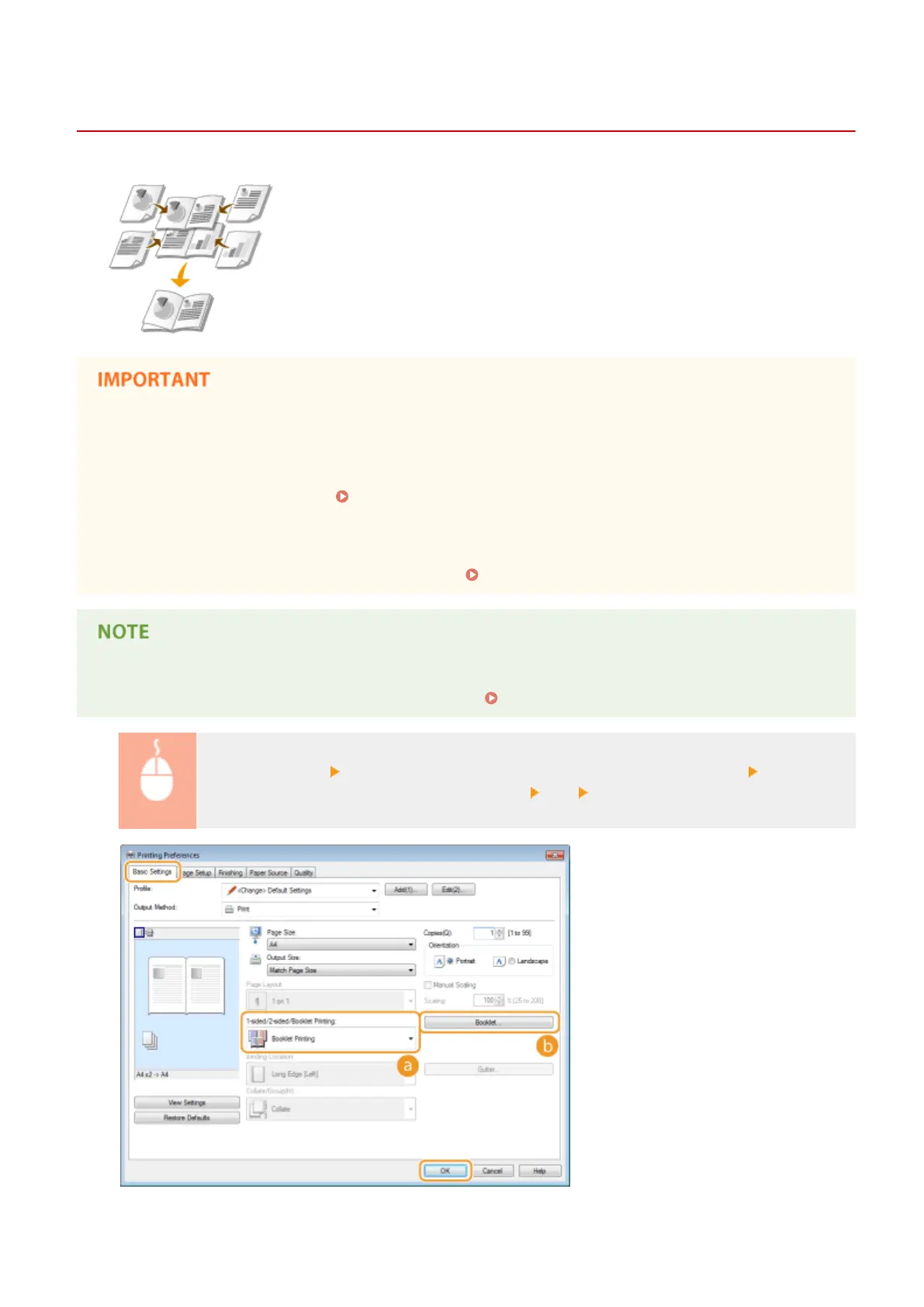
[Basic Settings] tab Select [Booklet Printing] in [1-sided/2-sided/Booklet Printing] Click
[Booklet] to specify detailed settings as necessary [OK] [OK]
Printing
91










 To Next Page