[1-sided/2-sided/Booklet Printing]
Select [Booklet Printing].
● For [1-sided Printing] and [2-sided Printing], see Switching 1-Sided and 2-Sided Printing(P. 84) .
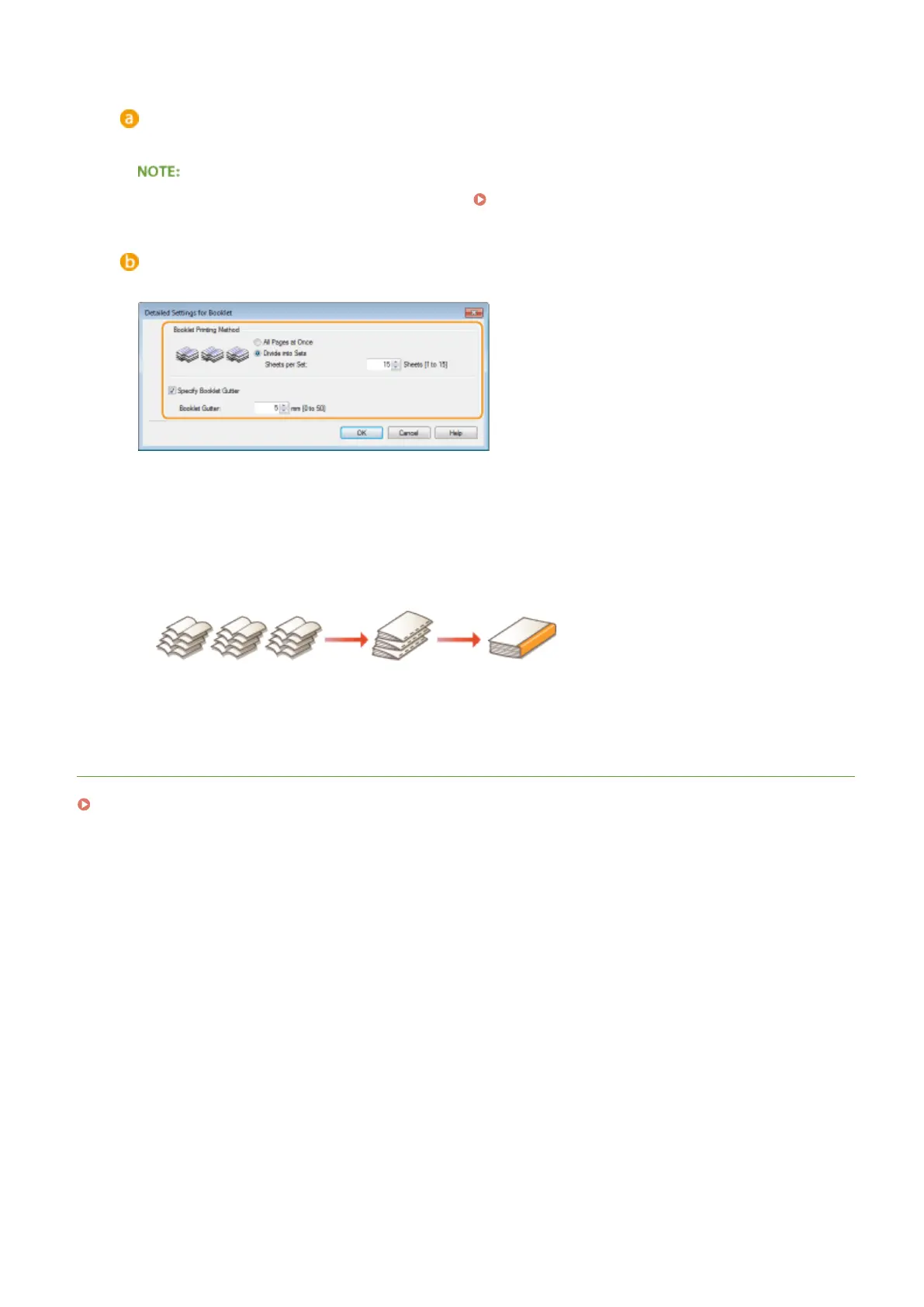
[Booklet]
The screen below is displayed.
[Booklet Printing Method]
● [All Pages at Once]: Prints all of the pages at once as a single bundle so that you can make a booklet just
by folding the printed pages in half.
● [Divide into Sets]: Prints as multiple bundles divided by the number of the pages specied on [Sheets
per Set]. Bind each bundle, and then combine them as one booklet. Select this option when the
document has so many pages that you cannot bind them all into a single booklet.
[Specify Booklet Gutter]
If you are using a stapler or other binding tools, specify the margin width for binding your booklet. Select
the [Specify Booklet Gutter] check box and specify the margin width in [Booklet Gutter].
LINKS
Basic Printing Operations(P. 70)
Printing
92










 To Next Page