2
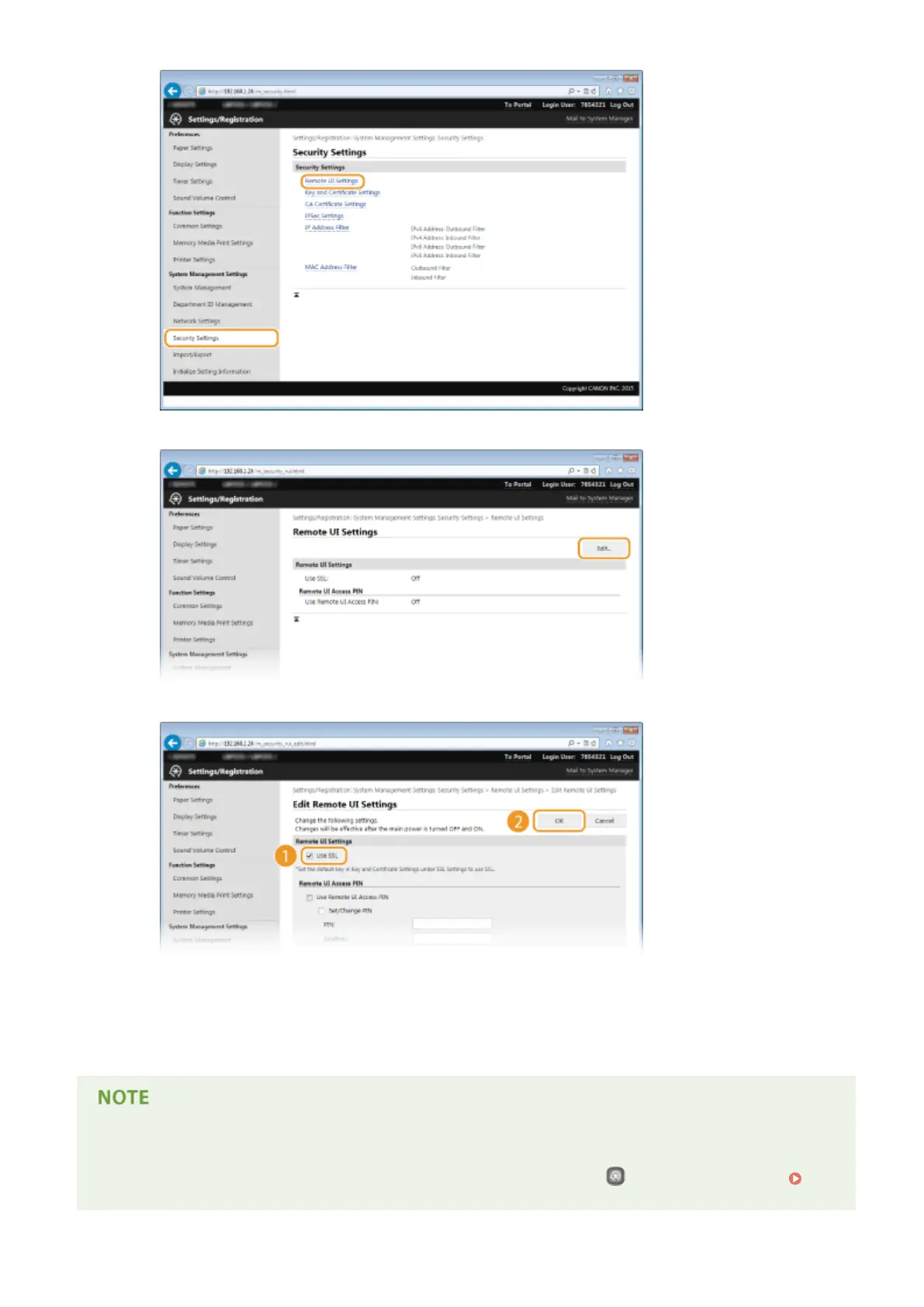
Click [Edit].
3
Select the [Use SSL] check box and click [OK].
7
Restart the machine.
● Turn OFF the machine, wait for at least 10 seconds, and turn it back ON.
Using the operation panel
● You can also enable or disable SSL encrypted communication by pressing
on the operation panel. Use
SSL(P. 338)
Security
237










 To Next Page