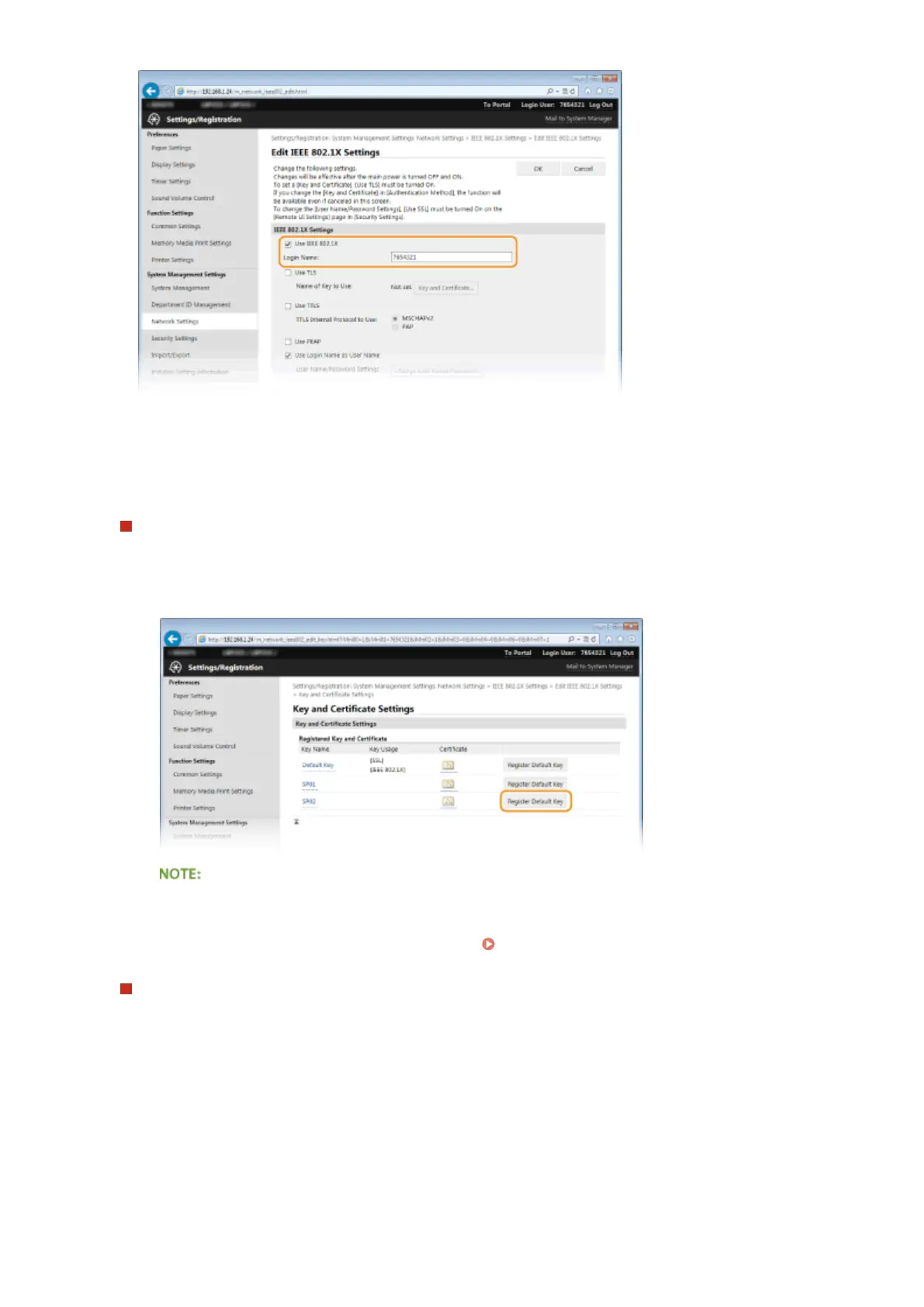
[Use IEEE 802.1X]
Select the check box to enable IEEE 802.1X authentication.
[Login Name]
Enter up to 24 alphanumeric characters for a name (EAP identity) that is used for identifying the user.
Setting TLS
1
Select the [Use TLS] check box and click [Key and Certicate].
2
Click [Register Default Key] on the right of the key pair you want to use for the client authentication.
Viewing details of a key pair or certicate
● You can check the details of the certicate or verify the certicate by clicking the corresponding text
link under [Key Name], or the certicate icon.
Verifying Key Pairs and Digital Certicates(P. 266)
Setting TTLS/PEAP
1
Select the [Use TTLS] or [Use PEAP] check box.
Security
250










 To Next Page